10
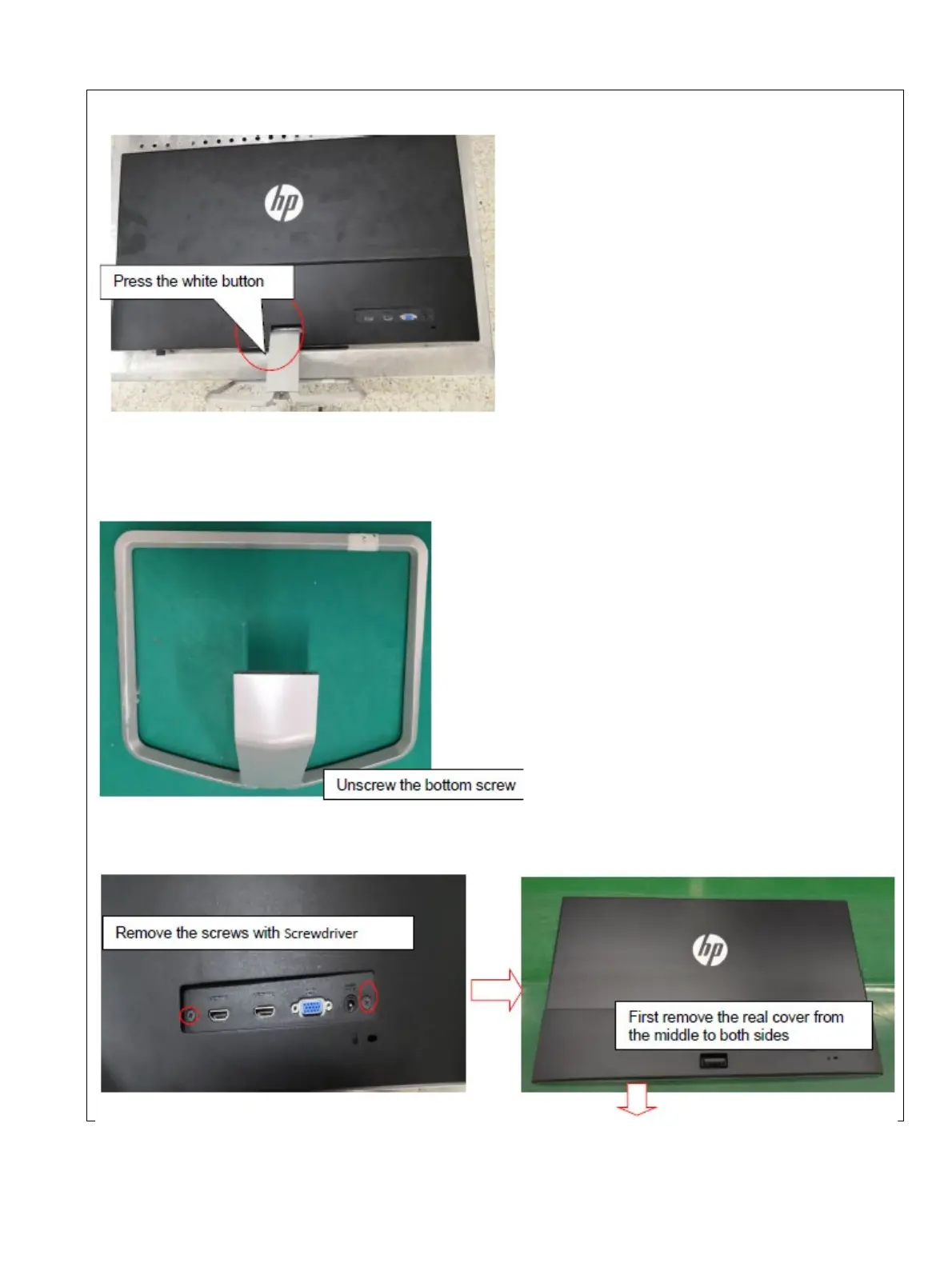
Step 1 Quick release Base stand
(1).Pull out base and stand
a. Press black button with one hand
b. Pull out stand & base with another hand
(2).Disassy base and stand
Step 2: Strip the screws from rear cover, then move rear cover follow the below way


 To Next Page