EasyManua.ls Logo

HP 3468A - 3468 A Messages

HP 3468A
114 pages
Print Icon
To Next Page IconTo Next Page
To Previous Page IconTo Previous Page
Loading...
Abnormal
Multimeter
Readings
lf
a
reading
is
larger
than
a
particular
range
can
display,
the
display
will
indicate
an
“OVLD’’
(overload)
with
the
measurement
function
and
decimal
point
still
displayed.
If
the
A-D
convertor
is
inoperative,
the
display
will
indicate
‘ERROR
8”
or
“A-D
ERROR”.
The
3468A
will
continue
to
try
to
make
a
reading,
and
if
it
succeeds,
it
will
display
the
reading.
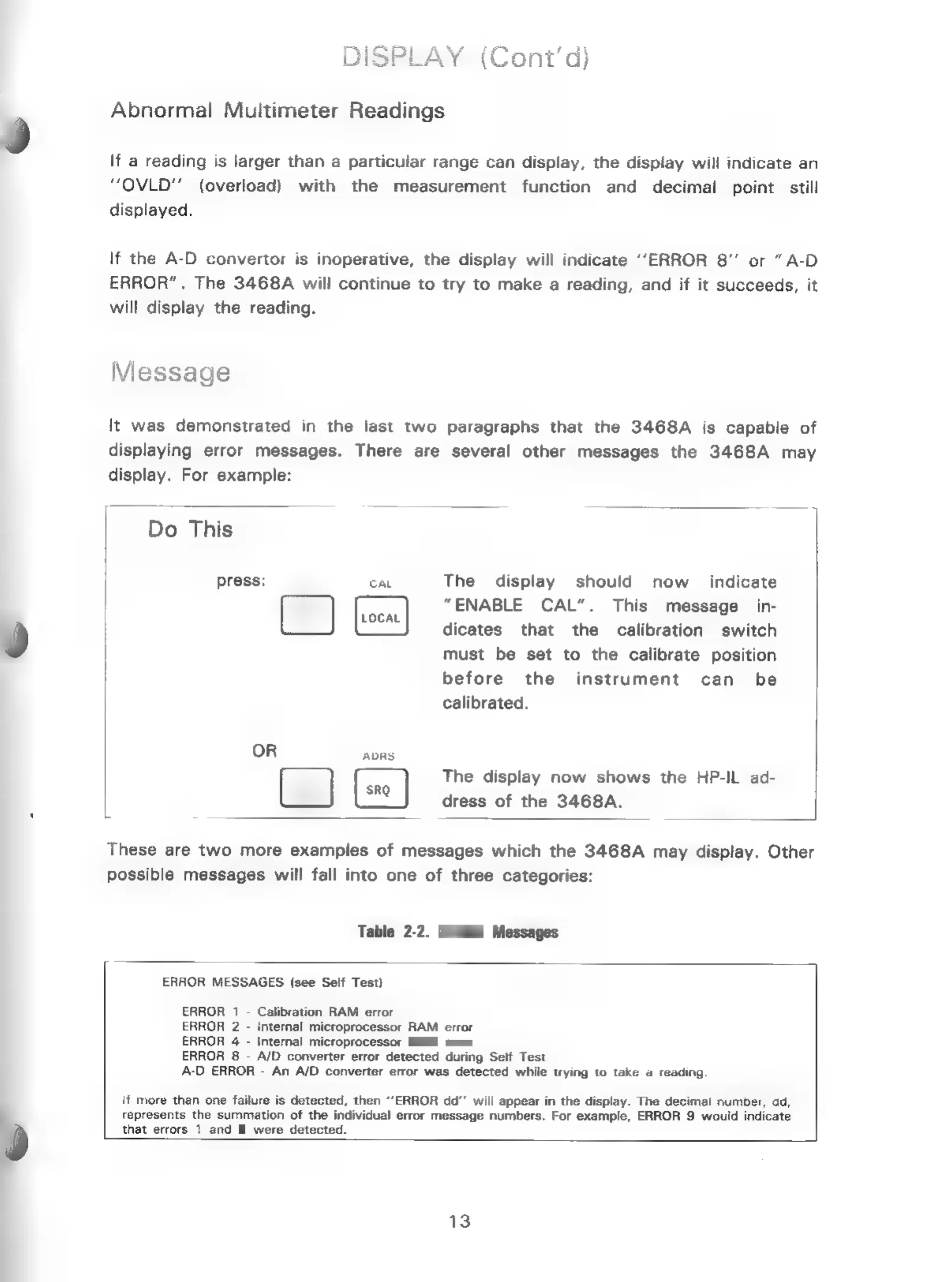
Message
It
was
demonstrated
in
the
last
two
paragraphs
that
the
3468A
is
capable
of
displaying
error
messages.
There
are
several
other
messages
the
3468A
may
display.
For
example:
Do
This
The
display
should
now
_
indicate
“ENABLE
CAL”.
This
message
in-
dicates
that
the
calibration
switch
must
be
set
to
the
calibrate
position
before
the
instrument
can
be
calibrated.
press:
OR
ADRS
(2)
The
display
now
shows
the
HP-IL
ad-
dress
of
the
3468A.
These
are
two
more
examples
of
messages
which
the
3468A
may
display.
Other
possible
messages
will
fall
into
one
of
three
categories:
Table
2-2.
3468A
Messages
ERROR
MESSAGES
(see
Self
Test)
ERROR
1
-
Calibration
RAM
error
ERROR
2
-
Internal
microprocessor
RAM
error
ERROR
4
-
Internal
microprocessor
ROM
error
ERROR
8
-
A/D
converter
error
detected
during
Self
Test
A-D
ERROR
-
An
A/D
converter
error
was
detected
while
trying
to
take
a
reading
if
more
than
one
failure
is
detected,
then
“ERROR
dd”’
will
appear
in
the
display.
The
decimal
number,
ad,
represents
the
summation
of
the
individual
error
message
numbers.
For
example,
ERROR
9
would
indicate
0
that
errors
1
and
8
were
detected.
13

Related product manuals