EasyManua.ls Logo

HP 3468A - Interface Connections and Fuse Replacement

HP 3468A
114 pages
Print Icon
To Next Page IconTo Next Page
To Previous Page IconTo Previous Page
Loading...
The
-hp-
Model
3468A
is
compatible
with
the
Hewlett-Packard
Interface
Loop
(HP-
IL).
HP-IL
is
an
easy
to
use
interface
that
allows
interaction
and
control
between
the
-hp-
41
family
of
calculators
and
instruments
such
as
the
3468A.
Instruments
are
connected
together
in
series,
forming
the
‘‘loop’’.
Refer
to
Appendix
A
for
specific
information
regarding
HP-IL.
The
3468A
may
be
connected
at
any
point
in
the
loop.
Refer
to
Figure
5-3.
HP-IL
connections
to
the
3468A
are
by
two
cables,
one
going
to
the
previous
instru-
ment
in
the
loop
(IN)
and
the
other
going
to
the
next
instrument
(OUT).
All
of
the
interface
cables
must
form
a
continuous
loop.
All
connectors
are
designed
for
proper
orientation.
To
connect
a
device
such
as
the
3468A,
first
turn
off
the
calculator
and
the
device
to
be
added
to
the
loop.
Then,
disconnect
the
loop
in
one
place
and
connect
the
3468A
into
the
loop
at
that
place.
All
devices
must
be
turned
on
for
the
interface
to
work
properly.
The
calculator
assigns
new
addresses
to
each
device
at
turn-on.
Total
cable
length
between
any
two
consecutive
devices
in
the
loop
must
not
exceed
10
meters
(33
feet)
for
standard
cable.
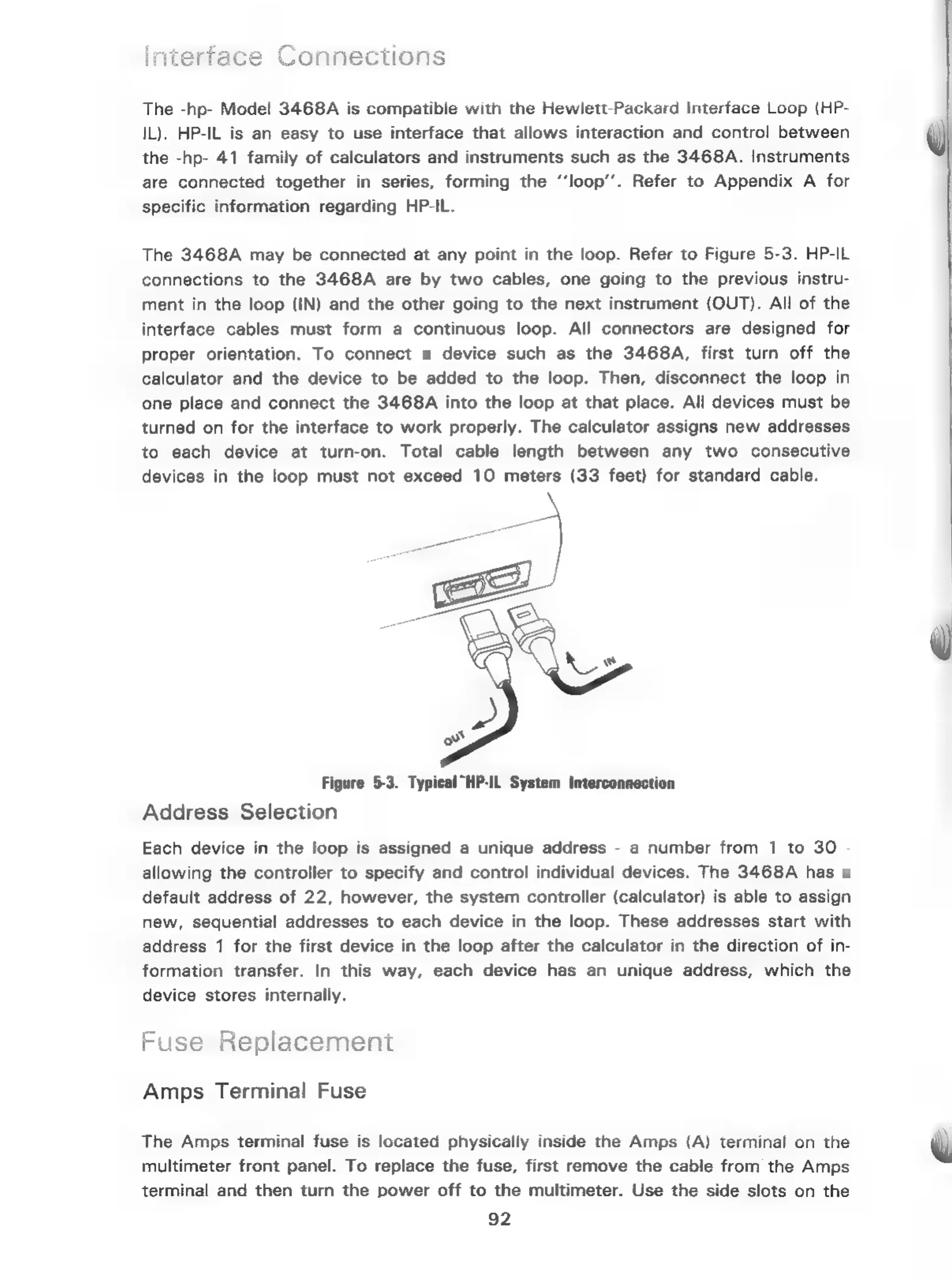
Figure
5-3.
Typ
Address
Selection
“HP-IL
System
Interconnection
Each
device
in
the
loop
is
assigned
a
unique
address
-
a
number
from
1
to
30
-
allowing
the
controller
to
specify
and
control
individual
devices.
The
3468A
has
a
default
address
of
22,
however,
the
system
controller
(calculator)
is
able
to
assign
new,
sequential
addresses
to
each
device
in
the
loop.
These
addresses
start
with
address
1
for
the
first
device
in
the
loop
after
the
calculator
in
the
direction
of
in-
formation
transfer.
In
this
way,
each
device
has
an
unique
address,
which
the
device
stores
internally.
f
Fu
se
Replacement
Amps
Terminal
Fuse
The
Amps
terminal
fuse
is
located
physically
inside
the
Amps
(A)
terminal
on
the
multimeter
front
panel.
To
replace
the
fuse,
first
remove
the
cable
from
the
Amps
terminal
and
then
turn
the
power
off
to
the
multimeter.
Use
the
side
slots
on the
92

Related product manuals