5–40 Maintenance and Service Guide
Removal and Replacement Procedures
4. Turn the notebook right-side up, with the front facing you.
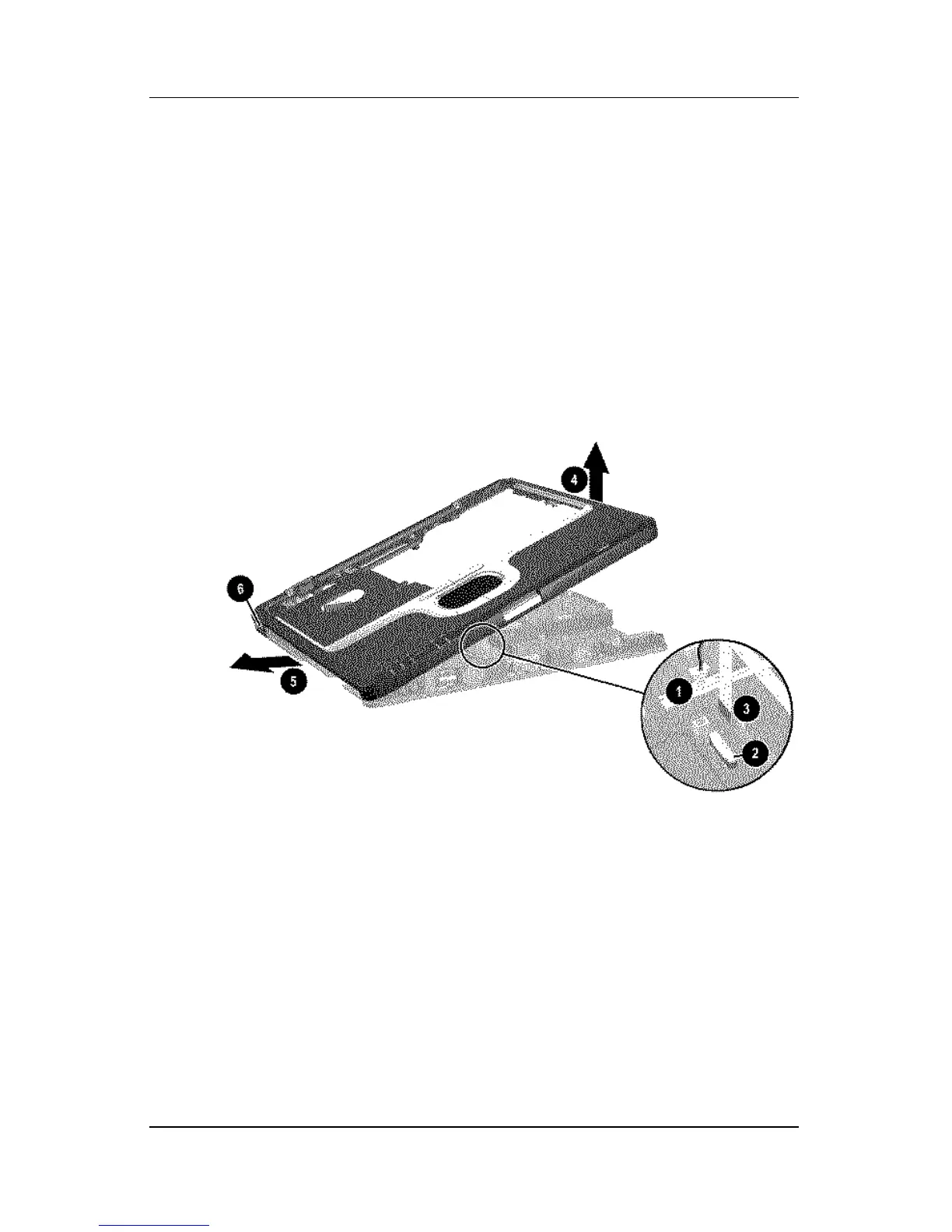
5. Disconnect the RTC battery cable 1 from the system board.
6. Release the ZIF connector 2 to which the TouchPad cable is
attached and disconnect the TouchPad cable 3.
7. Lift the right side of the top cover 4 until it rests at a
45-degree angle.
8. Slide the top cover to the left 5 to disengage the audio
connectors 6 from the top cover.
9. Remove the top cover.
Removing the Top Cover
Reverse the above procedure to install the top cover.












 To Next Page