Removal and Replacement Procedures
Maintenance and Service Guide 5–15
5.7 Bluetooth Wireless
Communications Board
1. Prepare the notebook for disassembly (Section 5.3).
2. Turn the notebook upside down, with the right side
facing you.
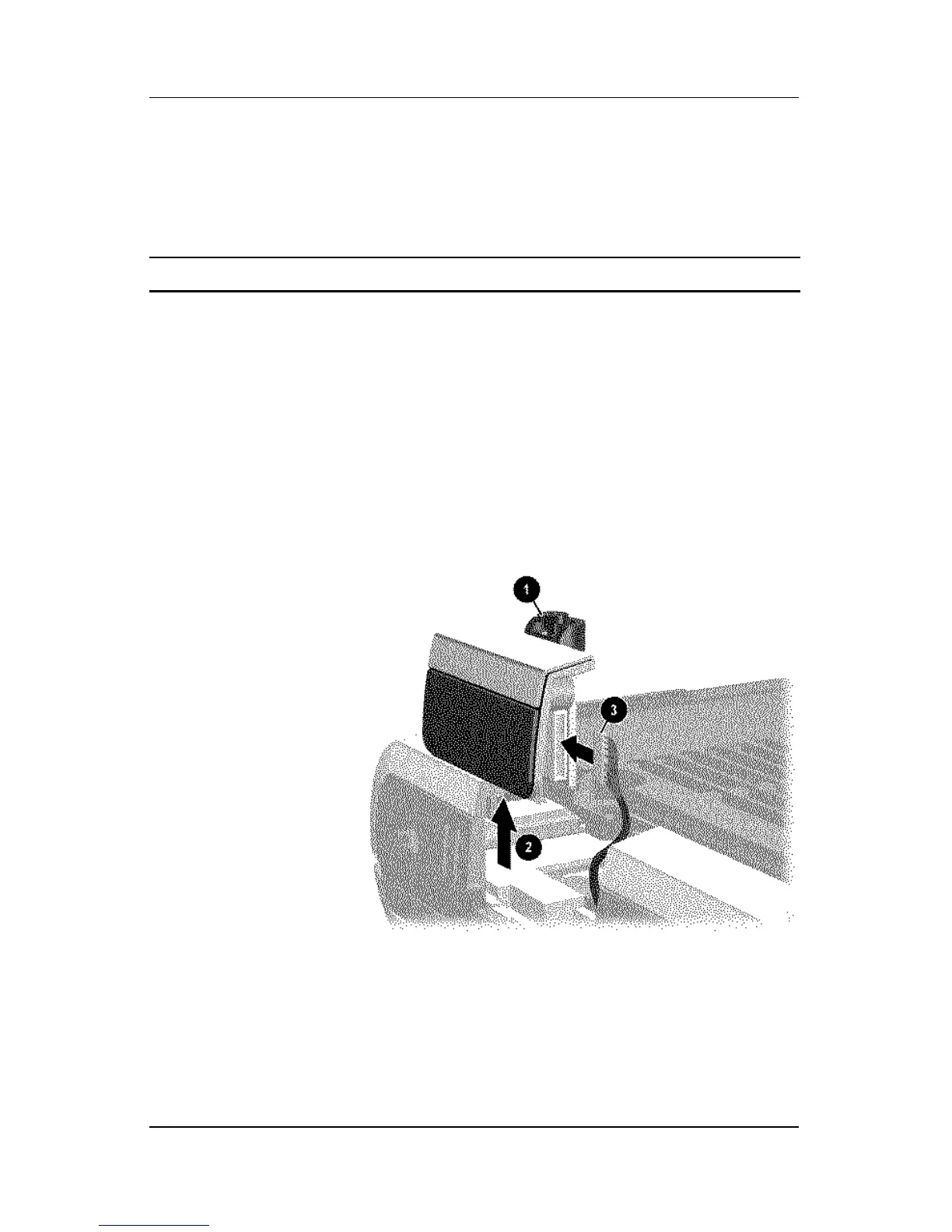
3. Loosen the PM2.0×5.0 screw 1 that secures the Bluetooth
cover to the notebook.
4. Remove the cover from the notebook as far as the cable will
allow 2.
5. Disconnect the cable 3 from the Bluetooth board.
Removing the Bluetooth Cover
Spare Part Number Information
Bluetooth wireless communications board 333605-001












 To Next Page