●
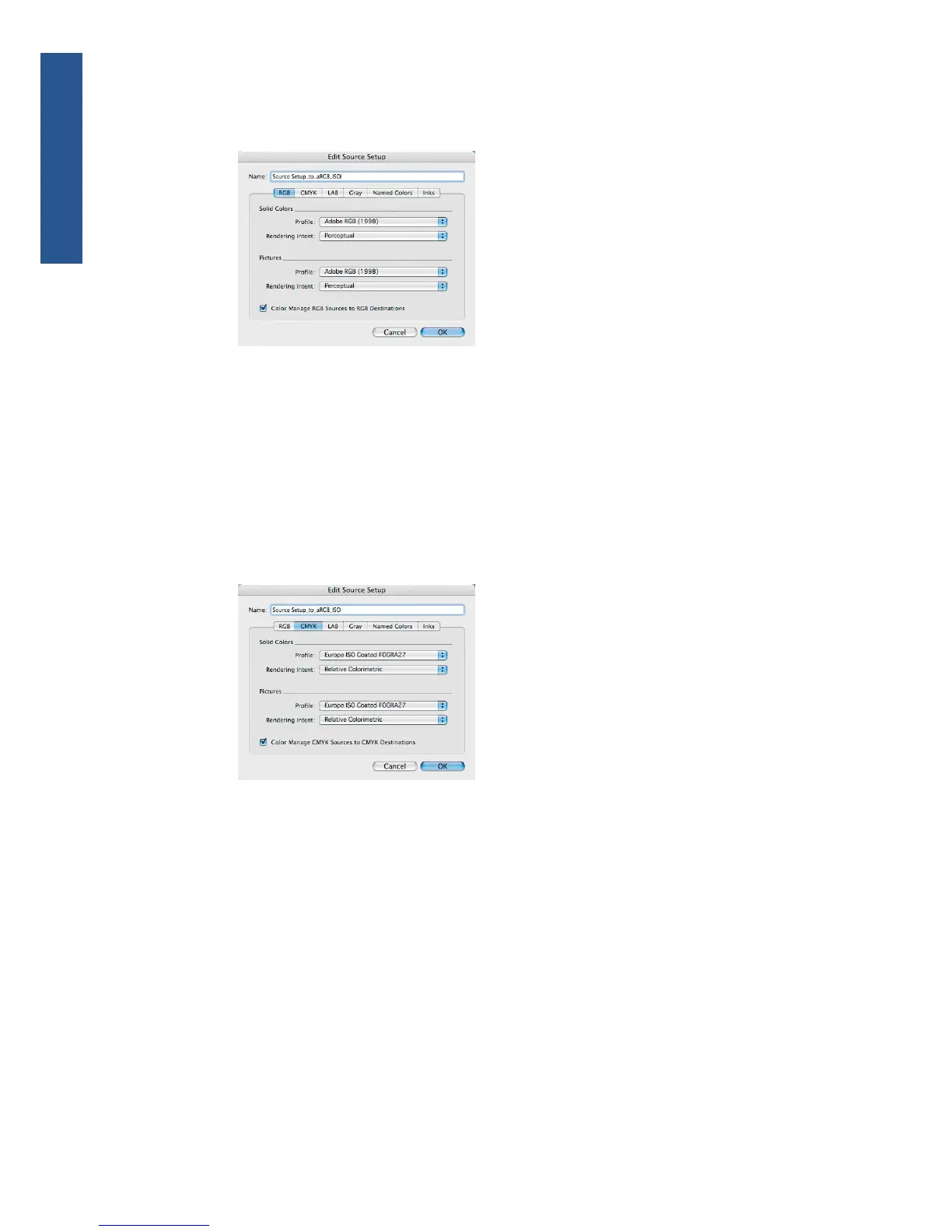
Pictures > Rendering Intent: select Perceptual.
●
Check Color Manage RGB Sources to RGB Destinations.
5. Select the CMYK tab.
●
Solid Colors > Profile: select Europe ISO Coated FOGRA27 in Europe, U.S. Web
Coated (SWOP) v2 in the USA or Japan Standard v2 in Japan.
●
Solid Colors > Rendering Intent: select Relative Colorimetric.
●
Pictures > Profile: select Europe ISO Coated FOGRA27 in Europe, U.S. Web Coated
(SWOP) v2 in the USA or Japan Standard v2 in Japan.
●
Pictures > Rendering Intent: select Relative Colorimetric.
●
Check Color Manage CMYK Sources to CMYK Destinations.
●
Click OK.
6. From the Edit menu, select Color Setups > Output > New, and choose a Name to identify your
custom Output Setup.
●
Name: choose a name to identify your custom Output Setup.
●
Mode: select Composite.
●
Output Options > Model: select CMYK.
94 Chapter 6 Color management ENWW
Color management



 To Next Page