●
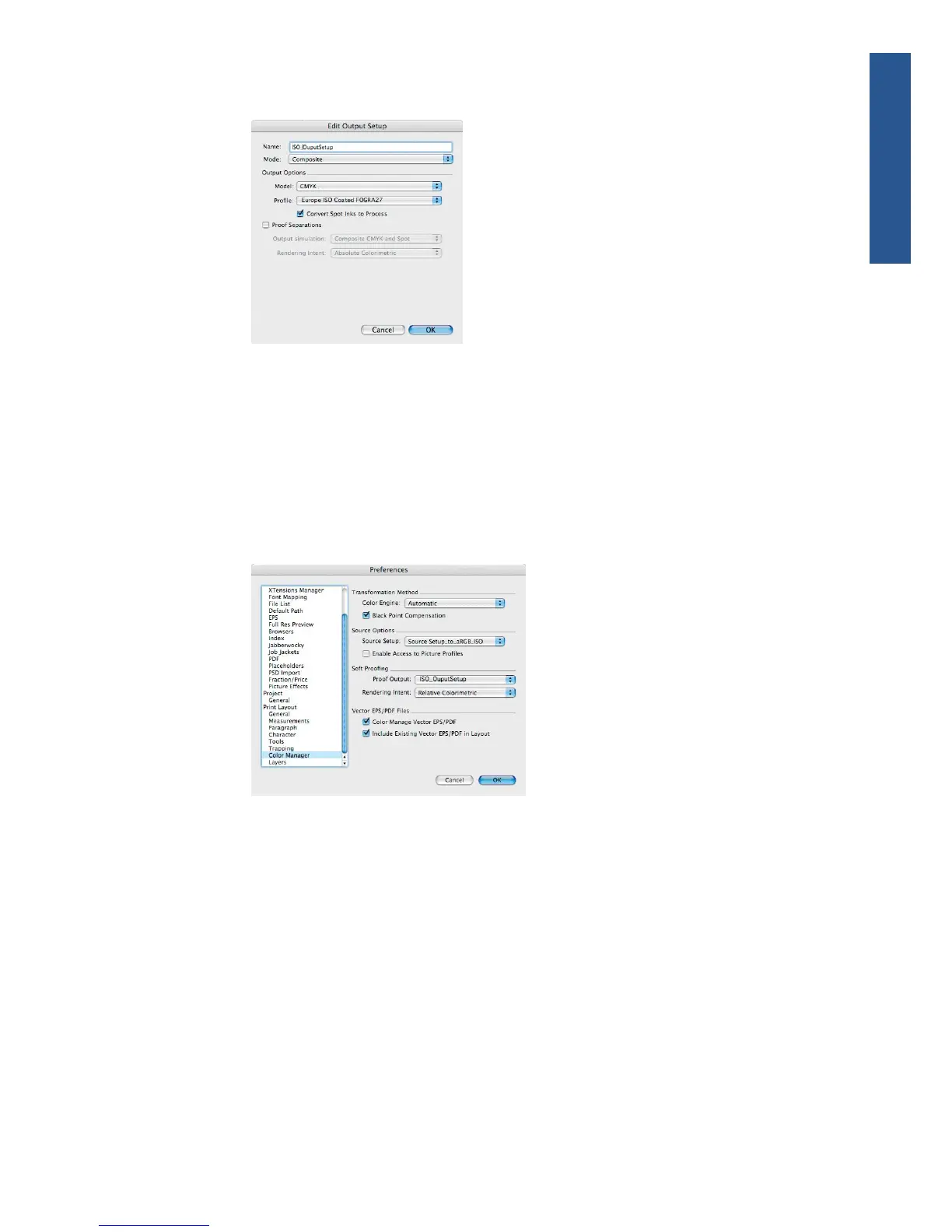
Output Options > Profile: select Europe ISO Coated FOGRA27.
●
Click OK.
7. From the Edit menu, select Preferences > Color Manager (in the left-hand menu under Print
Layout).
●
Check the Black Point Compensation check box.
●
Source Options > Source Setup: select your custom Source Setup.
●
Soft Proofing > Proof Output: select your custom Output Setup.
●
Soft Proofing > Rendering Intent: select Relative Colorimetric.
●
Click OK.
8. From the File menu, select Open and browse your project. To insert images, draw a box with
the Rectangle Picture Box and insert the image using File > Import Picture.
9. Select the image, then go to the Item menu and set Preview Resolution to Full Resolution.
10. From the File menu, select Print.
●
Printer: select the printer (for example, HP Designjet Z5200ps Photo).
●
Select the Colors pane from the left-hand menu.
◦
Color Options > Mode: select Composite.
ENWW Color management scenarios 95
Color management



 To Next Page