4
Introduction
Welcome to the Hewlett Packard (HP) Multimedia Digital Photo Frame (DPF). Now you can display your digital photos
directly from your memory card, no computer is necessary.
DPFKeyFeatures
Simple Plug & Play
Displays digital photo files (JPEG up to 16 mega
pixels)
Displays Calendar/Clock with photo slideshow
Does not require a computer
Infrared Remote Control and control buttons on
the frame
128MB Internal Memory
4:3
Aspect Ratio
Mini USB 2.0 Device port
USB Host port (varies by model)
5 in 1 Memory Cards Slot
What’sintheBox
Digital Photo Frame (DPF)
AC Power Cord and Adapter
Infrared Remote Control
Decorative Paper Mats
Quick Start Guide, User Guide
CompatibleMemoryCards
Compatible memory cards include: Secure Digital™ (SD), MultiMedia Card™(MMC), xD Card,
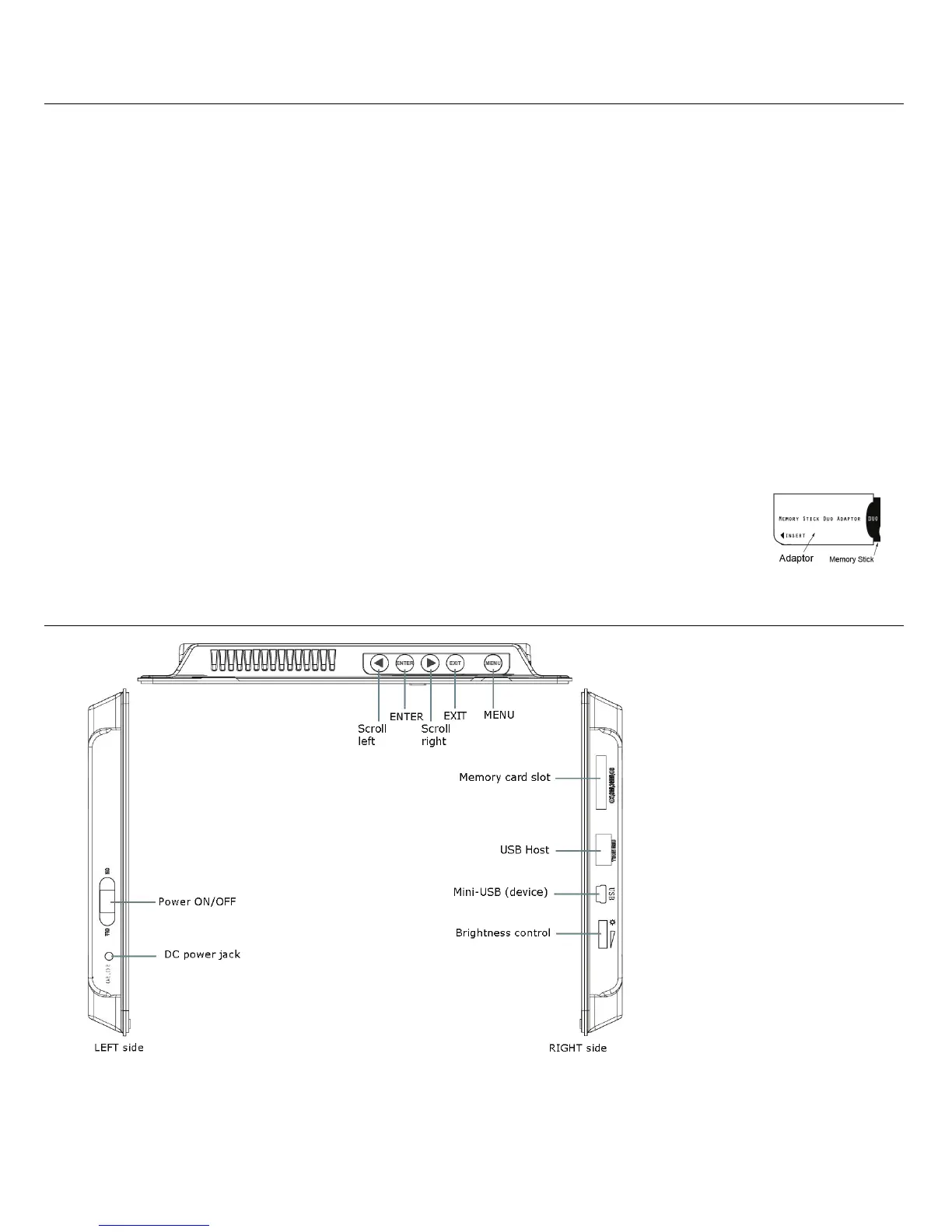
Memory Stick™(MS), MemoryStick Pro™, and Memory Stick Pro Duo™* (The Memory Stick
Pro Duo™ requires an additional adaptor to fit properly into the DPF. You can purchase the
adaptor at retail outlet stores that sell memory cards.)
Overview of the DPF
(The memory card slots, ports, and jacks in your DPF may be different than those pictured here.)















 To Next Page