7
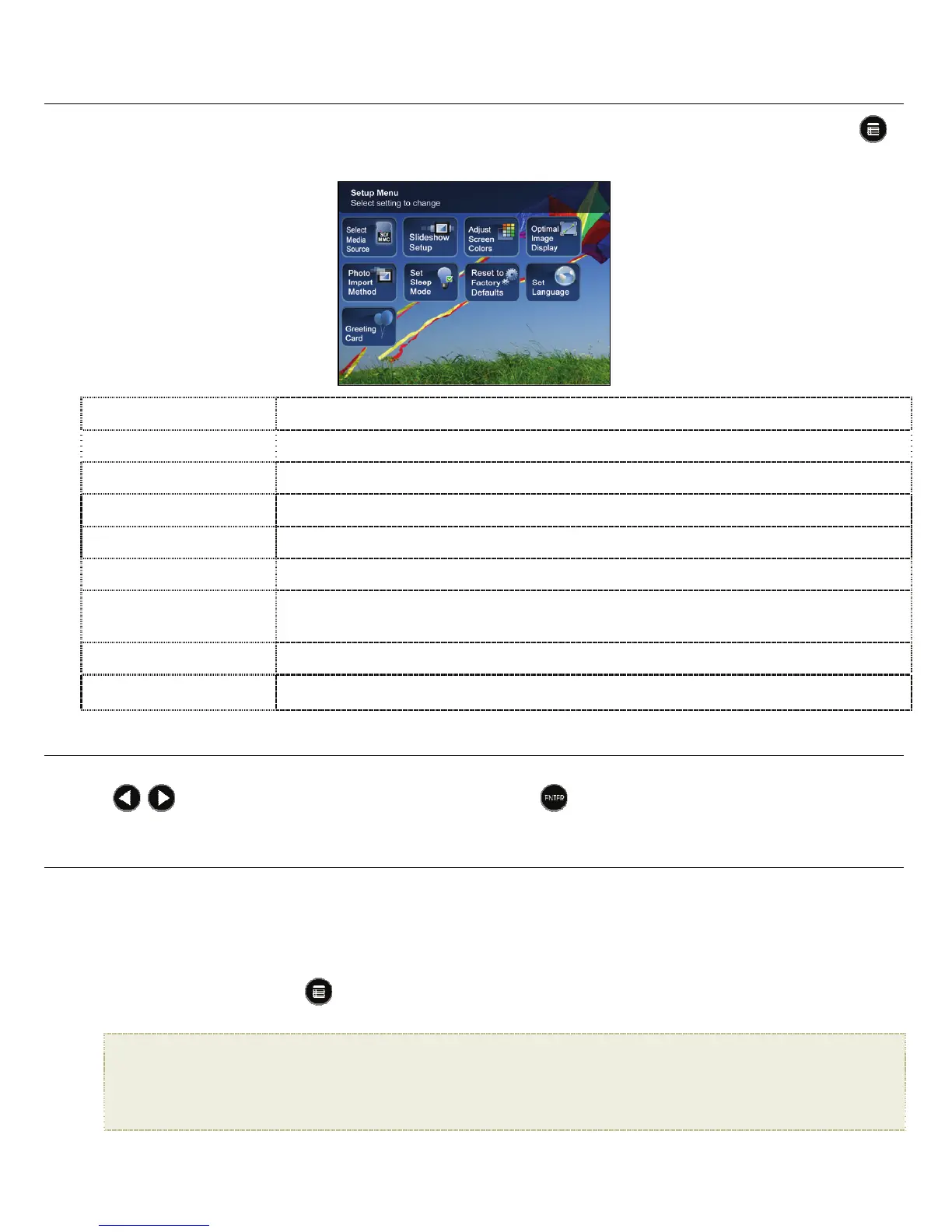
SETUPMenuOverview
Use the Setup Menu for DPF functions to optimize your viewing/listening preferences. On the HOME screen press
to display the
Setup Menu screen.
Select Media Source
Select the media source for current viewing (page 7)
Slideshow Setup
Set multiple slideshow functions to optimize your viewing preferences (page 12)
Adjust Screen Colors
Adjust LCD screen settings as desired (page 10)
Optimal Image Display
Set photos to display as actual photo size, or optimized to best fit the screen (page 10)
Photo Import Method
Set photos to be imported compressed or original resolution and file size (page 11)
Set Sleep Mode
Power saving function (page 16)
Reset to Factory
Defaults
Returns all function settings to the factory defaults (page 16)
Set Language
Select desired DPF display language (page 16)
Greeting Card
Create a personalized greeting which will be displayed when the unit is powered on (page 8)
About SelectingOptions
Throughout this User Guide, when you are instructed to ‘select’ a function option or button, unless otherwise instructed,
use
to highlight [thereferencedoption], and then press
to select.
SelectMediaSource
If you have inserted one or more external media sources (i.e., memory card), you can use the SelectMediaSource
function to switch between the internal memory and your external media source for viewing your photos.
You will also use this function to view the contents of the
SlideshowFolders after you assign photos to these folders
(page 12).
1. On the
HOME screen, press
to display the
Setup Menu.
2. Select
SelectMediaSource, and then select the desired media source (sources not present will not be available).
InternalMemory=Built‐inflashmemory
SD/MMC=SecureDigital
TM
/MultiMedia
TM
card
MS=MemoryStick
TM
(Standard,Pro,andDuo)
xD=Standardflashmemorycard
SlideshowFolders=Viewphotosafterassigningtofolders(page12)















 To Next Page