Removing a Bezel Blank
If the computer was not shipped with a drive in the 3.5" or 5.25" option bay, the bay will be covered by
a bezel blank. If you add a drive to the option bay, you must first remove the bezel blank.
1. Follow the instructions described in
Removing the Front Bezel on page 10.
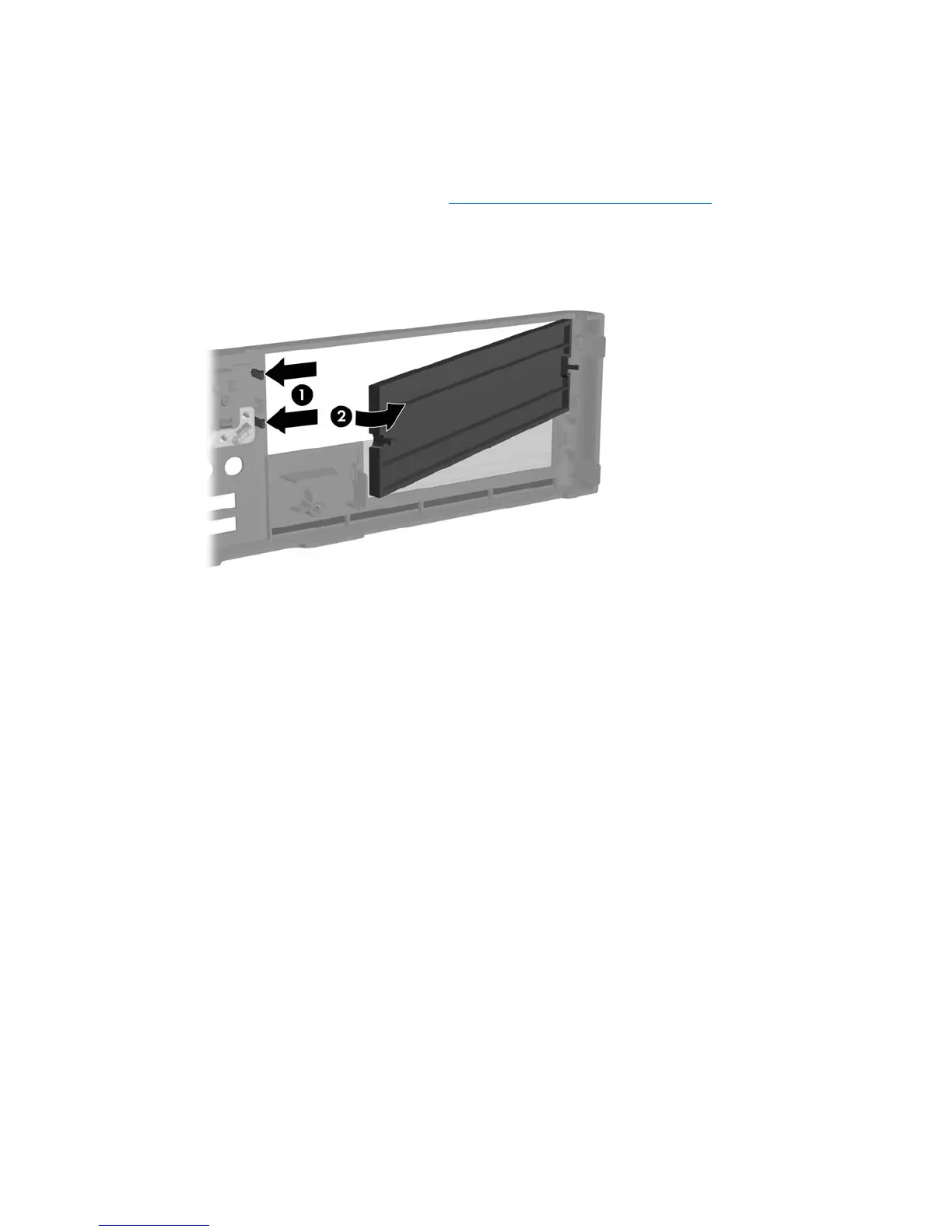
2. While facing the inside of the front bezel, press the two retaining tabs on the right towards the outer
edge of the bezel (1) and pull the bezel blank inwards to remove it (2).
Figure 2-4 Removing a Bezel Blank
ENWW Removing a Bezel Blank 11







 To Next Page