Front Panel Components
Drive configuration may vary by model.
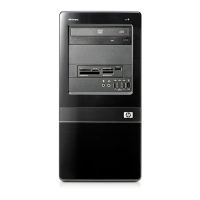
Figure 1-2 Front Panel Components
Table 1-1 Front Panel Components
1 3.5-inch Media Card Reader (optional)
1
6 USB (Universal Serial Bus) 2.0 Ports
2 5.25-inch Optical Drive (optional)
2
7 Headphone Connector
3 Optical Drive Activity Light 8 Microphone Connector
4 Hard Drive Activity Light 9 Power On Light
5 Optical Drive Eject Button 10 Dual-State Power Button
1
Some models have a bezel blank covering the 3.5-inch drive bay. An optional diskette drive is available from HP for this drive
bay.
2
Some models have a bezel blank covering the 5.25-inch drive bay.
2 Chapter 1 Product Features ENWW







 To Next Page