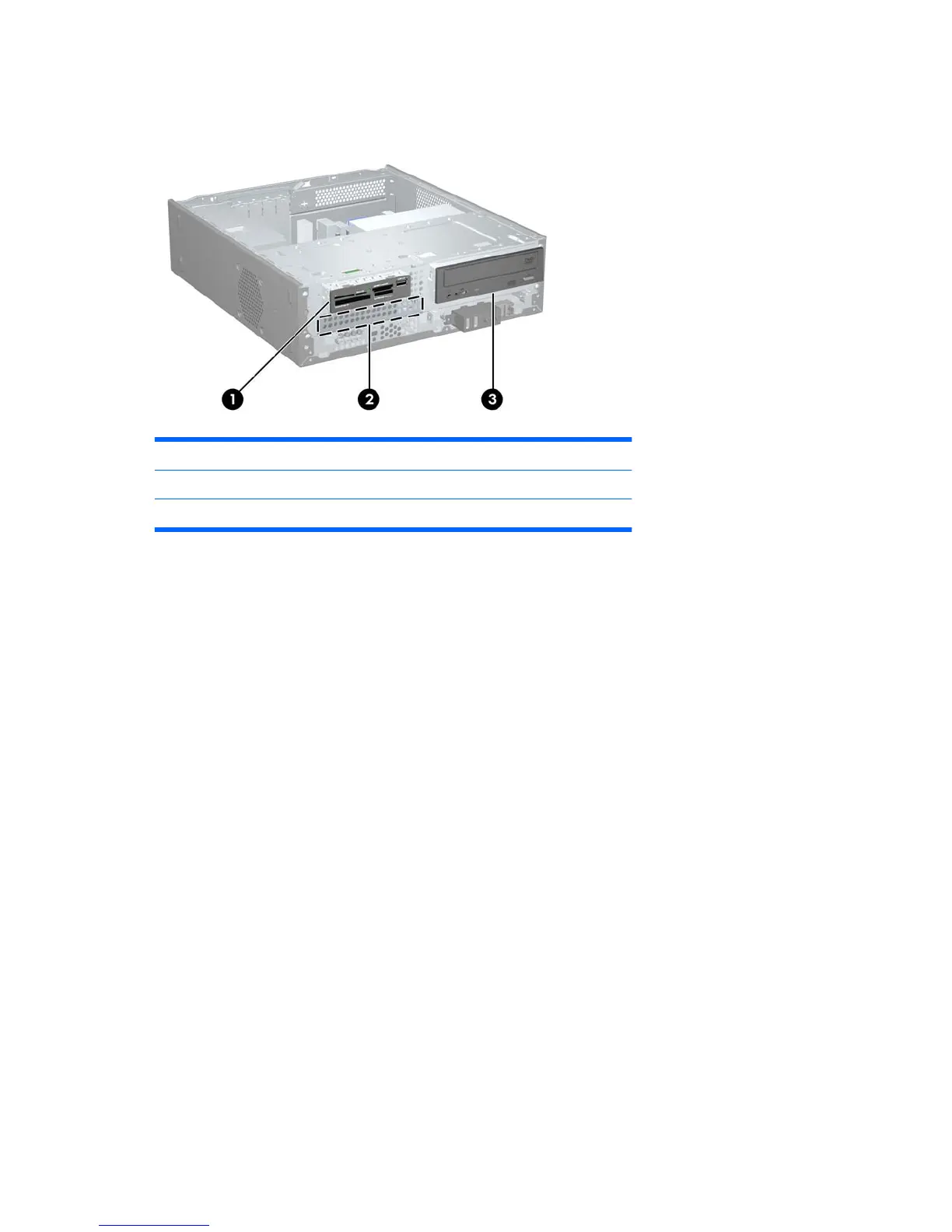
Drive Positions
Figure 2-17 Drive Positions
1 3.5-inch external drive bay for optional drive (media card reader shown)
2 3.5-inch internal hard drive bay
3 5.25-inch external drive bay for optional drive (optical drive shown)
To verify the type, size, and capacity of the storage devices installed in the computer, run Computer
Setup. Refer to the Computer Setup (F10) Utility Guide for more information.
24 Chapter 2 Hardware Upgrades ENWW







 To Next Page