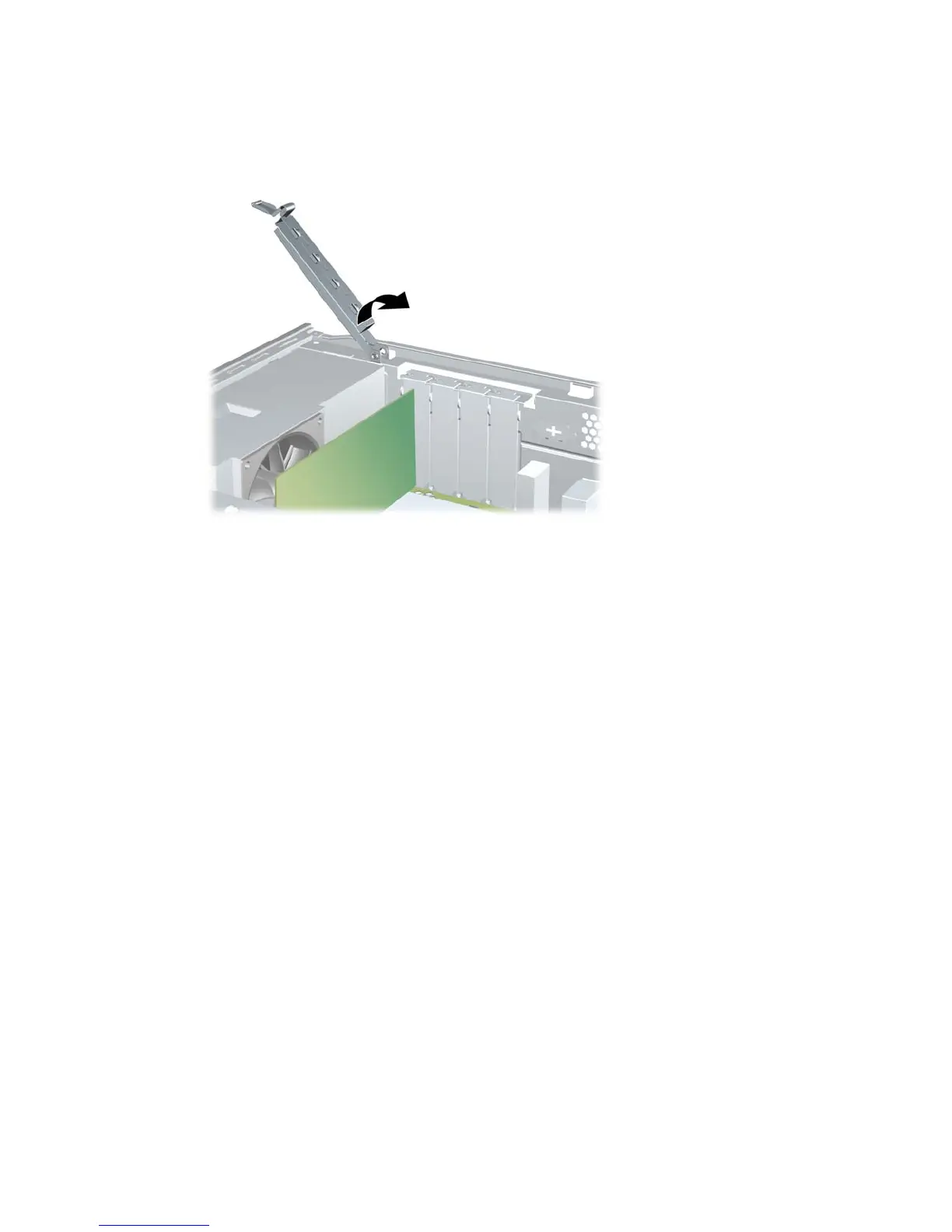
12. While holding the expansion card bracket against the chassis, rotate the slot cover lock over the
expansion card brackets and slot covers. Push the slot cover lock down to latch it and secure the
card brackets.
Figure 2-16 Closing the Slot Cover Lock
13. Connect external cables to the installed card, if needed. Connect internal cables to the system
board, if needed.
14. Replace the computer access panel.
15. Reconnect the power cord and any external devices, then turn on the computer.
16. Lock any security devices that were disengaged when the access panel was removed.
17. Reconfigure the computer, if necessary. Refer to the Computer Setup (F10) Utility Guide for
instructions on using Computer Setup.
ENWW Removing or Installing an Expansion Card 23







 To Next Page