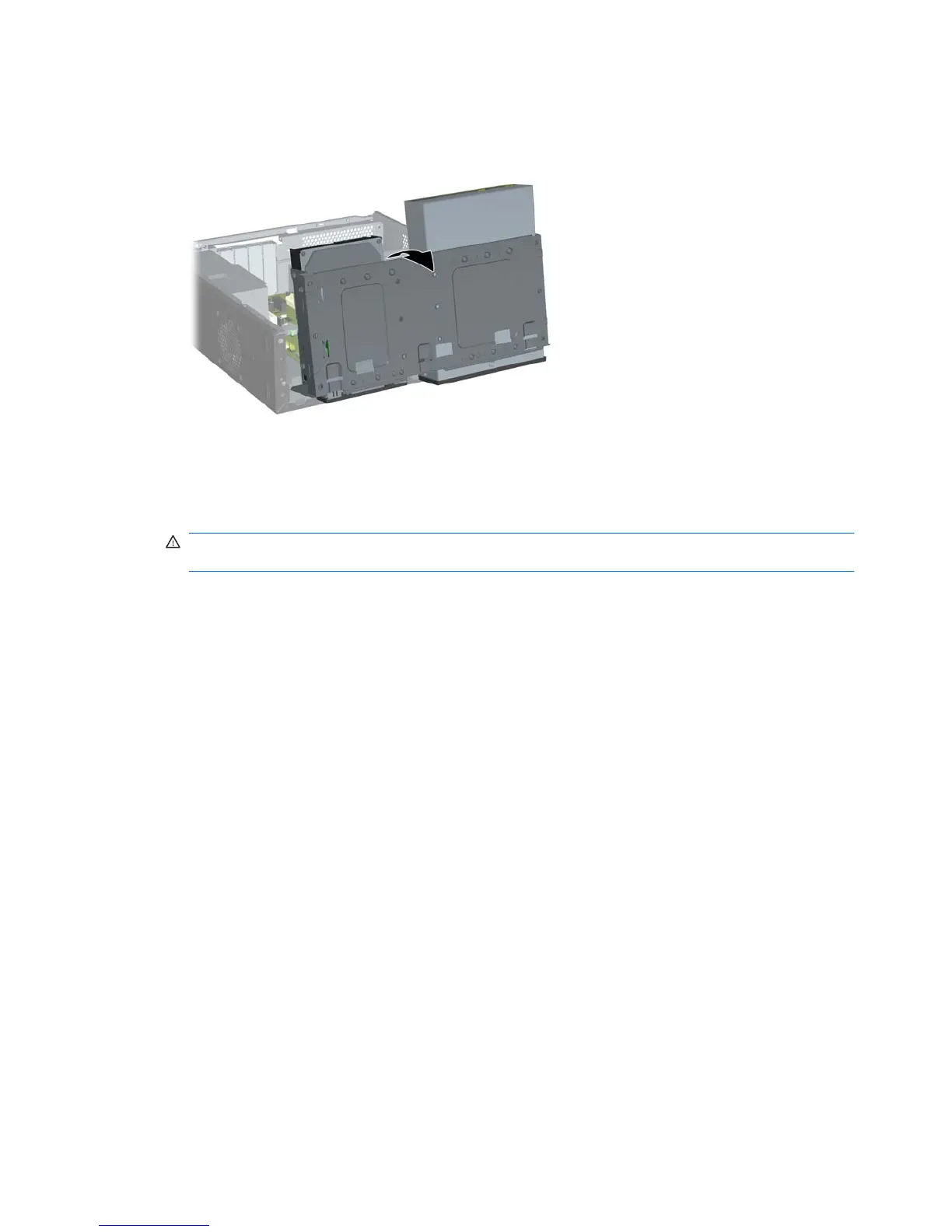
6. Rotate the drive cage all the way up.
Figure 2-7 Rotating the Drive Cage Up
7. Locate the memory module sockets on the system board.
WARNING! To reduce risk of personal injury from hot surfaces, allow the internal system
components to cool before touching.
16 Chapter 2 Hardware Upgrades ENWW







 To Next Page