6. Locate the correct vacant expansion socket on the system board and the corresponding expansion
slot on the back of the computer chassis.
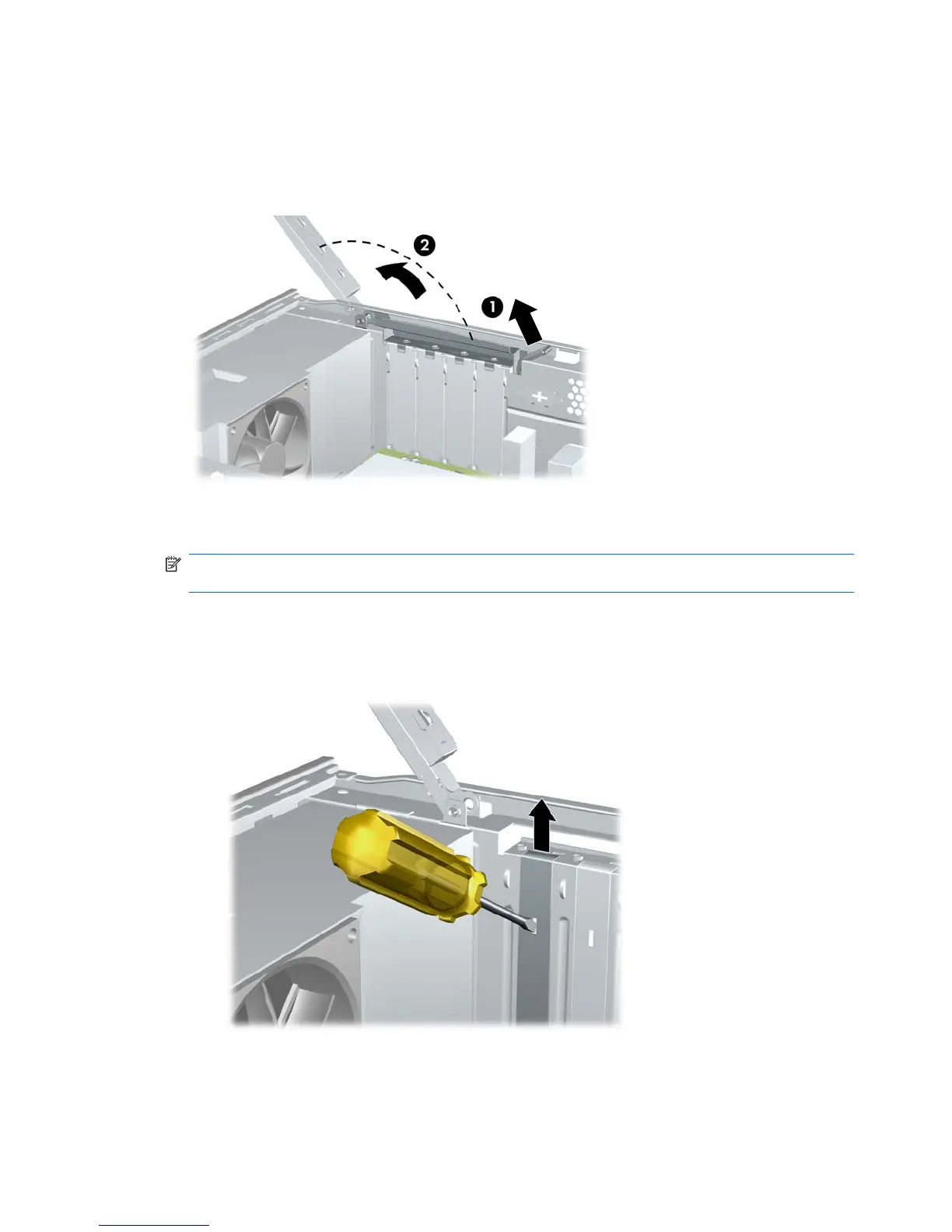
7. On the rear panel of the computer, lift the slot cover latch (1) and rotate slot cover up and away
from the slots (2).
Figure 2-11 Releasing the Slot Cover Lock
8. Before installing an expansion card, remove the expansion slot cover or the existing expansion
card.
NOTE: Before removing an installed expansion card, disconnect any cables that may be attached
to the expansion card.
a. If you are installing an expansion card in a vacant socket, you must use a flatblade screwdriver
to pry out the metal shield on the rear panel that covers the expansion slot. Be sure to remove
the appropriate shield for the expansion card you are installing.
Figure 2-12 Removing an Expansion Slot Cover
20 Chapter 2 Hardware Upgrades ENWW







 To Next Page