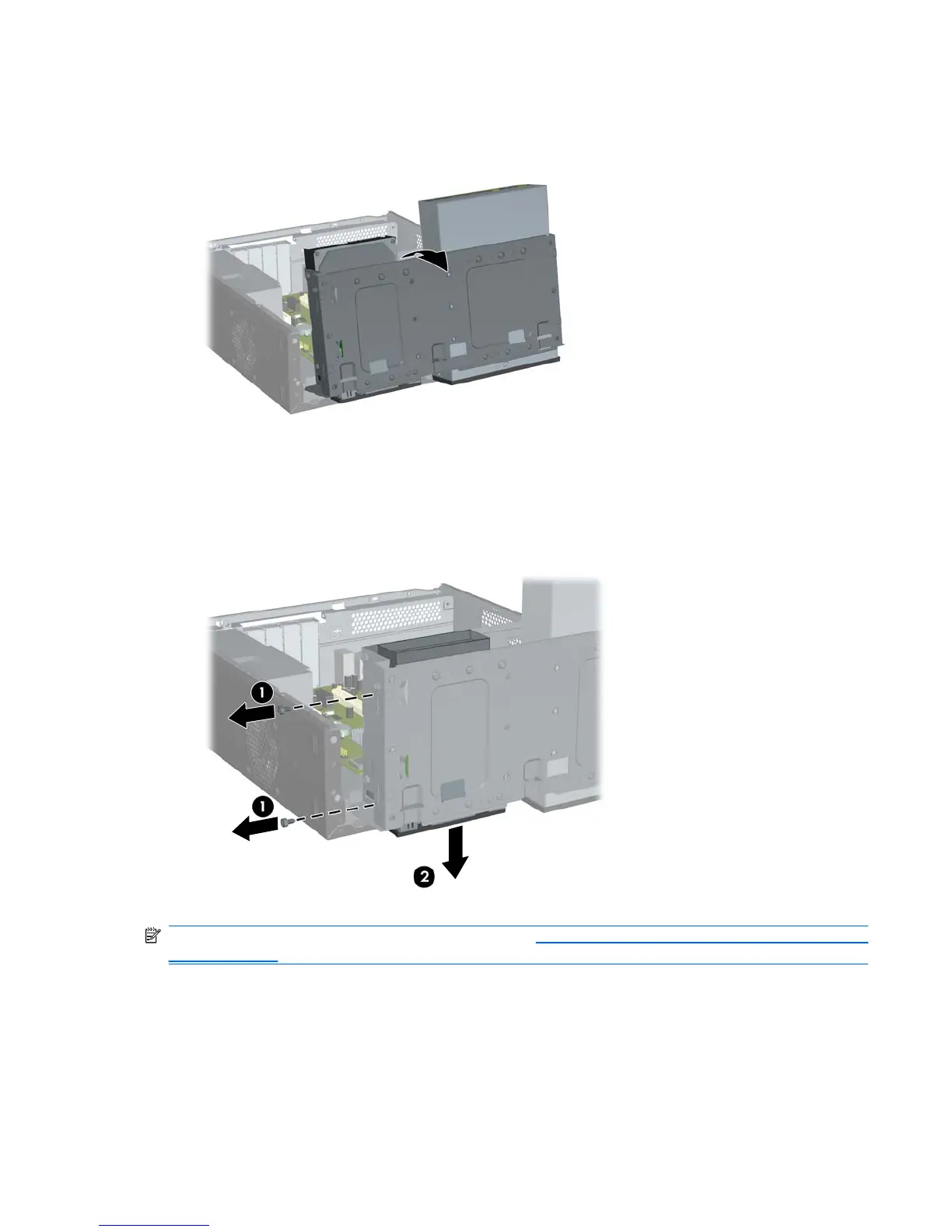
7. Rotate the drive cage all the way up.
Figure 2-30 Rotating the Drive Cage Up
8. Remove the two retainer screws that secure the drive to the bay (1) then slide the drive forward
and out of the bay (2).
Figure 2-31 Removing a 3.5” Device (Media Card Reader Shown)
NOTE: To install an external 3.5-inch drive, refer to Installing a Drive into the 3.5-inch External Drive
Bay on page 34.
ENWW Installing Additional Drives 33







 To Next Page