6
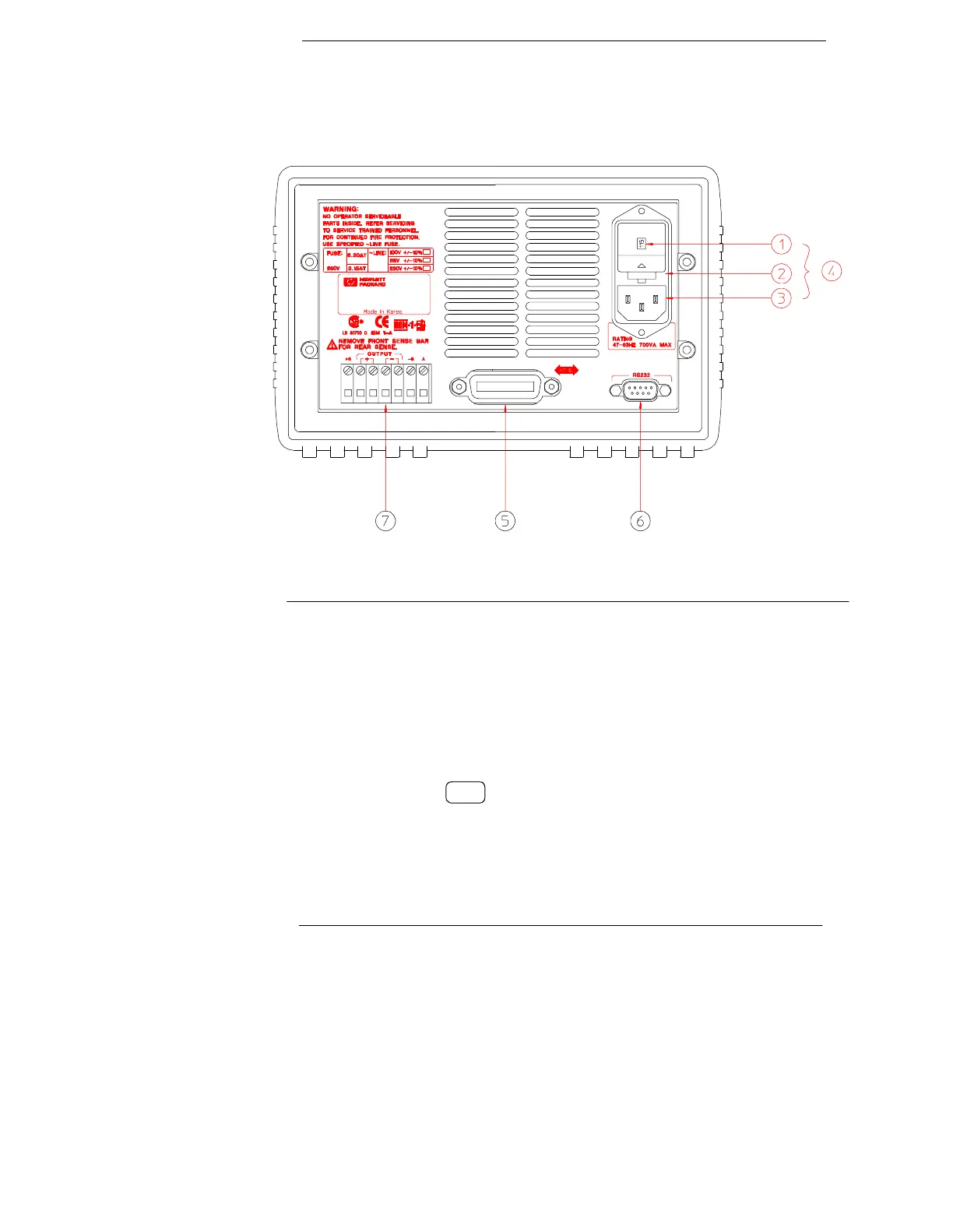
The Rear Panel at a Glance
Use the front-panel key to:
• Select the HP-IB or RS-232 interface (see chapter 3).
• Set the HP-IB bus address (see chapter 3).
• Set the RS-232 baud rate and parity (see chapter 3).
1 Power-line voltage setting
2 Power-line fuse-holder assembly
3 AC inlet
4 Power-line module
5 HP-IB (IEEE-488) interface connector
6 RS-232 interface connector
7 Rear output terminals
I/O
Config


 To Next Page