2 External component identification
Right side
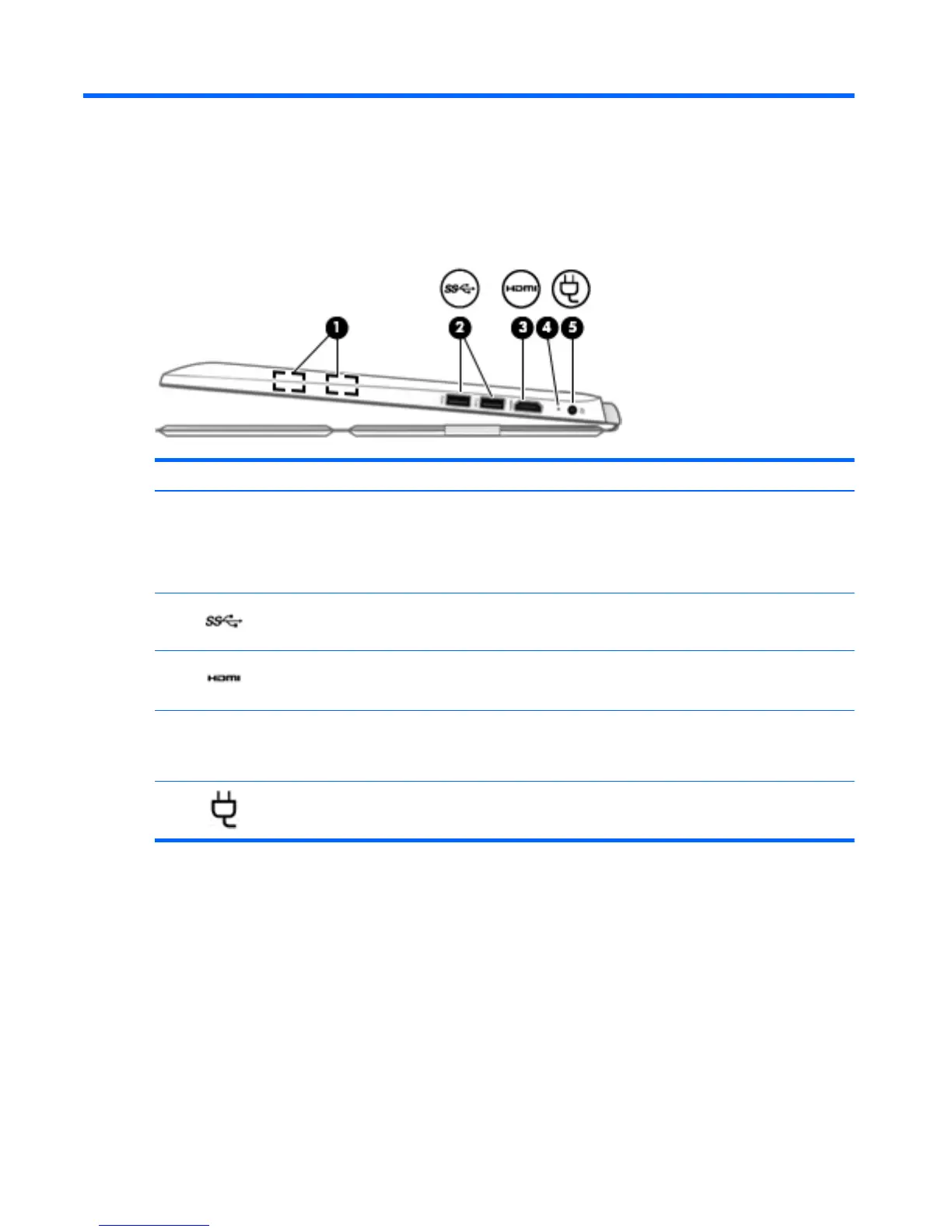
Component Description
(1) Magnetic pen holder Holds the digitizer pen (select models only) magnetically to the
tablet for temporary storage.
IMPORTANT: To prevent losing your pen, avoid carrying the
tablet around when the pen is attached to the magnetic pen
holder.
(2)
USB 3.0 ports (2) Connect optional USB devices, such as a keyboard, mouse,
external drive, printer, scanner or USB hub.
(3)
HDMI port Connects an optional video or audio device, such as a high-
definition television, any compatible digital or audio component,
or a high-speed HDMI device.
(4) AC adapter light
●
On: The AC adapter is connected and the battery is
charged.
●
Off: The tablet is using battery power.
(5)
Power connector Connects an AC adapter.
4 Chapter 2 External component identification


 To Next Page
 Loading...