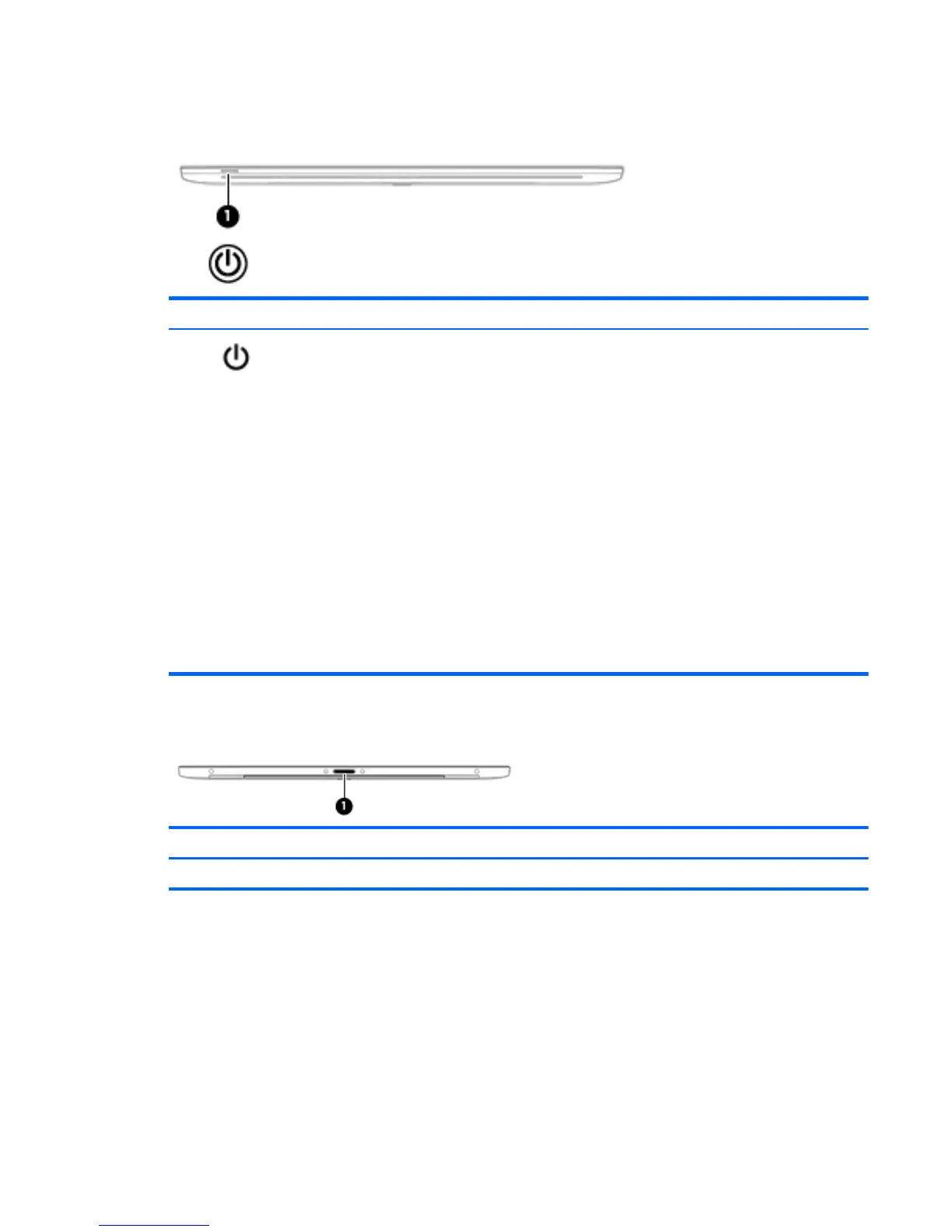
Front
Component Description
(1)
Power button
●
When the tablet is off, press the button to turn on the
tablet.
●
When the tablet is on, press the button briefly to initiate
Sleep.
●
When the tablet is in the Sleep state, press the button
briefly to exit Sleep.
●
When the tablet is in Hibernation, press the button briefly
to exit Hibernation.
CAUTION: Pressing and holding down the power button will
result in the loss of unsaved information.
If the tablet has stopped responding and Windows shutdown
procedures are ineffective, press and hold the power button
down for at least 5 seconds to turn off the tablet.
To learn more about your power settings, see your power
options. From the Start screen, type power, select Power and
sleep settings, and then select Power and sleep from the list of
applications.
Rear
Component Description
(1) Docking port Connects the tablet to the keyboard base (for keyboard charging only).
Front 7


 To Next Page
 Loading...