19
3.4 File Playback
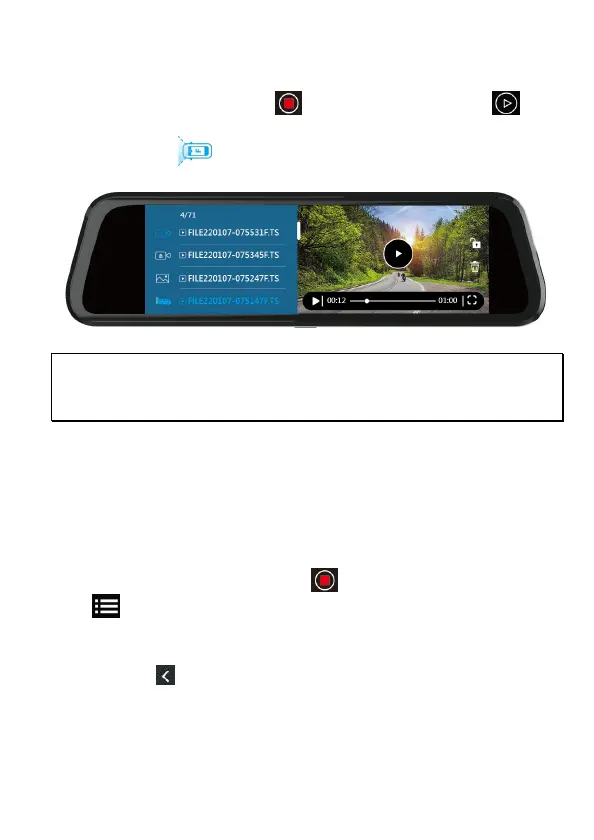
In the recording screen, tap icon to stop recording. Tap icon
to enter Playback. Slide the screen up and down to choose desired file to
playback. Tap icon to switch front or rear camera
recorded files.
Note:
Deleted files CANNOT be recovered. Ensure the files you wish to preserve are backup
before deletion.
3.5 Parking Mode
To monitor the vehicle when it is parked, you can activate Parking Mode.
Before activate Parking Mode, please install ACC Cable through
professional car shop.
Follow the steps below to activate Parking Mode,
1. In the recording screen, tap icon to stop recoding, and tap icon
to enter menu.
2. Slide the screen to choose Parking Mode option, tap it to enter and
choose Park Recording, Timelapse, or Collision Detection.
3. Tap icon to return to recording screen.
4. When car’s engine is turned off, the camcorder will enter Parking
Mode automatically. And when car’s engine starts once again, the



 To Next Page