27
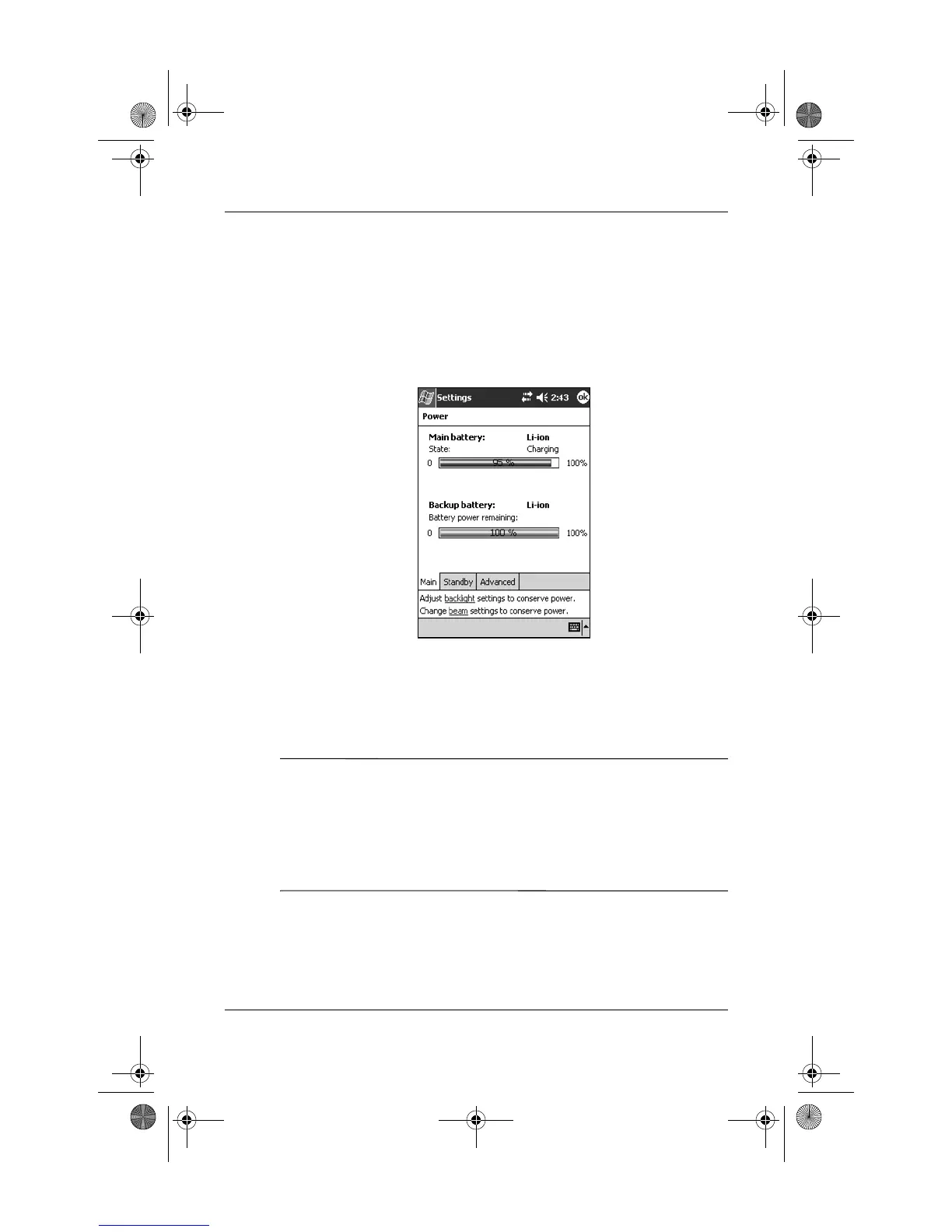
How Do I Check the Battery Charge
Level?
Tap Start > Settings > System tab > Power > Battery tab. You
can view the amount of battery power remaining for both the
main battery and the backup battery.
If the battery charge level is low, connect to AC power using
the USB Synchronization Cradle/Charger or the AC Adapter,
or change the battery. For information on purchasing a spare
battery or optional Extended Battery, visit the HP Web site at
www.hp.com/go/ipaqaccessories.
Ä
CAUTION: It is recommended that you do not allow the battery
installed in your iPAQ Pocket PC to discharge completely. Doing so
will not harm your Pocket PC or battery, but you will lose all data not
stored in Read-Only Memory (ROM). Discharging the battery
completely is similar to performing a hard reset. Refer to “How Do I
Perform a Hard (“Full”) Reset?” later in this document for more
information.
360338-xx1 Onyx How Do I.book Page 27 Wednesday, June 23, 2004 1:34 PM



 To Next Page
 Loading...











