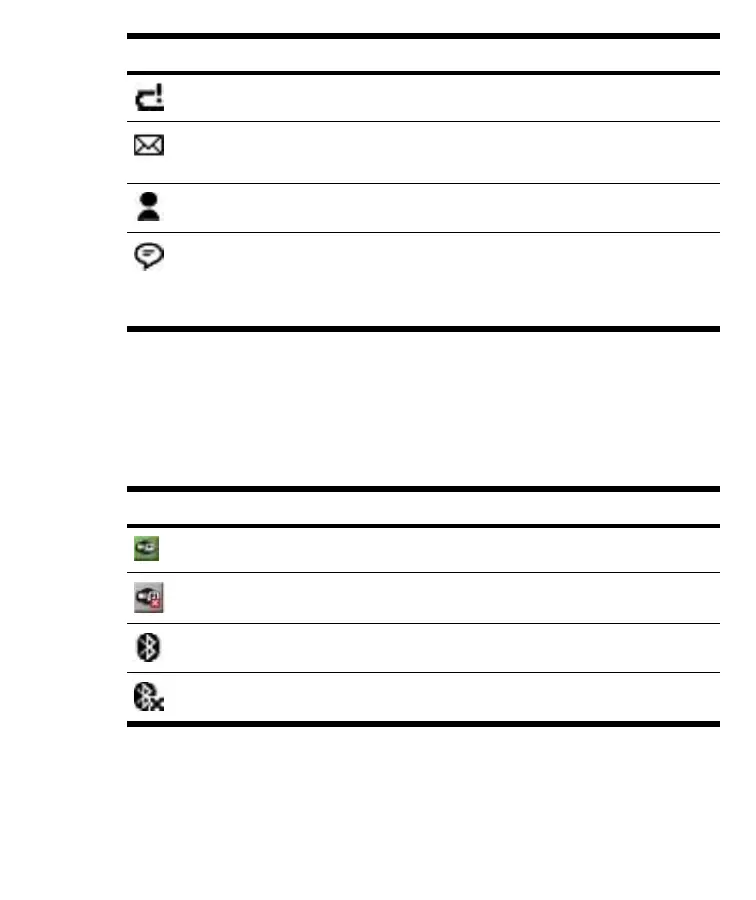
Icon Status
Battery power is very low.
author note : Do I need to modify this statement?
E-mail or SMS/MMS have been received.
Instant messages received.
author note : Is this accurate?
Message Center indicates messages received from different communication areas
such as E-mail/SMS/MMS, announcements, etc. Tap this screen icon to view all
messages in the message center.
iPAQ Wireless
Tap Start > iPAQ Wireless or tap the iPAQ Wireless icon on the Today
screen to launch iPAQ Wireless, which provides a control center to turn all
wireless activities (Wi-Fi and Bluetooth) on and off, and to configure their
settings.
Icon Status
Wi-Fi is on.
Wi-Fi is off.
Bluetooth is on.
Bluetooth is off.
20 HP iPAQ Product Information Guide ENWW



 To Next Page
 Loading...











