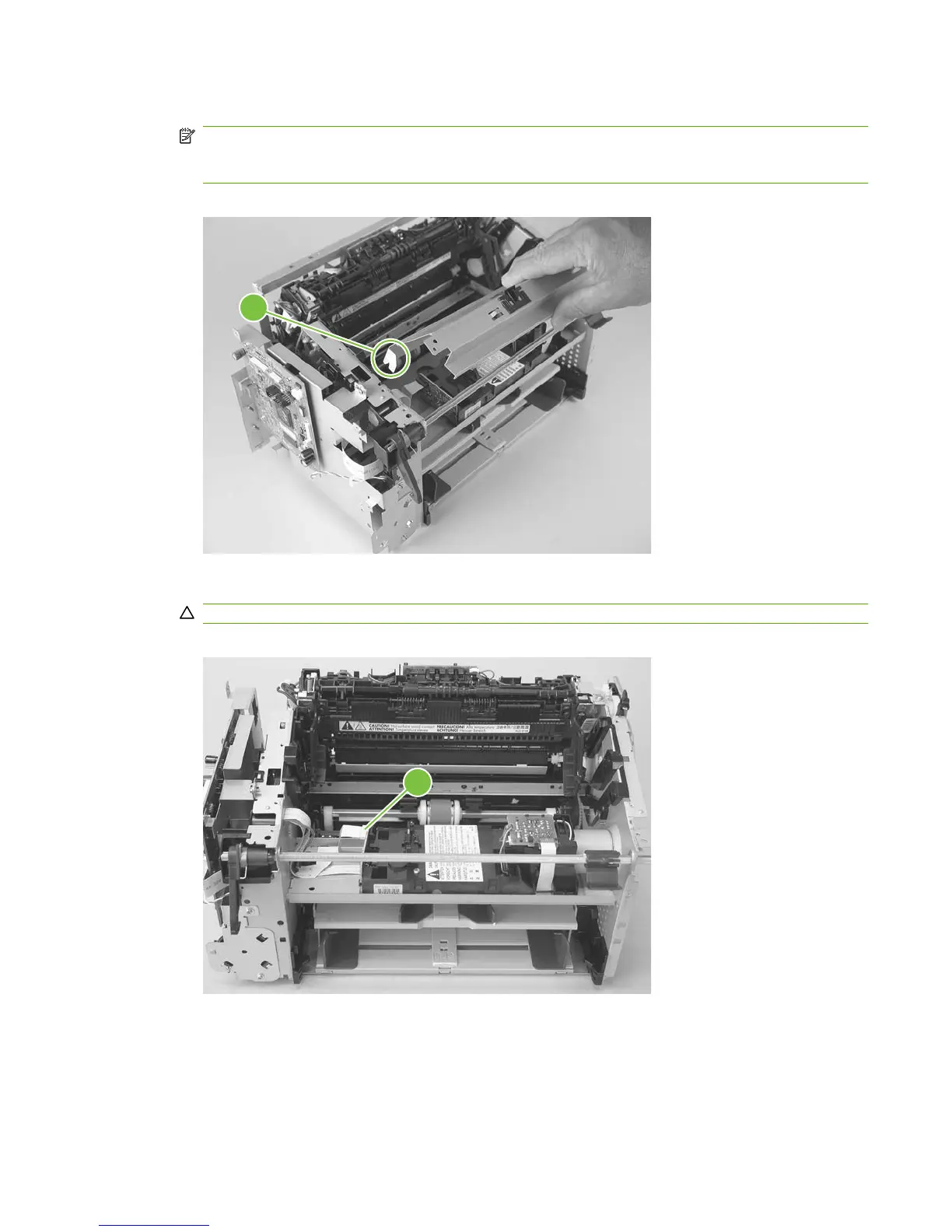
5. Lift the laser/scanner cover up and out of the product to remove it.
NOTE: When this cover is reinstalled, make sure that the slots in the lower portion of the cover
(callout 4; one shown) fit over the edge of the laser/scanner mounting shelf so that the cover is
secure and correctly fits inside the product.
Figure 5-66 Remove the laser/scanner (4 of 7)
4
6. Disconnect one FFC (callout 5).
CAUTION: Do not bend or fold the FFCs during the removal or reinstallation process.
Figure 5-67 Remove the laser/scanner assembly (5 of 7)
5
ENWW Product base 91



 To Next Page