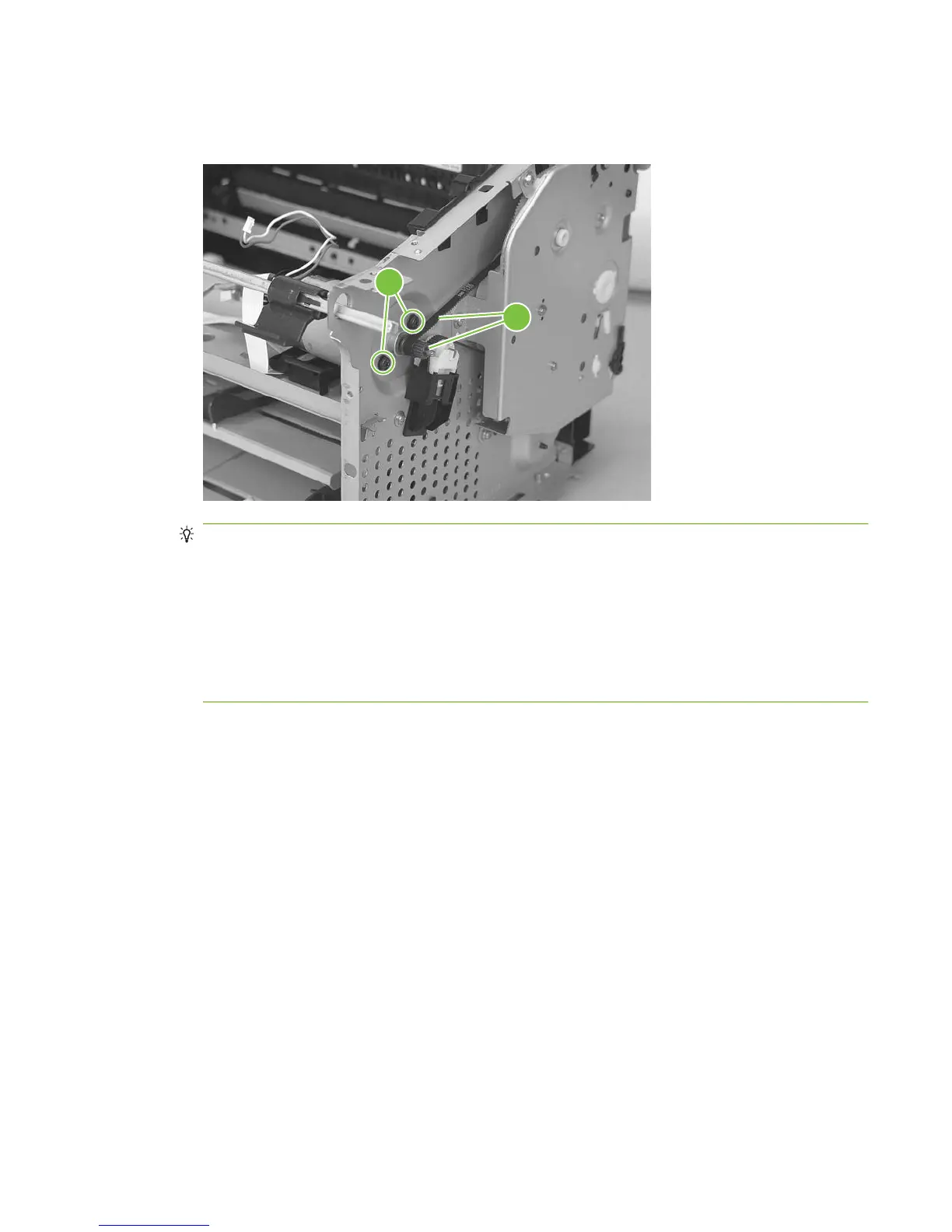
5. Remove two screws (callout 6). Carefully slip the main-motor drive belt off of the motor shaft
(callout 7), and then remove the main motor.
Figure 5-73 Remove the main motor (4 of 4)
6
7
TIP: When the main motor is reinstalled, make sure that the wire harness is located toward the
top of the motor so that the harness can be correctly positioned in the retainers on the motor PCA
mounting bracket.
When you reinstall the main-motor drive belt, make sure that it is correctly positioned on top of the
spring-loaded tension idler and that it is not twisted (the grooves in the belt should face inwards
when the belt is correctly positioned).
Make sure that the FFC that is attached to the motor PCA is correctly positioned under the lower
motor mounting bracket so that it will not interfere with the fan blade on the rear of the motor shaft.
ENWW Product base 95



 To Next Page