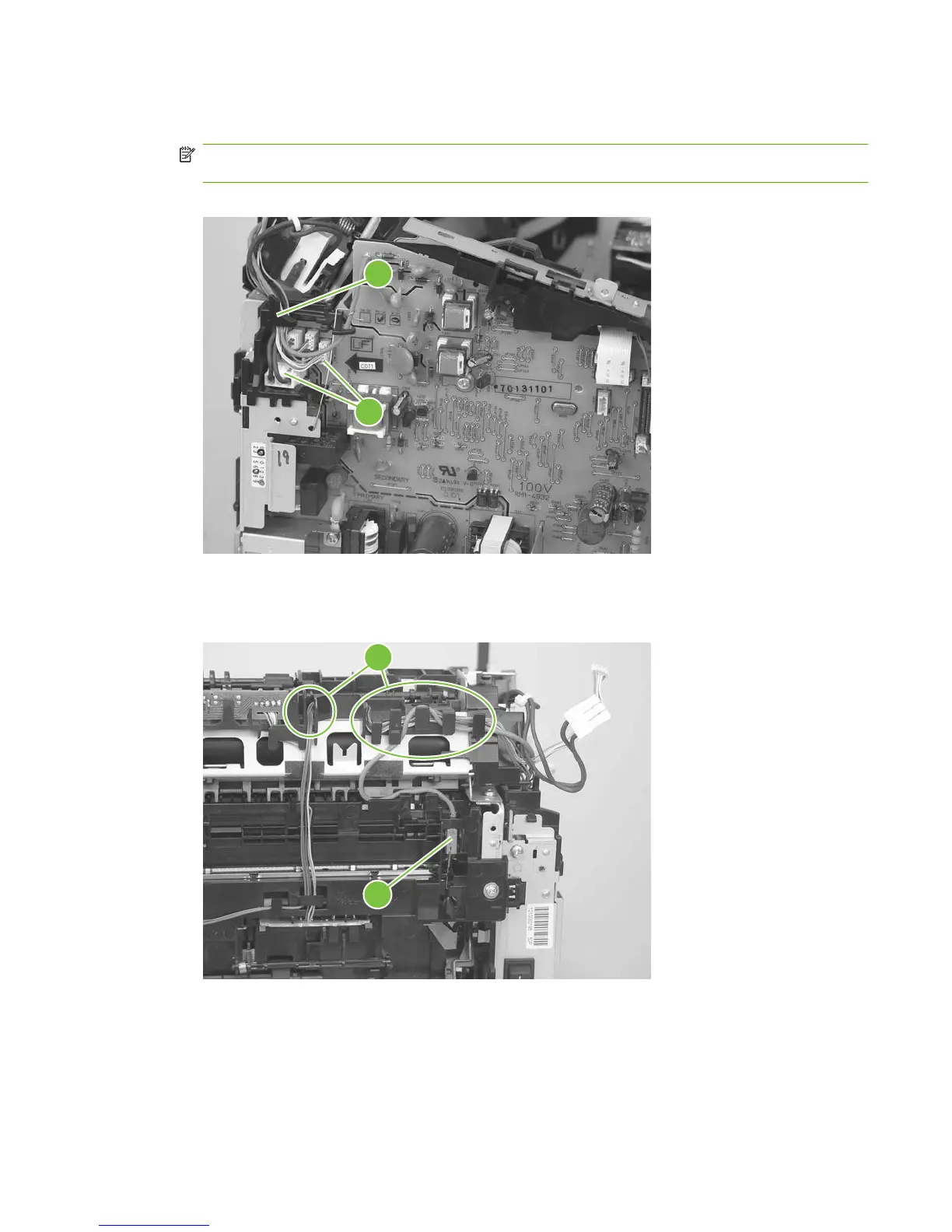
3. Disconnect two wire-harness connectors (callout 3; J102, and J552) and remove the harnesses
from the retainer (callout 4).
NOTE: You might need to disconnect and remove the other wire harnesses to remove the
required harness from the retainer.
Figure 5-75 Remove the fuser (2 of 6)
4
3
4. Release the wire harness from the retainer near the top of the fuser (callout 5) and disconnect the
ground wire (callout 6) from the back of the product.
Figure 5-76 Remove the fuser (3 of 6)
6
5
ENWW Product base 97



 To Next Page