Power supply
1. Remove the following assemblies:
●
Right and left covers. See
Side covers on page 74.
●
Rear cover and fuser cover. See
Rear cover and fuser cover on page 77.
●
Front cover. See
Front cover on page 79.
●
Formatter. See
Formatter on page 81.
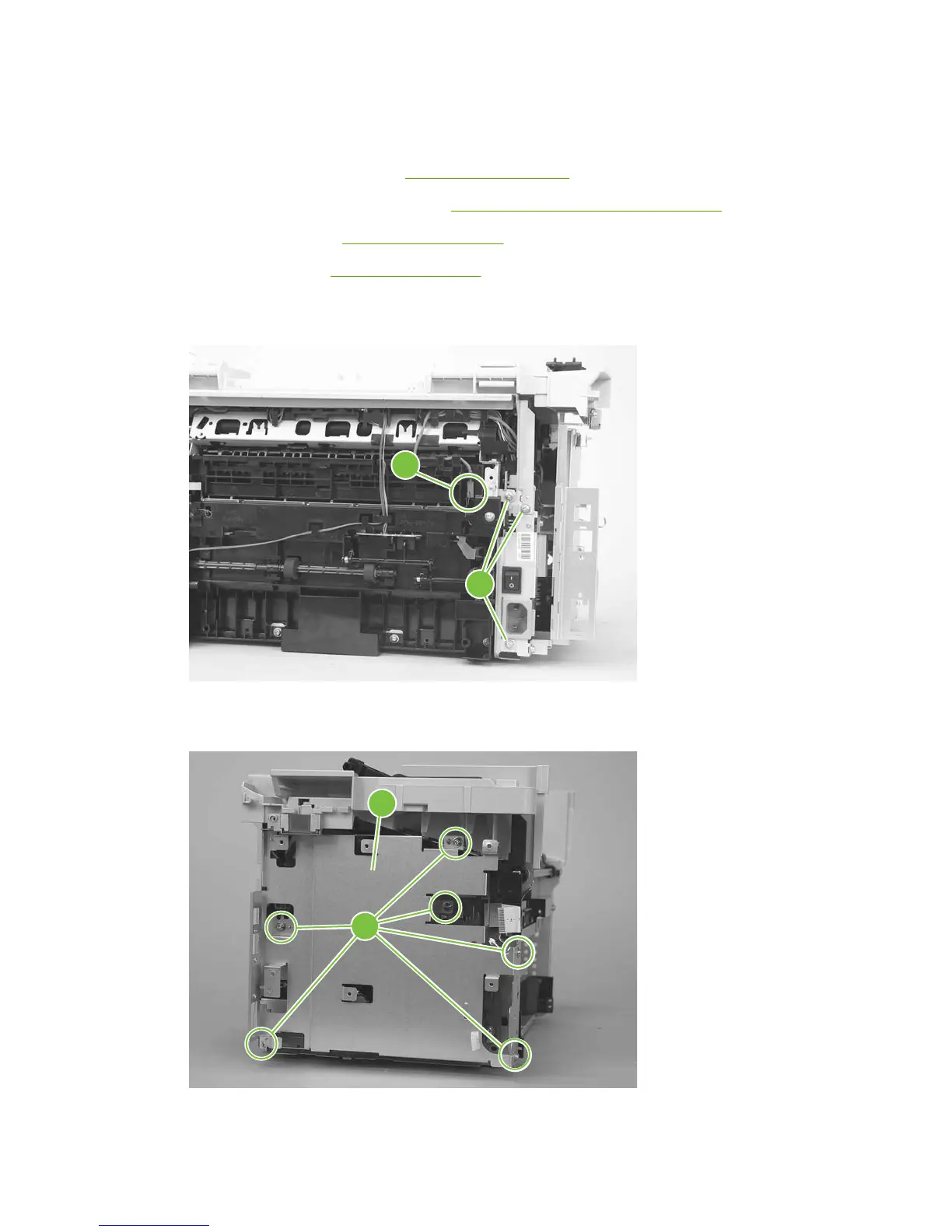
2. Disconnect one spade connector (callout 1) and remove three screws (callout 2).
Figure 5-51 Remove the power supply (1 of 7)
1
2
3. Remove six screws (callout 3) and the sheet-metal plate (callout 4).
Figure 5-52 Remove the power supply (2 of 7)
2
3
4
82 Chapter 5 Removal and replacement ENWW



 To Next Page