HP LaserJet M2727 MFP Series – Fax
© 2007 Copyright Hewlett-Packard
Development Company, L.P.
1
www.hp.com
Fax my scan
How do I? Steps to perform
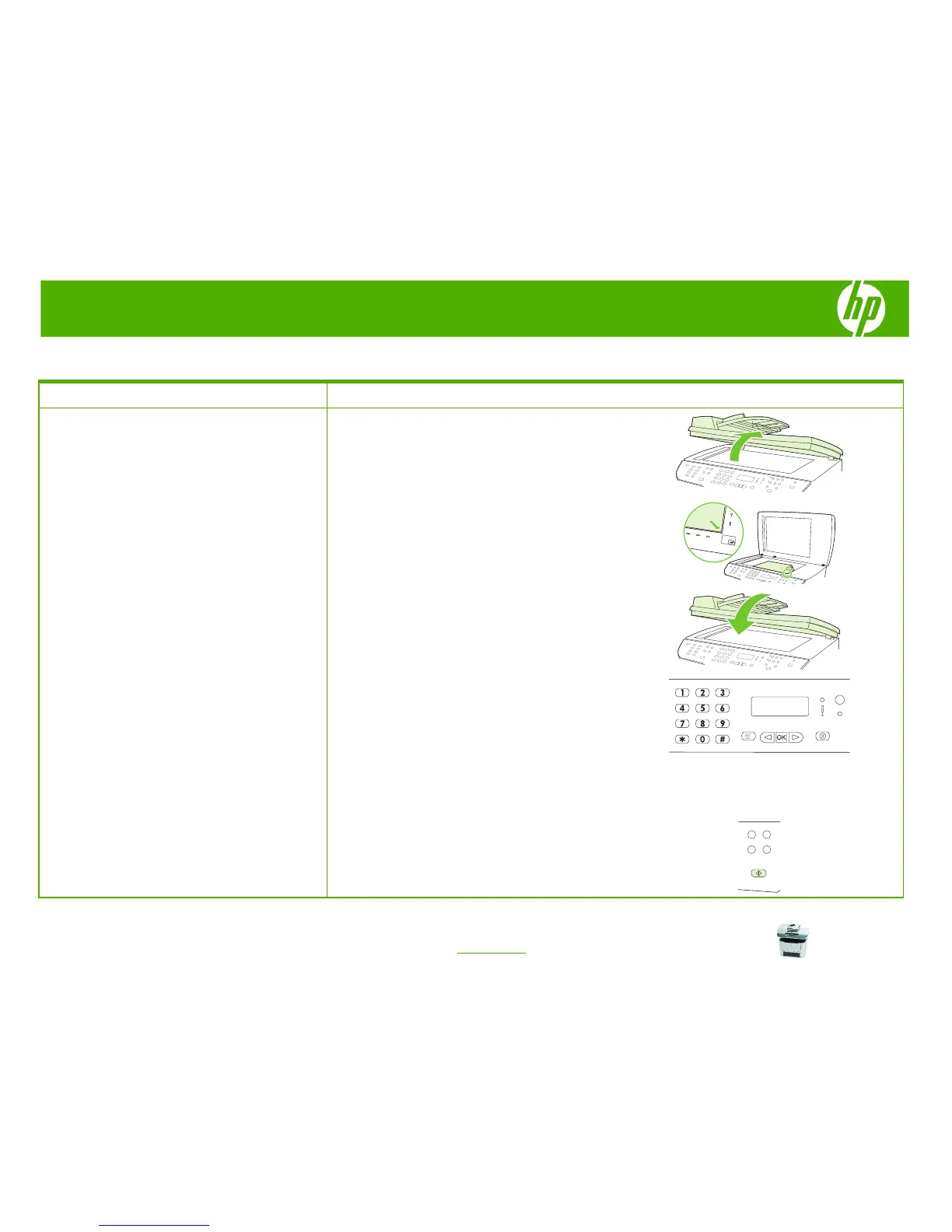
Send a fax from the flatbed scanner
1 Make sure that the automatic document feeder (ADF)
contains no media. Lift the flatbed scanner cover.
2 Place the original document face-down on the flatbed
scanner with the upper-left corner of the document at
the lower-right corner of the glass.
3 Gently close the lid.
4 Use the alphanumeric buttons on the control panel to
dial the number.
-Or-
If the fax number you are calling has been assigned to
a one-touch key, press that key.
-Or-
If the fax number you are calling has a speed dial or
group-dial entry, press Phone Book, use the
alphanumeric buttons to specify the speed dial or
group-dial entry, and then press OK.
5 On the control panel, press Start Fax.
The control-panel display shows the following
message: Send from glass? 1=Yes 2=No.



 To Next Page