Need help?
Do you have a question about the HP M27f and is the answer not in the manual?
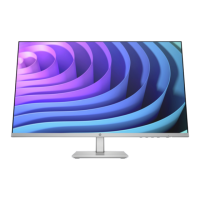
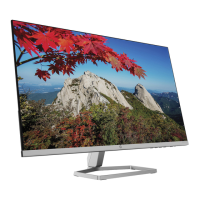
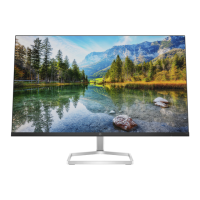
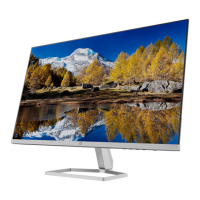
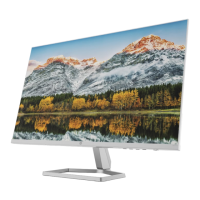
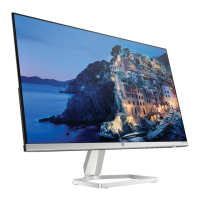
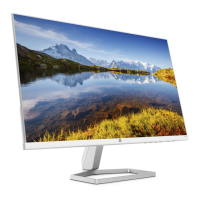
This document outlines the disassembly instructions for the HP M27f FHD Monitor, HP M27f FHD Monitor-NA, HP M27f, and HSD-0091-K, primarily for end-of-life recyclers and treatment facilities. The core function of this monitor, like others in its class, is to provide a visual display for computers and other electronic devices, enabling users to interact with software, view media, and perform various tasks that require a graphical interface. Its design suggests a focus on standard high-definition display capabilities, suitable for general office work, home use, and casual media consumption.
From a usage perspective, the monitor is designed for straightforward setup and operation. The initial steps for disassembly, which involve laying the display on a soft surface and unlocking the stand, indicate a user-friendly approach to its physical handling. The stand itself appears to be detachable, allowing for potential wall mounting or use with alternative VESA-compatible stands, though this is not explicitly stated, it is a common feature for monitors with detachable stands. The presence of HDMI and VGA cables suggests broad compatibility with various computing devices, from modern laptops and desktops to older systems, ensuring versatility in its application. The inclusion of a power cord is standard, providing the necessary electrical connection for operation. The mention of a "Display Board" and "Main Board" points to the internal architecture typical of a monitor, where the display board manages the visual output to the panel, and the main board handles overall control, input processing, and power management.
Maintenance features, as implied by the disassembly instructions, are centered around the end-of-life recycling process rather than routine user maintenance. The document is specifically geared towards identifying and removing components that require selective treatment under EU directive 2012/19/EC (WEEE). This means that while users are not expected to perform internal maintenance, the design facilitates the safe and environmentally responsible disposal or recycling of its parts. For instance, the instructions detail how to access and remove printed circuit boards (PCBs), liquid crystal displays (LCDs), and electrolytic capacitors. The process involves removing screws from the rear cover, hinge, and internal supporters, indicating a modular construction that allows for component-level access. The use of standard tools like screwdrivers and slothead screwdrivers further simplifies this process for recyclers.
The emphasis on sorting plastic materials into resin streams based on ISO 11469 markings highlights a commitment to material recovery and recycling. This is a crucial aspect of the monitor's lifecycle from an environmental standpoint, ensuring that valuable resources are not wasted and hazardous materials are handled appropriately. The document also specifies the quantity of certain components, such as two PCBs, one LCD, and one electrolytic capacitor, which helps recyclers plan their processes efficiently. The absence of mercury-containing components, Li-Ion batteries, gas discharge lamps, and brominated flame retardants (above a certain weight threshold) suggests a design that aims to minimize the presence of potentially harmful substances, aligning with modern environmental standards for electronic devices. The mention of "acetate tapes" on the LVDS/LED cable indicates a method of securing internal wiring, which must be carefully removed during disassembly to access underlying components. Overall, the monitor is designed for functional display use, with a strong underlying consideration for its environmental impact at the end of its service life, facilitating efficient and responsible recycling.
 General
| Display Size | 27 inches |
|---|---|
| Resolution | 1920 x 1080 (Full HD) |
| Panel Type | IPS |
| Refresh Rate | 75 Hz |
| Aspect Ratio | 16:9 |
| Brightness | 300 nits |
| Contrast Ratio | 1000:1 |
| Viewing Angle | 178° horizontal; 178° vertical |
| Color Gamut | 99% sRGB |
| Response Time | 5 ms |
| Ports | 1 x HDMI 1.4, 1 x VGA |

 To Next Page