Need help?
Do you have a question about the HP M27h and is the answer not in the manual?
Essential safety precautions to prevent injury and equipment damage during service operations.
Professional repair standards, handling high voltage, and soldering best practices.
Information on obtaining and applying monitor firmware updates via support.hp.com.
Procedures for AC leakage current checks before returning the product to the customer.
Details on display size, resolution, panel type, and viewing angles.
Identification and function of buttons and lights on the monitor's front panel.
Identification of ports and connectors on the monitor's rear panel.
Guidance on finding serial and product numbers on monitor labels for support.
Visual guide and list of internal components for the M24h model.
Visual guide and list of internal components for the M27h model.
Steps and materials needed for safe and effective monitor disassembly.
Step-by-step instructions for detaching the base stand from the monitor.
Procedures for removing the monitor's back cover and internal cables.
Instructions for removing screws securing the monitor's middle frame.
Location and identifiers for HDMI and VGA connectors on main boards for M24h and M27h.
Steps for desoldering and replacing the HDMI connector (P200/P300).
Steps for desoldering and replacing the VGA connector (P100).
Methods to test HDMI and VGA connectivity and image display using external devices.
Table of common issues, causes, and solutions for monitor problems.
This document serves as a Maintenance and Service Guide for HP M27h (N28341) and M24h (N28338) monitor models. It provides comprehensive information for trained service personnel regarding spare parts, removal and replacement procedures, diagnostic tests, and troubleshooting. The guide emphasizes safety precautions and adherence to regulatory requirements throughout all service operations.
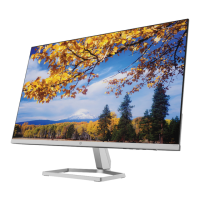
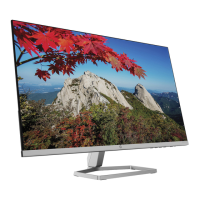
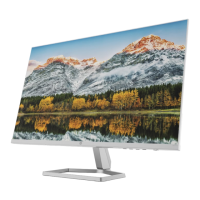
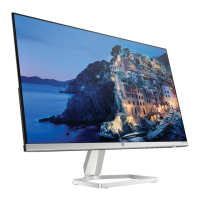
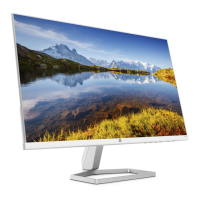
The HP M27h and M24h monitors are designed to provide a high-quality visual experience for users. Both models feature a liquid crystal display (LCD) with active matrix and in-plane switching (IPS) technology, ensuring wide viewing angles and consistent color reproduction. The M27h model offers a 68.6 cm (27.0 in) diagonal viewable screen area with 1920 × 1080 FHD resolution, while the M24h model provides a 60.47 cm (23.8 in) diagonal viewable area with the same 1920 × 1080 resolution. Both monitors support full-screen display for lower resolutions and include custom scaling to maximize image size while preserving the original aspect ratio.
The monitors are equipped with a nonglare panel and an LED backlight, enhancing visual comfort and energy efficiency. A wide color gamut ensures coverage of sRGB color spaces, delivering vibrant and accurate colors. The tilt adjustment capability allows users to customize the screen angle for optimal viewing from various sitting or standing positions.
For connectivity, the monitors include High-Definition Multimedia Interface (HDMI) and VGA video inputs, accommodating a range of source devices. The M27h model features two HDMI ports, while the M24h model has one.
User interaction is facilitated through four on-screen display (OSD) buttons. Three of these buttons are assignable, allowing users to reconfigure them for quick access to frequently used operations. The OSD menu itself offers adjustments in several languages for easy setup and screen optimization. Plug and Play capability is supported, simplifying integration with compatible operating systems.
For enhanced security, a security cable slot is located on the rear of the monitor, enabling the use of an optional security cable. The monitors also incorporate an energy saver feature to meet requirements for reduced power consumption, contributing to environmental sustainability.
The HP M27h and M24h monitors are designed for ease of use and flexibility in various environments. The front components include a Menu button, assignable OSD buttons, a Power button, and a Power light. The Menu button is used to open, select items from, or close the OSD menu. When the OSD menu is active, the Menu light illuminates. The OSD buttons allow navigation through the menu, and their default functions are indicated by function light icons. A key feature is the ability to reassign these function buttons via the OSD menu (Menu Control > Assign buttons), enabling quick selection of common operations.
The Power button turns the monitor on or off. The Power light indicates the monitor's status: white when on, and amber when in a reduced power state due to inactivity, a feature managed by the Auto-Sleep Mode.
Rear components include the security cable slot, a power connector, and a power light. The power light on the rear also indicates the monitor's status, being on when the monitor is active and off or in sleep mode depending on the monitor model. Video input options consist of a VGA connector and one or two HDMI ports, allowing connection to various source devices such as computers or DVD players.
The HP Display Assistant software further enhances usability by providing tools for adjusting monitor settings and enabling theft deterrence features. This software, along with the latest user guide, can be accessed through the HP support website.
This guide outlines essential maintenance and service procedures, emphasizing that only trained service personnel should perform these operations. Prior to any maintenance, it is crucial to read the "Important Safety Information" and "Important Service Information and Precautions" sections.
The guide details the process for disassembling and reassembling the monitor, starting with preparation steps such as cleaning the work area, identifying the disassembly zone, and ensuring all necessary equipment (press fixture, working table, screwdriver, knife, gloves, cleaning cloth, ESD protection, and a scraper bar of specified dimensions) is available.
A key maintenance procedure covered is the removal of the Rear Cover. This involves laying the display on a soft surface, twisting out screws to detach the stand from the monitor head, and then separating the base and stand. Subsequent steps include removing screws from the back cover and using tools to open it, detaching the 8-pin FFC (Flexible Flat Cable) from the main board, and removing acetate tape strips from the LVDS/LED cable before pulling the cable out from the panel. Finally, six screws from the bracket and mainboard, and ten screws from the middle frame, are removed.
Connector repair is a significant aspect of maintenance. The guide provides specific instructions for repairing HDMI (P200/P300) and VGA (P100) connectors on the main board for both M24h and M27h models. This involves using a soldering iron and a desoldering pump to remove existing solder, followed by a hot air gun to melt solder on the pins. The old connector is then lifted, a new component is placed, ensuring it matches the PCB footprint, and finally, the new component is soldered into place.
After any repair, a function test is mandatory to confirm that all functions are working correctly. This includes HDMI and VGA tests to verify that images display correctly on the monitor when connected to a computer or DVD player.
The guide also addresses firmware updates, noting that they are available on support.hp.com if required. Before returning a repaired product to the customer, an AC leakage current check on exposed metallic parts must be performed to ensure electrical safety. Any measurements outside specified limits indicate a potential shock hazard, requiring further repair before the product can be returned.
Compliance with RoHS (Restriction of Hazardous Substance) requirements is highlighted, particularly for replacement parts. If original parts are not RoHS compliant, non-RoHS compliant replacements can be used; however, if original parts are RoHS compliant, replacement parts MUST also be RoHS compliant.
The document also provides information on how to order parts, including connectors by manufacturer (Molex for HDMI, Kycon for VGA) and their respective distributer part numbers. It also directs users to the HP part store and EET Group for purchasing cables and power supplies, respectively.
 General
| Color depth | 8 bit |
|---|---|
| Color gamut | 99 % |
| Screen shape | Flat |
| Pixel density | 82 ppi |
| Display diagonal | 27 \ |
| Surface hardness | 3H |
| Anti-glare screen | Yes |
| Native aspect ratio | 16:9 |
| Maximum refresh rate | 75 Hz |
| Contrast ratio (typical) | 1000:1 |
| Display number of colors | 16.7 million colors |
| Display diagonal (metric) | 68.6 cm |
| Display brightness (typical) | 300 cd/m² |
| Supported graphics resolutions | 640 x 480 (VGA), 720 x 400, 800 x 600 (SVGA), 1024 x 768 (XGA), 1280 x 1024 (SXGA), 1280 x 720 (HD 720), 1280 x 800 (WXGA), 1440 x 900 (WXGA+), 1680 x 1050 (WSXGA+), 1920 x 1080 (HD 1080) |
| HDMI version | 1.4 |
| AC input voltage | 100 - 240 V |
| AC input frequency | 50 - 60 Hz |
| Energy efficiency scale | A to G |
| Power consumption (max) | 23 W |
| Power consumption (off) | 0.3 W |
| Power consumption (standby) | 0.5 W |
| Power consumption (typical) | 16 W |
| Operating temperature (T-T) | 5 - 35 °C |
| Operating relative humidity (H-H) | 5 - 95 % |
| Package depth | 126 mm |
| Package width | 690 mm |
| Package height | 430 mm |
| Package weight | 6890 g |
| Tilt angle range | -5 - 25 ° |
| Height adjustment | 100 mm |
| Product color | Black |
| Country of origin | China |
| Market positioning | Home |
| Sustainability certificates | ENERGY STAR |
 Weight and Dimensions
| Depth (with stand) | 212.2 mm |
|---|---|
| Width (with stand) | 607.9 mm |
| Height (with stand) | 500.3 mm |
| Weight (with stand) | 4150 g |
| Depth (without stand) | 34.2 mm |
| Height (without stand) | 356 mm |

 To Next Page