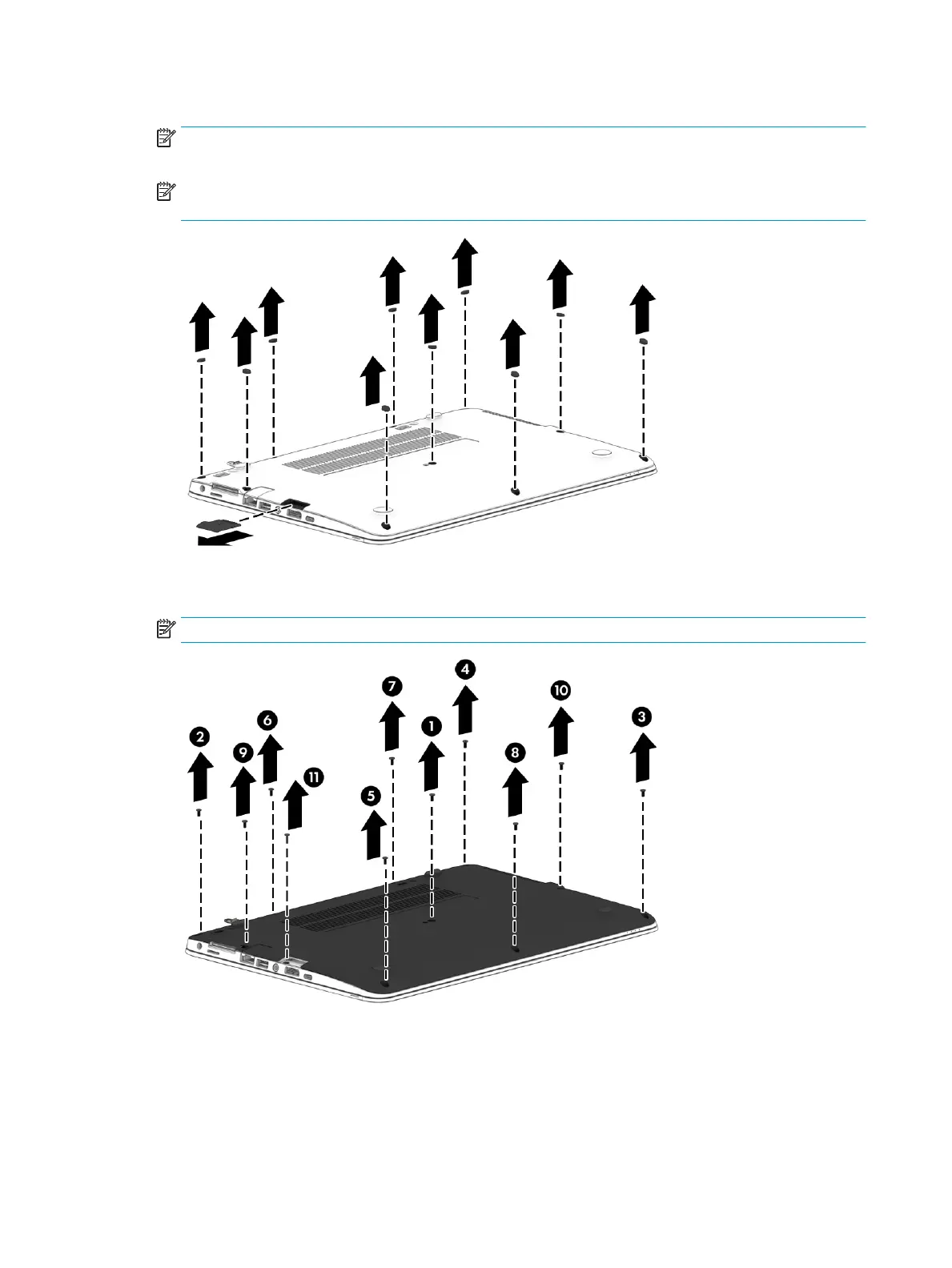
2. Remove the 10 rubber screw covers and the SD card reader blank from the bottom cover.
NOTE: The RJ-45 door and the SD card reader insert is available in the Plastics Kit using spare part
number 821175-001.
NOTE: Multiple RJ-45 doors are available using spare part number 917396-001. The kit contains 20
doors.
3. Remove the 10 Phillips M2.5x5.0 screws (1) - (10) and the Phillips M2.0x7.0 screw (11) in the order
shown in the following image.
NOTE: The longer (Phillips M2.0x7.0) screw is located under the SD card reader.
26 Chapter 5 Removal and replacement procedures for Customer Self-Repair parts



 To Next Page