4–22 Maintenance and Service Guide
Removal and replacement procedures
3. Turn the computer display-side up, with the front toward you.
4. Open the computer as far as possible.
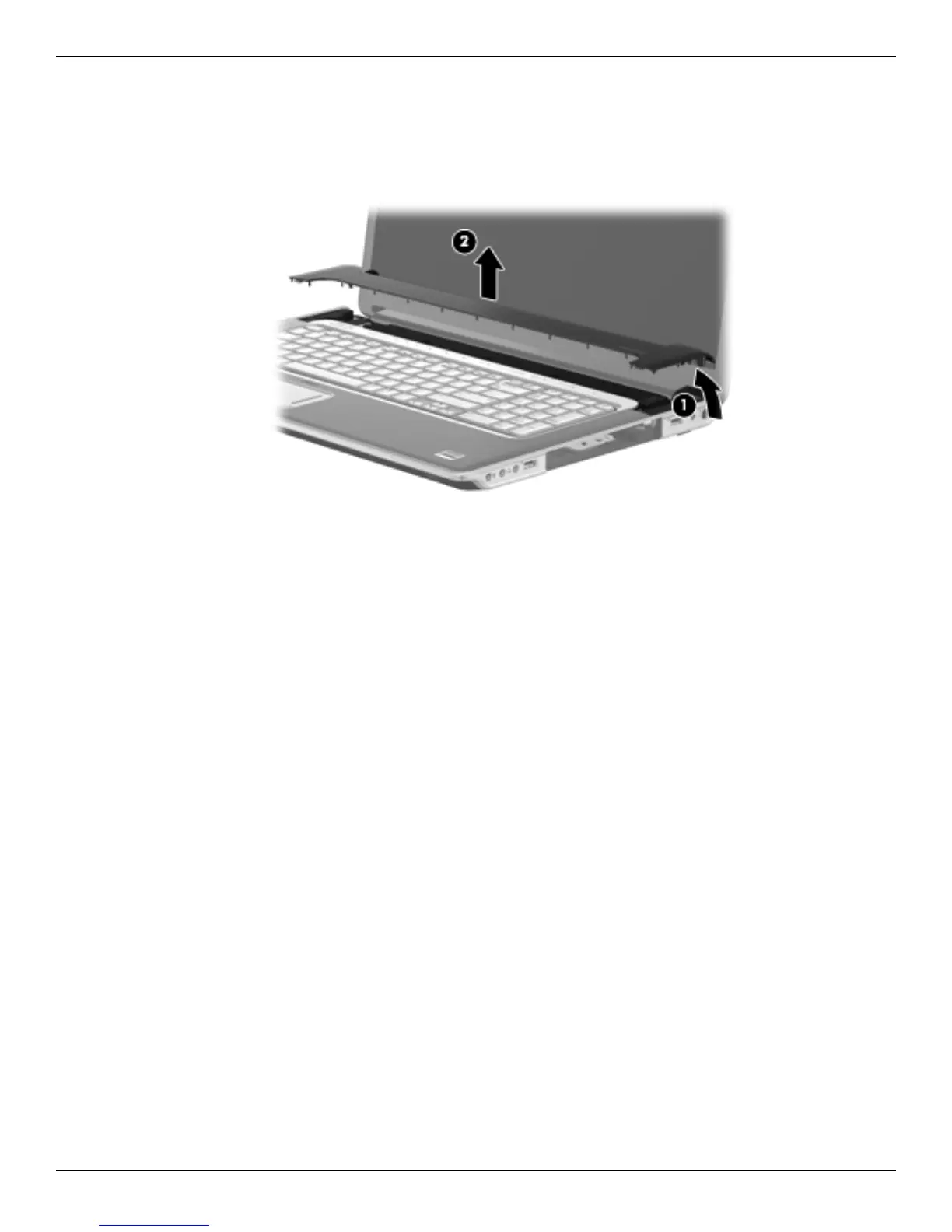
5. Lift the right side of the switch cover 1 until it detaches from the computer.
6. Remove the switch cover 2 by lifting it straight up.
Reverse this procedure to install the switch cover.








 To Next Page