11
Replacing or Removing a Module
Replacing or Removing a Module
Follow these procedures to replace one module with another, or to remove a
module without replacing it:
1. Remove any network cables from the ports on the module.
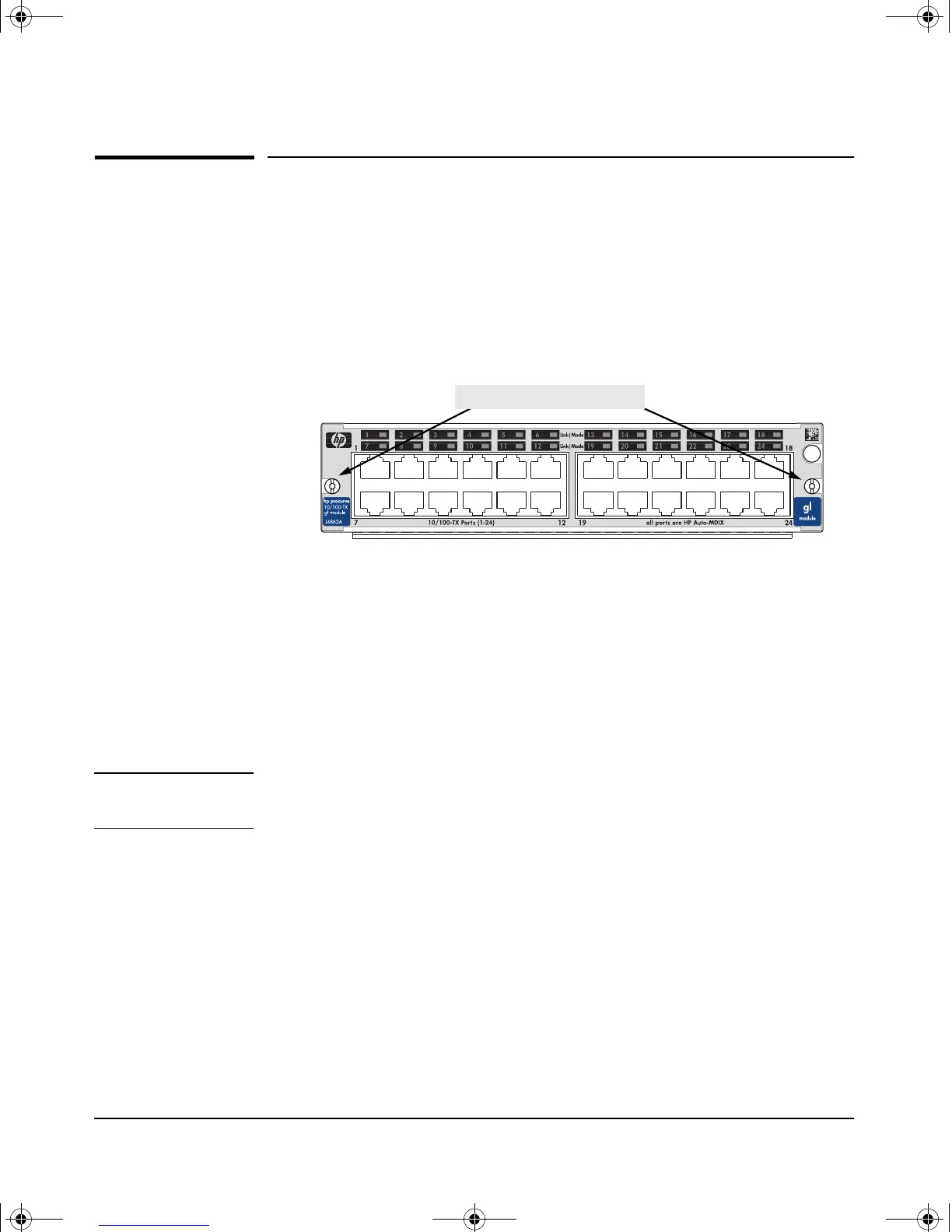
2. On the module you want to remove from the switch, unscrew the retaining
screws enough to disconnect them from the threaded holes in the switch.
3. Grab the screws and pull the module out from the slot. It may help to brace
your hands against the face of the switch and “lever” the module out from
the switch slot.
4. Do one of the following:
• If you will be installing another module in the slot, go to “Installing
the Module in an Unused Slot” on page 4 and begin with step 2.
• If you will not install another module in the slot (that is, leave it
empty), then re-install a slot cover plate over the empty slot opening.
Caution For proper cooling and reduction of electromagnetic emissions, ensure that
a slot cover is installed on any unused slot.
5. Reset the switch, as described under “Resetting the Switch” on page 12,
if you are exchanging one type of module with a different type of module
in the same slot (for example, replacing a 10/100-TX GL Module with a
100/1000-T GL Module).
If you are replacing a module with another one of the same type in the
same slot, it is not necessary to reset the switch. The current configuration
for ports in that slot will apply to the new module.
unscrew the retaining screws
gamma-mod.book Page 11 Friday, April 6, 2001 10:23 PM










 To Next Page