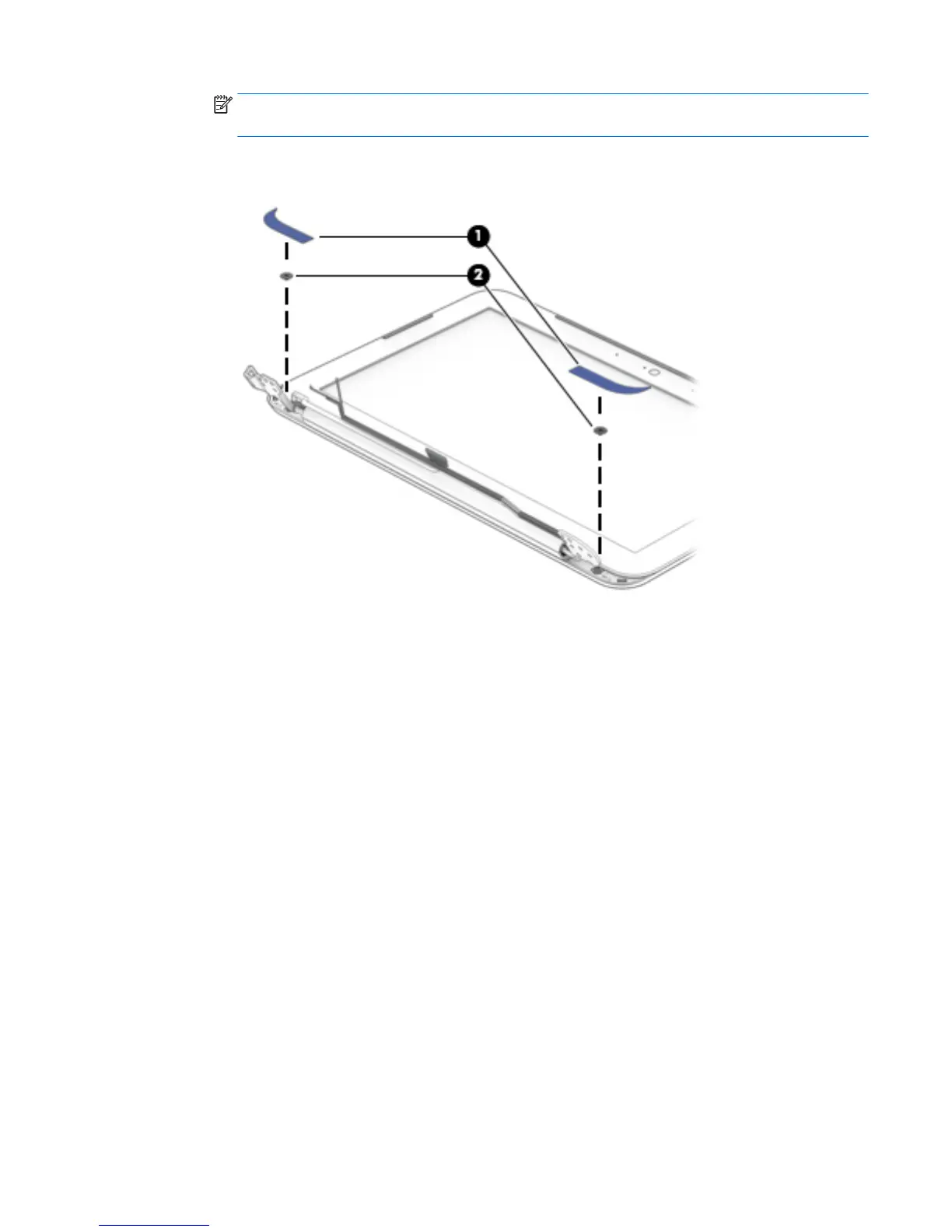
NOTE: The display bezel screw covers are included in the Rubber Kit, spare part number
792911-001.
b. Remove the two Phillips PM2.0×2.2 broad head screws (2) that secure the display panel to the
display enclosure.
c. Flex the inside edges of the top edge (1), the left and right sides (2), and the bottom edge (3) of
the display bezel until the bezel disengages from the display enclosure.
d. Remove the display bezel (4).
The display bezel is available using spare part numbers 792890-001 (in horizon blue finish)
and 792981-001 (in orchid magenta finish).
Component replacement procedures 47







 To Next Page