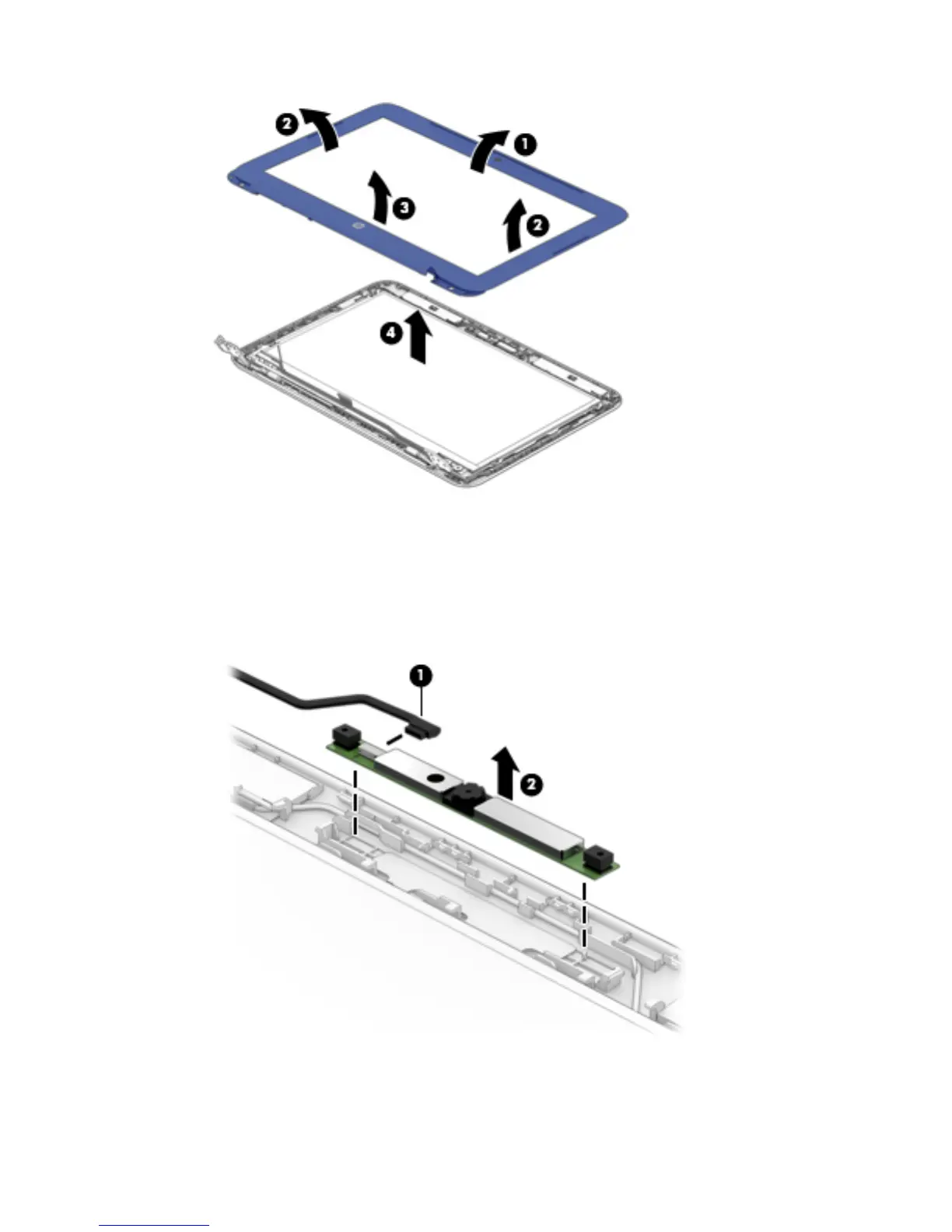
7. If it is necessary to replace the webcam/microphone module:
a. Remove the display bezel.
b. Disconnect the webcam/microphone module cable (1) from the webcam/microphone module.
c. Detach the webcam/microphone module (2) from the display enclosure. (The webcam/
microphone module is attached to the display enclosure with double-sided adhesive.)
d. Remove the webcam/microphone module.
The webcam/microphone module is available using spare part number 795114-001.
48 Chapter 5 Removal and replacement procedures







 To Next Page