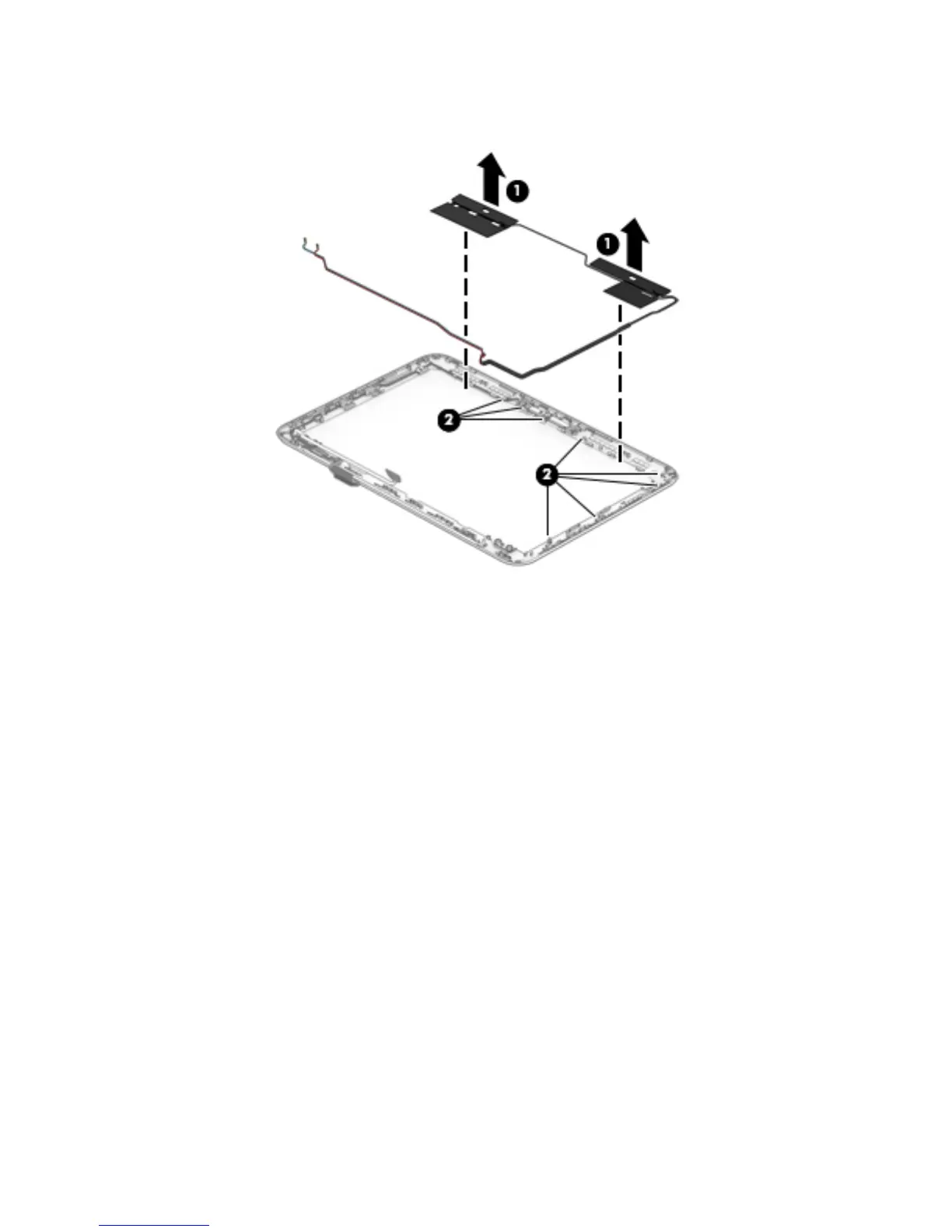
e. Release the WWAN antenna cables (2) from the retention clips built into the top edge and right
side of the display enclosure.
f. Remove the WWAN antenna.
The WWAN antenna is available using spare part number 792883-001.
12. If it is necessary to replace the WLAN antenna:
a. Remove the display bezel.
b. Remove the display panel.
c. Remove the display hinges.
d. Remove the WWAN antenna.
e. Detach the WLAN antenna transceivers (1) from the display enclosure. (The WLAN antenna
transceivers are attached to the display enclosure with double-sided adhesive.)
Component replacement procedures 53








 To Next Page