EasyManua.ls Logo

HP T750 G4 INTL - User Manual

HP T750 G4 INTL
18 pages
Print Icon
To Next Page IconTo Next Page
Loading...
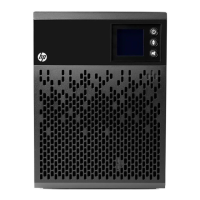
HP Tower UPS
User Guide
Abstract
This document is for the person who installs and maintains HP UPS products. HP assumes you are qualified
in the installation of electrical equipment and trained in recognizing hazards in products with hazardous
energy levels.
Part Number: 792523-001
November 17, 2014
Edition: 1

Questions and Answers

  • M
    Maria RamirezAug 8, 2025
    What to do if my HP T750 G4 INTL is overloaded?
    • M
      Maria MillerAug 8, 2025
      If your HP UPS is overloaded, it means the power requirement exceeds the UPS capacity (greater than 105% of nominal). To resolve this, remove some of the equipment from the UPS. The UPS will continue to operate, but might shut down if the load increases. The alarm will reset when the condition becomes inactive.
  • N
    Nicholas HancockAug 14, 2025
    Why does my HP T750 G4 INTL UPS have a battery fault?
    • C
      Caitlin ConwayAug 14, 2025
      A battery fault in your HP UPS can occur for a couple of reasons: * The batteries in the UPS might be disconnected. Verify that all batteries are properly connected. If the error persists, note the alarm message and the UPS serial number, and then contact your service representative. * The end of battery life might be reached. If this is the case, contact your service representative for battery replacement.
  • D
    Donna LawrenceAug 19, 2025
    What to do if my HP UPS has a short-circuit fault?
    • M
      Michelle WilliamsAug 19, 2025
      If your HP UPS indicates a short-circuit fault, it means a short-circuit has occurred. Check the device connection or integrity. If the error persists, note the alarm message and the UPS serial number, and then contact your service representative.
  • J
    Justin HicksAug 27, 2025
    How to fix a fan fault on my HP UPS?
    • F
      fishervictoriaAug 27, 2025
      If your HP UPS is showing a fan fault, check that no object is blocking the fan. If the error persists, note the alarm message and the UPS serial number, and then contact your service representative.
  • C
    Christine MonroeSep 1, 2025
    What does it mean if my HP UPS has a charger fault?
    • L
      Lisa NelsonSep 1, 2025
      If your HP UPS has a charger fault, it means the UPS is no longer charging the battery. Note the alarm message and the UPS serial number, and then contact your service representative.

Summary

IMPORTANT SAFETY INSTRUCTIONS

Personal and Product Safety

2. User Interface

3. Installation

Unpacking and Battery Connection

Procedure for unpacking the UPS, checking contents, and connecting the internal battery module safely.

Communication and Ground Connections

Information on connecting communication ports (RS-232/USB) and proper grounding of the UPS unit.

4. Operation

Operational Modes and Power Transitions

Covers startup, shutdown, battery operation, low-battery warnings, and AC power return.

5. Maintenance

Troubleshooting and Firmware Update

Information on diagnosing operational status codes and instructions for updating UPS firmware.

6. Technical Specifications

HP T750 G4 INTL Specifications

General IconGeneral
TopologyLine Interactive
Surge Energy Rating320 Joules
Form FactorTower
Surge ProtectionYes
ModelT750 G4 INTL
Power Rating750 VA
Output Voltage230 VAC
Input Frequency50/60 Hz
Output Frequency50/60 Hz
Transfer TimeTypical 4 ms
Battery TypeSealed Lead Acid (SLA)
Typical Recharge Time8 hours
Audible AlarmYes
Operating Temperature0 to 40°C
Operating Relative Humidity0 to 95% non-condensing
Communication InterfaceUSB
Warranty2 years

Related product manuals