EasyManua.ls Logo

HP HPE T750 G4 - User Manual

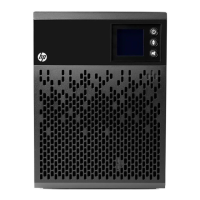
HP HPE T750 G4
21 pages
Print Icon
To Next Page IconTo Next Page
Loading...
HPE T750 G4 UPS, T1000 G4 UPS, and
T1500 G4 UPS User Guide
Part Number: 792523-001Ra
November 2017
Edition: 1
Abstract
This document is for the person who installs, administers, and troubleshoots power products.
Hewlett Packard Enterprise assumes you are qualified in the servicing of high-voltage
equipment and trained in recognizing hazards in products with hazardous energy levels.

Questions and Answers

  • M
    Mark EatonAug 11, 2025
    What to do if my HP UPS is overloaded?
    • S
      stephanieavilaAug 11, 2025
      If your HP UPS is overloaded, it means the power requirement exceeds the UPS capacity (greater than 105% of nominal). To resolve this, remove some of the equipment from the UPS. The UPS will continue to operate, but might shut down if the load increases. The alarm will reset when the condition becomes inactive.
  • M
    Mary WilliamsAug 17, 2025
    Why does my HP HPE T750 G4 have a battery fault?
    • N
      nicholasjordanAug 17, 2025
      A battery fault in your HP UPS can occur for a couple of reasons: * The batteries in the UPS might be disconnected. Verify that all batteries are properly connected. If the error persists, note the alarm message and the UPS serial number, and then contact your service representative. * The end of battery life might be reached. If this is the case, contact your service representative for battery replacement.
  • S
    stephen52Aug 23, 2025
    What to do if my HP HPE T750 G4 has a short-circuit fault?
    • M
      Margaret McguireAug 25, 2025
      If your HP UPS indicates a short-circuit fault, it means a short-circuit has occurred. Check the device connection or integrity. If the error persists, note the alarm message and the UPS serial number, and then contact your service representative.
  • J
    Joel MendozaAug 29, 2025
    How to fix a fan fault on my HP HPE T750 G4 UPS?
    • M
      Michael RobertsAug 30, 2025
      If your HP UPS is showing a fan fault, check that no object is blocking the fan. If the error persists, note the alarm message and the UPS serial number, and then contact your service representative.
  • M
    Melissa SchultzSep 4, 2025
    What does it mean if my HP HPE T750 G4 has a charger fault?
    • D
      Donna WatsonSep 4, 2025
      If your HP UPS has a charger fault, it means the UPS is no longer charging the battery. Note the alarm message and the UPS serial number, and then contact your service representative.

HP HPE T750 G4 Specifications

General IconGeneral
Battery TypeSealed Lead-Acid (SLA)
TypeLine-Interactive
Power Rating750 VA
Input Voltage100-120 VAC or 200-240 VAC (auto-sensing)
Output Voltage100-127 V / 200-240 V
Input Frequency50/60 Hz
Output Frequency50/60 Hz
TopologyLine Interactive
Outlet TypeNEMA 5-15R
Communication PortsUSB, Serial
Operating Temperature32°F to 104°F (0°C to 40°C)
Operating Humidity0 to 95% non-condensing
Safety CertificationsUL, cUL, CE

Related product manuals