88 Chapter4
Field Replaceable Units (FRUs)
FRU Removal and Replacement
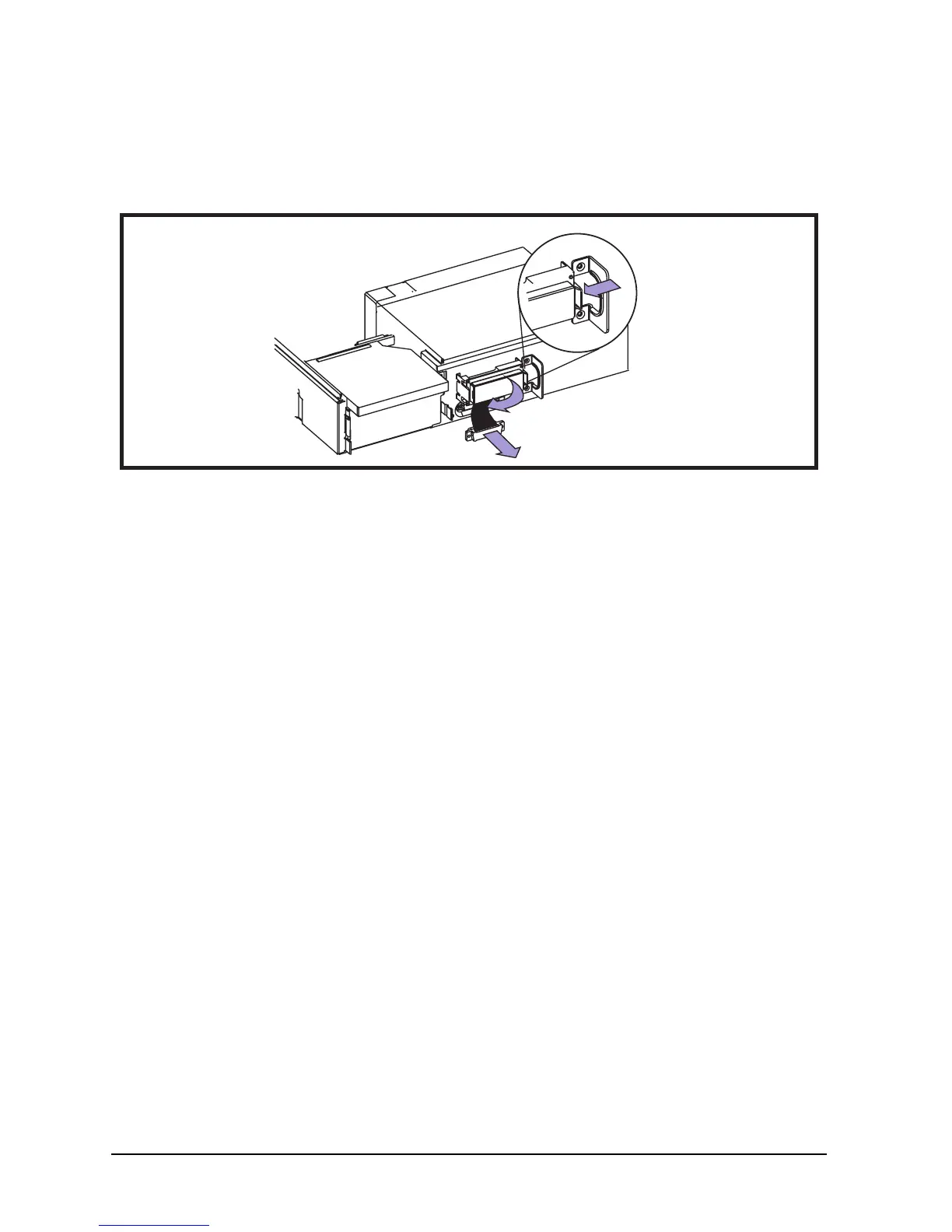
Removing the LCD Panel
To remove the LCD panel, do the following:
Figure 4-3. Removing the LCD Panel
To replace the LCD panel, perform the above steps in reverse.
1. Push LCD tab from one side to remove
2. Remove LCD
3. Remove connector
2
3
1









 To Next Page