92 Chapter4
Field Replaceable Units (FRUs)
FRU Removal and Replacement
Power Supply
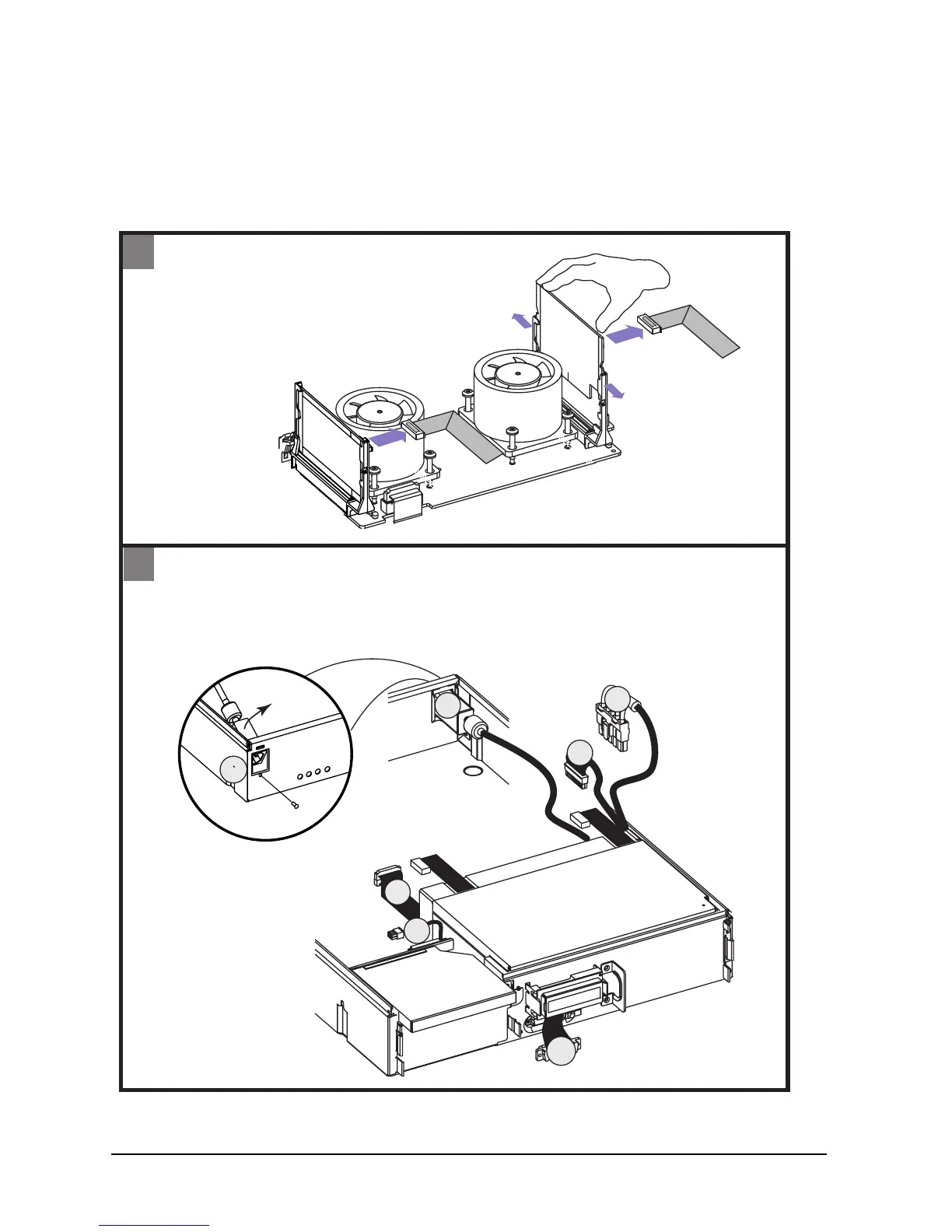
To remove the power supply, do the following:
Figure 4-7. Removing the Power Supply
1
2
- Remove two VRM connectors
- Remove VRM 1 board as shown
1
2
3
4
5
6
Back
1
VRM 0
- Remove screw from back of workstation to remove power plug
- Disconnect five connectors (2-6)
VRM 1
Power Supply
VRM
connector
VRM
connector
power plug
screw









 To Next Page