90 Chapter4
Field Replaceable Units (FRUs)
FRU Removal and Replacement
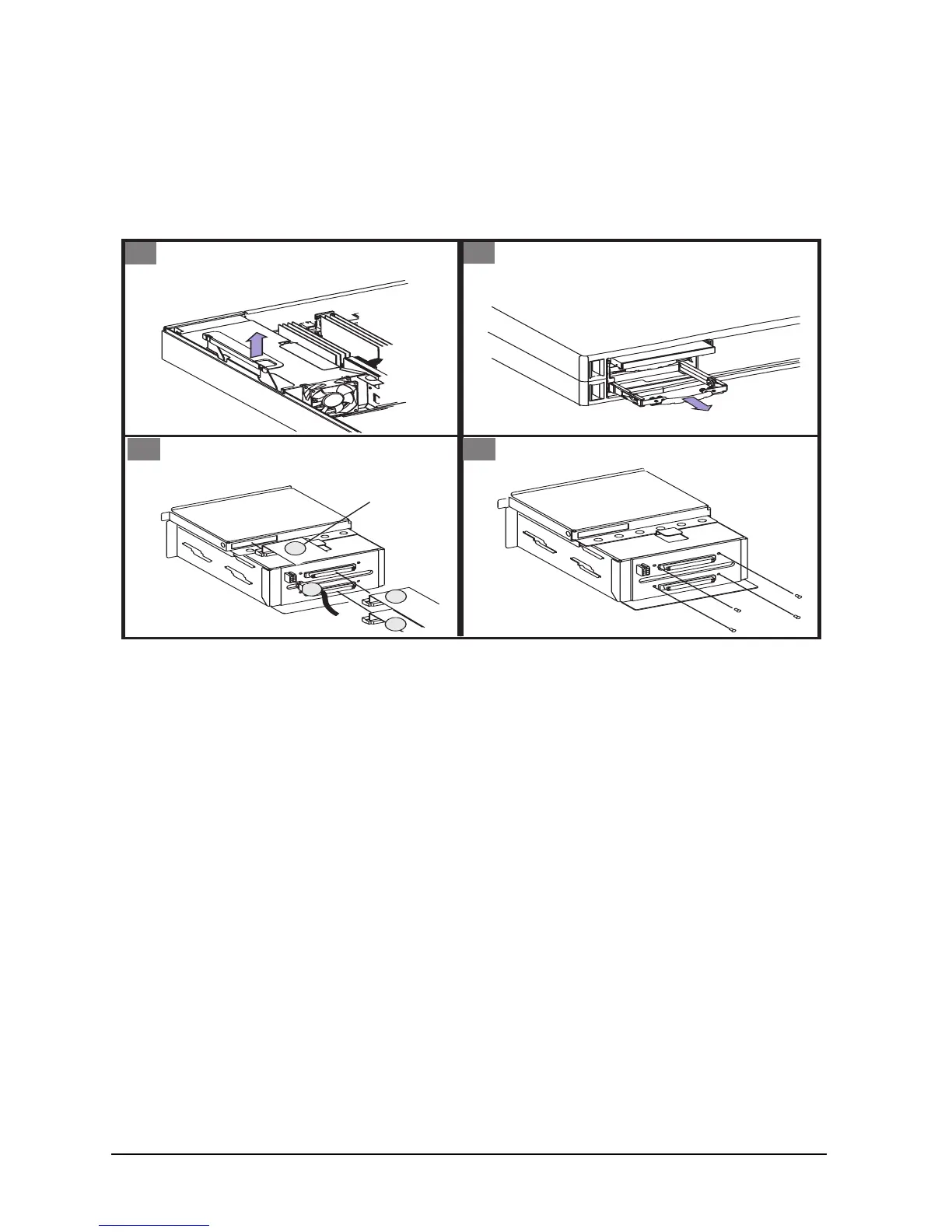
Removing the Hard Disk Drive Backplane
To replace the hard disk drive backplane, do the following:
Figure 4-5. Removing the Hard Disk Drives Backplane
To replace the hard disk drive backplane, perform the above steps in reverse.
1
- Unplug four connectors
1
2
3
4
2
- Remove four screws
- Lift board out
Back
view
Press sides
of connector
to remove
CD cable
Remove PCI Cage
- Lift PCI handle to remove PCI cage
from workstation
3 4
- Remove disk drives BEFORE removing
board.









 To Next Page