Chapter 4 97
Field Replaceable Units (FRUs)
FRU Removal and Replacement
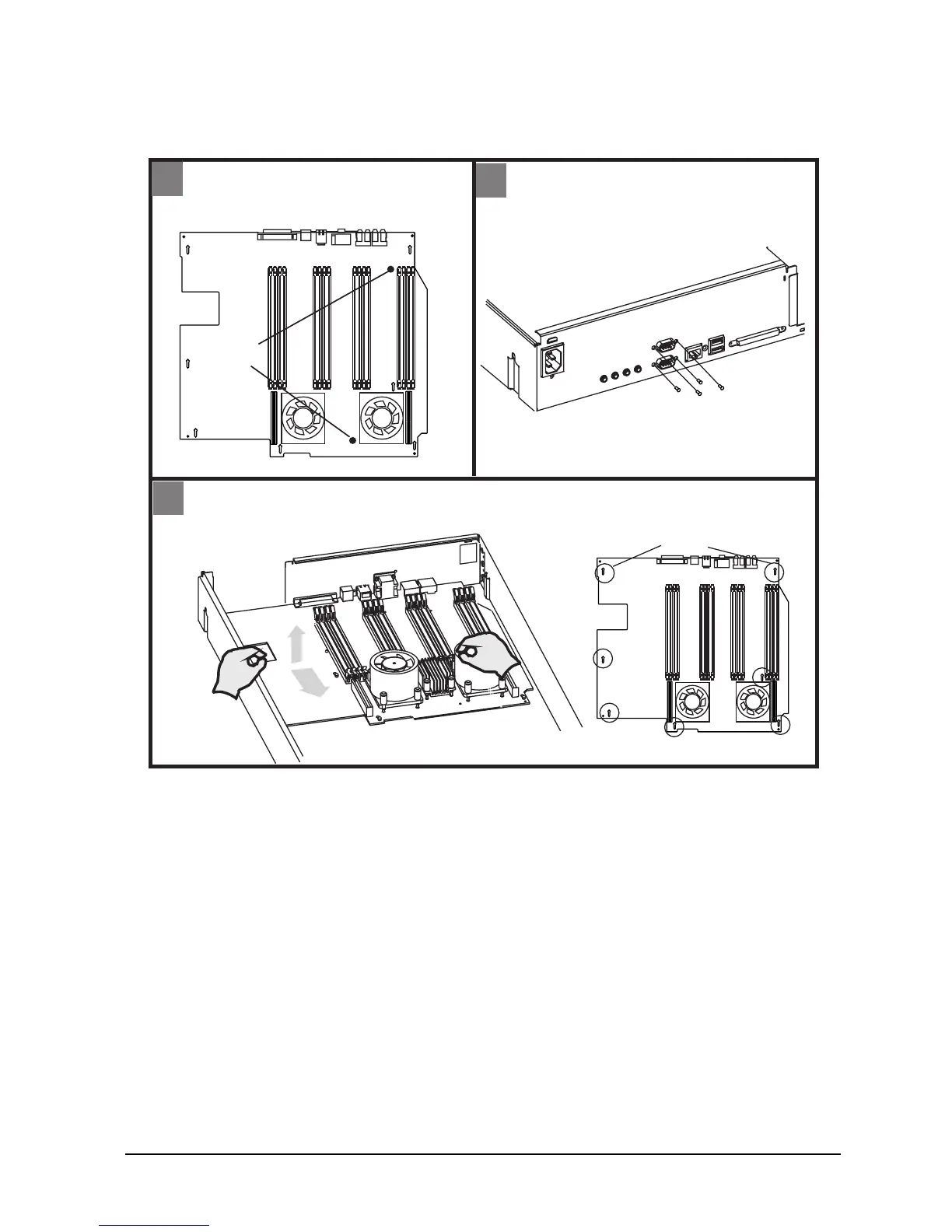
Figure 4-12. Removing the System Board
3
- Remove two mounting screws from
system board.
Back
- Remove four serial port screws
from back of workstation.
Slots
Mounting
Screws
4
5
Front
- Pull system board toward front of workstation to remove from slots
- Lift system board up
serial port screws









 To Next Page