14
Before repairing connectors, follow these steps:
▲ Prepare the monitor for disassembly. See Preparation for disassembly on page 9.
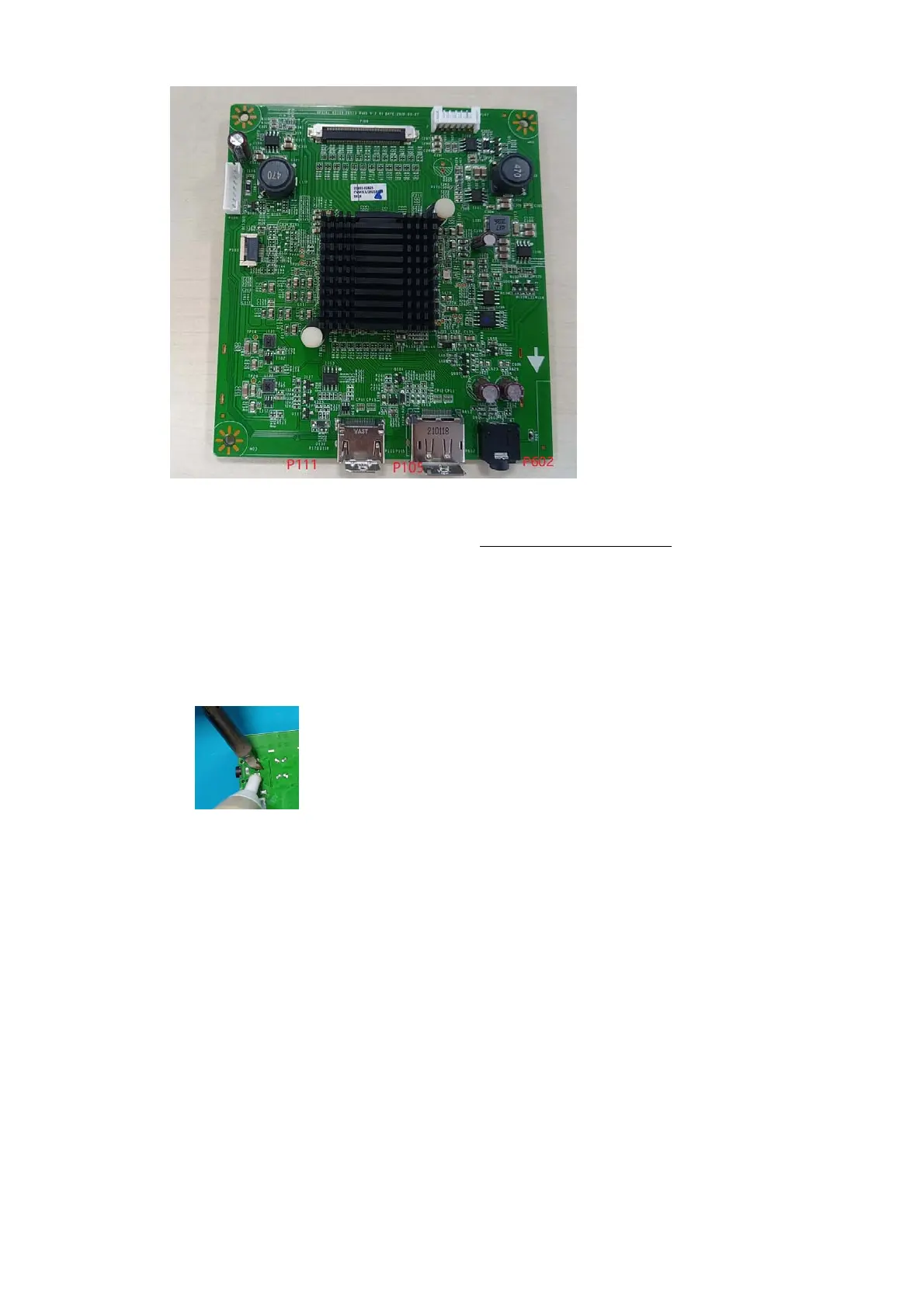
Audio connector P602
Repair the audio connector:
1) Use a hot air gun to melt the solder on the pins. Pin solder with soldering iron and absorber. You
can gently push down with the soldering iron once everything is molten to move the P602 out of the
through holes.
2) Lift the P602 connector from the circuit board.
3) Place the new component on the circuit board. Be sure that it matches the footprint.
4) Solder the new component.
HDMI connector P111
Repair the HDMI connector:
1) Use a soldering iron and a de-soldering pump to remove as much solder as possible from the pin.


 To Next Page