Rear components
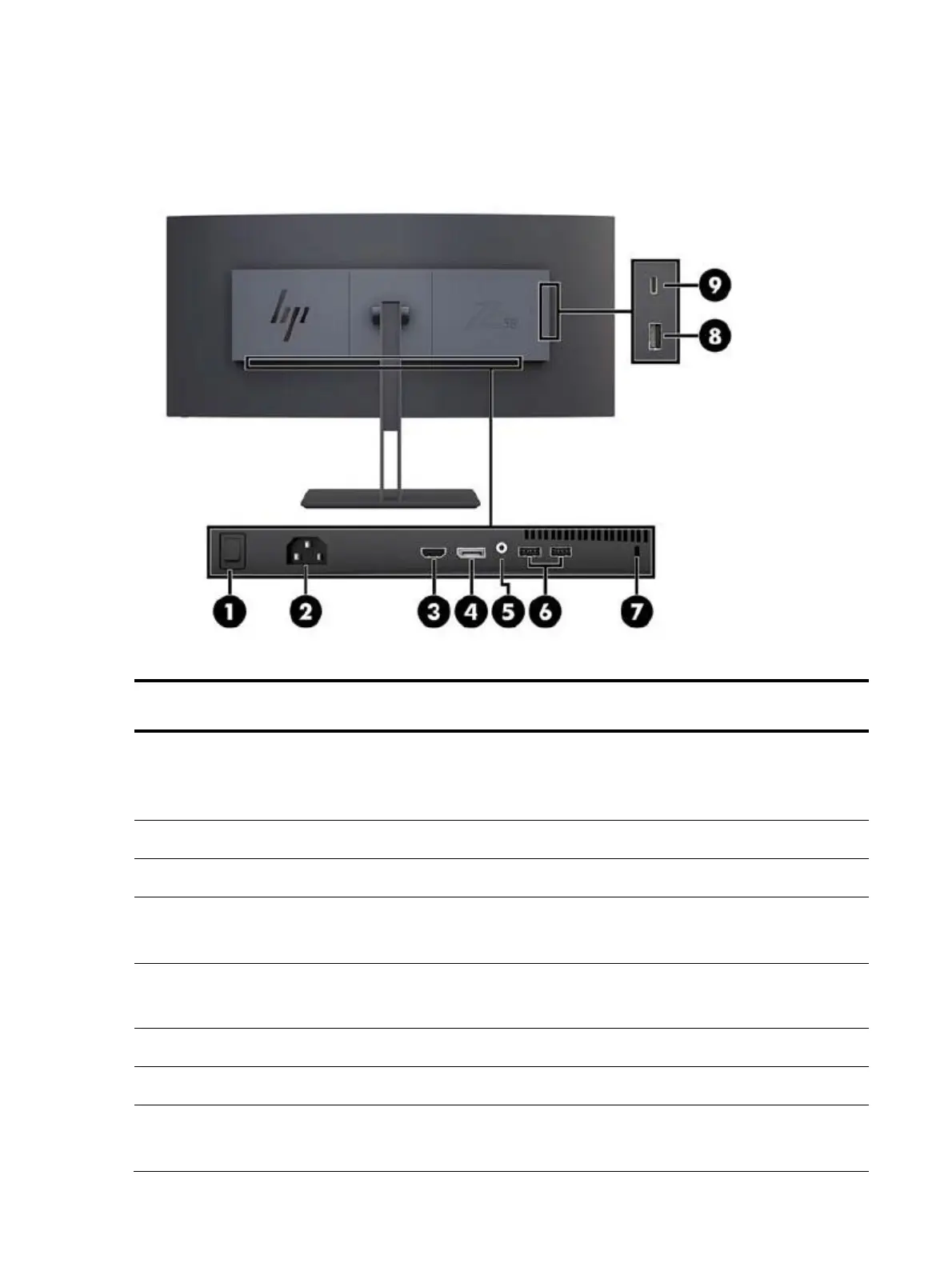
To identify the components on the rear of the monitor, use this illustration and table.
Table 1-2: Rear components and their descriptions
Turns off all power to the monitor.
NOTE: Putting the switch in the Off position will
yield the lowest power
Connects an HDMI cable to the source device.
Connect Display Port cable to the source
device.
Audio out (headphone) jack
Connects optional powered stereo speakers,
headphones, earbuds, a Head set, or a
television audio cable.
Connects a security cable to a stationary object
Connects a USB Type-A cable to the source
device.


 To Next Page
 Loading...