Need help?
Do you have a question about the HP Z22n and is the answer not in the manual?
Press the button to detach the hinge assembly.
Remove the screws and use a tool to detach the rear cover.
Tear out tapes, remove screws, and disconnect cables to separate mainframe and panel.
Remove screws and disconnect cables to detach the main board, power board, and USB board.
Remove screws to separate the key board, bezel, and panel.
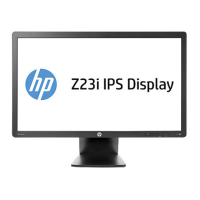
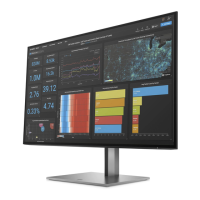
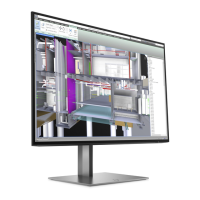
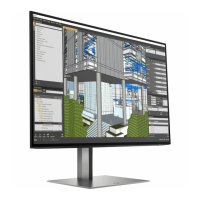
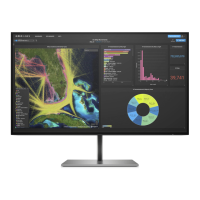
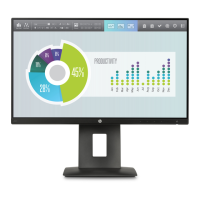
This document outlines the end-of-life disassembly instructions for the HP Z22n Narrow Bezel IPS Display, a monitor designed for various computing environments. Its primary function is to provide visual output for computers and other compatible devices, offering a clear and vibrant display experience. As an IPS (In-Plane Switching) display, it is engineered to deliver wide viewing angles and consistent color reproduction, making it suitable for tasks that require accurate visual representation, such as graphic design, photo editing, and general office productivity. The "Narrow Bezel" design indicates a minimal frame around the screen, which enhances the immersive viewing experience and allows for seamless multi-monitor setups, reducing the visual distraction of thick borders between screens.
The HP Z22n is designed for ease of use and integration into various workspaces. Its IPS technology ensures that colors remain true and images clear, even when viewed from oblique angles, which is beneficial in collaborative settings or when multiple users are viewing the screen simultaneously. The display likely supports standard video input interfaces, such as HDMI, DisplayPort, and possibly VGA, ensuring compatibility with a wide range of modern and legacy systems. This versatility makes it a practical choice for both home and office environments, where users may connect it to laptops, desktop PCs, or even certain media players. The monitor's design typically includes a stand that allows for tilt adjustments, enabling users to optimize the viewing angle for their comfort and ergonomic needs. Some models may also offer height adjustment, swivel, and pivot capabilities, further enhancing user flexibility and adaptability to different desk setups or viewing preferences. The narrow bezel not only contributes to a sleek aesthetic but also maximizes the screen-to-body ratio, providing more screen real estate within a compact footprint. This is particularly advantageous in space-constrained environments or for users who prefer a minimalist desk setup.
From a maintenance and end-of-life perspective, this document is crucial for ensuring responsible recycling and disposal. While routine user maintenance for a display like the HP Z22n is generally minimal—primarily involving cleaning the screen and exterior surfaces with appropriate, non-abrasive cleaners—the detailed disassembly instructions are vital for specialized treatment facilities. The document explicitly lists components requiring selective treatment under EU directive 2002/96/EC (WEEE), such as printed circuit boards (PCBs), liquid crystal displays (LCDs), and electrolytic capacitors. This highlights HP's commitment to environmental stewardship by providing clear guidance for the safe removal and separate processing of potentially hazardous or valuable materials. The instructions detail the tools required, such as a plum flower head screwdriver, and outline a step-by-step process for dismantling the monitor. This includes removing the hinge assembly, the rear cover, separating the mainframe and panel, and then detaching the main board, power board, and key board. Such detailed guidance ensures that recyclers can efficiently isolate and process specific components, preventing harmful substances from entering the waste stream and facilitating the recovery of valuable raw materials. The emphasis on selective treatment for items like PCBs with a surface greater than 10 sq cm and LCDs greater than 100 sq cm underscores the importance of proper handling for these larger components. The absence of batteries, mercury-containing components, and cathode ray tubes in the listed items for this specific model indicates a modern design that avoids some of the more problematic materials found in older display technologies, simplifying the recycling process to some extent. The inclusion of external electrical cables and cords as items requiring selective treatment also ensures that all relevant parts are accounted for in the recycling chain. This comprehensive approach to end-of-life management reflects a broader industry trend towards designing products with their eventual disposal and recycling in mind, contributing to a more circular economy.
 General
| Screen Size | 21.5 inches |
|---|---|
| Resolution | 1920 x 1080 |
| Panel Type | IPS |
| Aspect Ratio | 16:9 |
| Brightness | 250 cd/m² |
| Contrast Ratio | 1000:1 |
| Response Time | 7 ms |
| VESA Mount | 100 x 100 mm |
| Pixel Pitch | 0.248 mm |
| Native Resolution | 1920 x 1080 |
| Viewing Angles | 178° horizontal / 178° vertical |
| Ports | VGA, DisplayPort |

 To Next Page