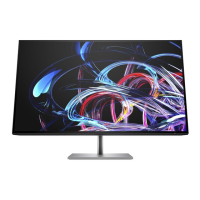
Need help?
Do you have a question about the HP Z27K G3 and is the answer not in the manual?
Provides crucial safety precautions to minimize risk of personal injury and equipment damage during service.
Details essential guidelines for professional service technicians, including handling high voltage and ESD.
Steps and equipment needed to prepare for safely disassembling and reassembling the monitor.
Procedure for removing the power board, including preparation and identifying connector details.
Detailed steps for repairing the HDMI connector, including desoldering and soldering techniques.
This document provides a comprehensive Maintenance and Service Guide for the HP Z27k G3 monitor, offering detailed information for trained service personnel. It covers essential safety guidelines, service precautions, and regulatory requirements, ensuring proper handling and repair of the device. The guide is structured to facilitate efficient troubleshooting, part replacement, and overall maintenance, aiming to extend the product's lifespan and ensure its safe operation.
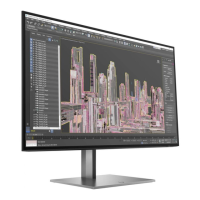
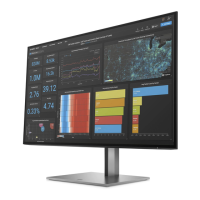
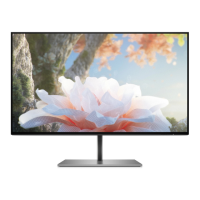
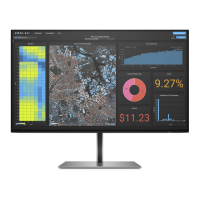
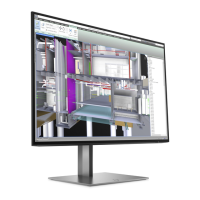
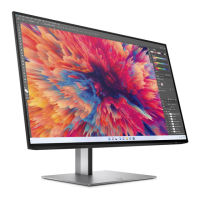
The HP Z27k G3 monitor is designed to provide a high-quality visual experience with a range of features catering to professional and general use. Its primary function is to display visual content from various source devices, offering a large diagonal viewable screen area with high resolution. The monitor utilizes a liquid crystal display (LCD) with active matrix and in-plane switching (IPS) technology, which ensures wide viewing angles and consistent color reproduction. A key feature is its wide color gamut, designed to cover sRGB color spaces, making it suitable for tasks requiring accurate color representation. The nonglare panel with an LED backlight further enhances viewing comfort by reducing reflections.
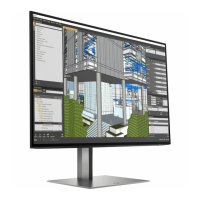
For user convenience and ergonomic flexibility, the monitor includes tilt, swivel, and height adjustment capabilities. It also offers pivot functionality, allowing the monitor head to rotate from landscape to portrait orientation, which can be particularly useful for document viewing or specific professional applications. The monitor's design incorporates a removable stand, providing flexible mounting solutions. It features an HP Quick Release 2 device, enabling quick attachment and detachment of the monitor head to the stand with a simple click and a sliding tab release. Additionally, it supports VESA® mounting brackets (100 × 100 mm) for attaching the monitor to wall-mount devices, swing arms, or workstations, offering versatile placement options.
Connectivity is a strong suit of the Z27k G3. It includes multiple video inputs such as DisplayPort™ and High-Definition Multimedia Interface™ (HDMI), with cables often included for immediate use. A DisplayPort video output is also available, allowing for daisy-chaining to a secondary monitor. The monitor is equipped with a USB Type-C® port that supports DP Alt Mode 1.4, USB upstream data, and can deliver up to 100 W of power, capable of charging most USB Type-C devices even when the monitor is in sleep mode (provided it's set to Performance Mode). This port also enables the functionality of the USB Type-A ports. The integrated USB hub includes four downstream USB ports for connecting peripheral devices like keyboards, mice, or USB hard drives. Some USB ports support Battery Charging 1.2, offering faster charging for compatible devices. For network connectivity, an RJ-45 (network) jack is available on select models. The monitor also boasts Plug and Play capability, simplifying setup with compatible operating systems.
The Z27k G3 monitor incorporates several display-enhancing features. It supports full-screen display for lower resolutions, with custom scaling to maintain maximum image size while preserving the original aspect ratio. For advanced multitasking, select products offer Dual Picture in Picture (PiP) and Picture beside Picture (PbP) functionality, enabling simultaneous viewing of content from DisplayPort, HDMI, and USB Type-C inputs on different halves of the screen. On-screen display (OSD) adjustments are available in multiple languages, providing an intuitive interface for easy setup and screen optimization. Color space presets for sRGB and BT.709 are included for precise color management. An energy saver feature helps meet requirements for reduced power consumption, contributing to environmental sustainability. Physical security is addressed with a security cable slot on the rear for an optional security cable, and a cable management feature helps keep cables and cords organized.
Maintenance and service aspects are thoroughly detailed in the guide, emphasizing that only trained service personnel should perform repairs. It outlines important service information and precautions, such as ensuring a dry and clean working environment, using proper safety devices and approved tools, and always disconnecting power before opening the product. Specific warnings are given regarding electrostatic discharge (ESD) sensitive components and handling batteries. The guide also addresses RoHS (Restriction of Hazardous Substance) requirements, specifying the use of lead-free solder and compliant replacement parts.
The service procedures cover two levels: cosmetic/appearance/alignment service and circuit board or standard parts replacement. For circuit board repairs, the guide provides detailed instructions for replacing components like capacitors, stressing the importance of matching polarity, specifications, and part numbers. It also includes instructions for firmware updates, which are available on the HP support website. Before returning a repaired product to the customer, an AC leakage current check is mandated to ensure electrical safety.
The illustrated parts catalog helps identify major components and provides part numbers for ordering. The guide specifies that HP authorized repair centers can purchase power boards directly from HP, and lists EU distributors for capacitors and connectors, including Digi-Key and CAPXON. Detailed diagrams and instructions are provided for connector repair, covering HDMI, DisplayPort, USB-C, USB-A, and RJ45 connectors. This includes steps for de-soldering, lifting, placing, and re-soldering new components, with specific modifications noted for certain connectors to ensure proper fit and function.
Preparation for disassembly is outlined, including reading safety information, cleaning the work area, identifying the disassembly space, and having necessary equipment such as press fixtures, tools, gloves, cleaning cloths, ESD protection, and a scraper bar. Step-by-step instructions are given for removing the rear cover, USB board, OSD key board, I/O cover, and bracket assembly, culminating in the removal of the power board and interface board. Each step is accompanied by visual aids to guide the technician.
A function test section is included to confirm that all monitor functions are working correctly after repair. This involves testing HDMI, DisplayPort, DisplayPort out, Type-C, RJ45, and USB Hub functionalities using appropriate tools like computers, DVD players, or notebooks. Finally, a support and troubleshooting section provides a table of common problems, their possible causes, and recommended solutions, such as connecting the power cord for a blank screen, adjusting brightness, or checking video cable connections. It also explains how to resolve OSD lockout and power button lockout issues.
 General
| Screen Size | 27 inches |
|---|---|
| Resolution | 3840 x 2160 (4K UHD) |
| Panel Type | IPS |
| Aspect Ratio | 16:9 |
| Brightness | 350 cd/m² |
| Contrast Ratio | 1000:1 |
| Refresh Rate | 60 Hz |
| Color Gamut | 99% sRGB |
| Viewing Angle | 178° horizontal / 178° vertical |
| Pixel Pitch | 0.1554 mm |
| Integrated Speakers | No |
| Tilt | -5° to +20° |
| VESA Mount | 100 x 100 mm |
| Dynamic Contrast Ratio | 10000000:1 |
| Response Time | 5 ms (GtG) |
| Ports | 1 x DisplayPort 1.4, 1 x HDMI 2.0, 4 x USB-A 3.2 Gen 1 |
| HDCP Support | Yes |
| Swivel | ±45° |
| Pivot | 90° |
| Weight (with stand) | 7.4 kg |
| Height Adjustment | 150 mm |

 To Next Page