Need help?
Do you have a question about the HP Z24m G3 and is the answer not in the manual?
Detailed safety precautions and warnings to minimize risks during service operations.
Guidelines for professional service technicians, including high-voltage warnings and soldering practices.
Procedure for performing AC leakage current checks before returning a serviced product.
Steps to prepare for disassembly, including safety, tools, and workspace requirements.
Procedure for removing and replacing the monitor's power board.
Procedures and tools required for testing all monitor functions after repair.
This document is a Maintenance and Service Guide for the HP Z24m G3 monitor, providing comprehensive information for trained service personnel. It covers various aspects from initial setup and features to detailed repair procedures and troubleshooting.
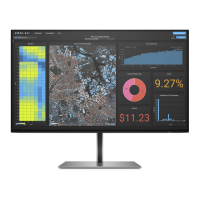
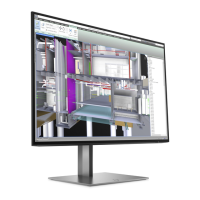
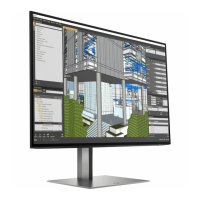
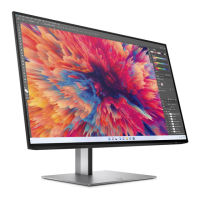
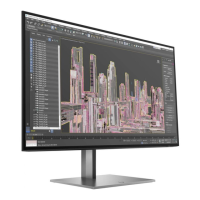
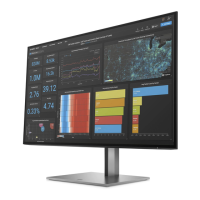
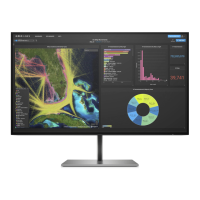
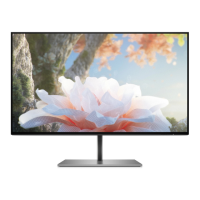
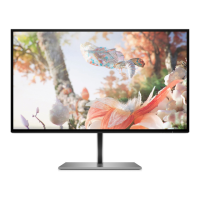
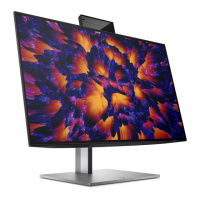
The HP Z24m G3 is a QHD conferencing display designed for a wide range of uses, including professional work environments and multimedia consumption. It features a 60.5 cm (23.8 in) diagonal viewable screen with a 2560 x 1440 resolution, offering full-screen support for lower resolutions and custom scaling to maintain image quality. A key feature is the integrated webcam, which includes both RGB and IR lenses, making it suitable for video conferencing and secure login methods. The monitor also incorporates HP Eye Ease with Eyesafe® certification, a default mode designed to reduce blue light emissions for user comfort during extended use. Its liquid crystal display (LCD) utilizes active matrix and in-plane switching (IPS) technology, providing wide viewing angles and a nonglare panel with LED backlighting.
For connectivity, the Z24m G3 is equipped with multiple ports. It includes DisplayPort™ video input, High-Definition Multimedia Interface (HDMI) video inputs, and various USB ports. Specifically, it offers a USB Type-C® port (on camera models) or a USB Type-B port (on non-camera models), along with several USB Type-A ports, some of which support battery fast charging 1.2. An RJ-45 (network) port is also present, enabling network connectivity and supporting MAC Address Pass-through for HP models. This network port is designed to be energy efficient, adhering to IEEE 802.3az-2010 standards.
The monitor is designed with user convenience and ergonomic flexibility in mind. It offers tilt, swivel, and height adjustment capabilities, allowing users to customize their viewing experience. A pivot capability enables rotation of the monitor head from landscape to portrait orientation, which can be beneficial for specific tasks like document editing or coding.
Interaction with the monitor's settings is facilitated by a 5-in-1 joystick control and five on-screen display (OSD) buttons. Moving the joystick or pressing the OSD buttons reveals labels or hot keys for quick access to various adjustments. For certain monitors, specific joystick movements can directly trigger hot-key functions without first displaying the OSD menu. The OSD provides adjustments in multiple languages for easy setup and screen optimization.
Color space presets are available, including sRGB 99%, DCI-P3 90%, and BT.709 99%, catering to different visual requirements. An energy saver feature helps meet requirements for reduced power consumption. For security, a cable management feature helps organize cables and cords, and a security cable slot on the rear allows for an optional security cable.
The monitor stand is removable, offering flexibility for alternative mounting solutions. It supports an HP Quick Release 2 device for easy attachment and removal of the monitor head. VESA® mounting brackets (100 × 100 mm) are supported, allowing the monitor to be attached to wall-mount devices or swing arms, and also for mounting to a workstation. The plug-and-play capability ensures easy integration with compatible operating systems.
The guide emphasizes that only trained service personnel should perform maintenance and service on the Z24m G3 monitor. It outlines important safety information and precautions, such as ensuring a dry and clean working environment, using proper safety devices and approved tools, and always disconnecting power before opening the product. Specific warnings are given regarding electrostatic discharge (ESD) sensitive components and handling batteries.
The document details a structured approach to disassembly and reassembly, starting with preparation steps like cleaning the work area and identifying the disassembly zone. It lists necessary equipment and materials, including press fixtures, screwdrivers, knives, gloves, cleaning cloths, ESD protection, and a scraper bar.
Detailed procedures are provided for removing and replacing various components. This includes the rear cover, power board, and specific connectors such as HDMI, DisplayPort (in and out), USB-C, USB-A, and RJ45. The guide illustrates how to release screws, disconnect cables, and remove modules like the webcam and audio board. For connector repair, it describes using a soldering iron, de-soldering pump, and hot air gun to remove and replace components, stressing the importance of matching PCB footprints and specifications.
The guide also addresses RoHS (Restriction of Hazardous Substance) requirements, noting that replacement parts must be RoHS compliant if the original parts were. It provides information on firmware updates, which are available on support.hp.com.
After any repair, a function test is mandated to confirm that all functions are working correctly. This includes tests for HDMI, DisplayPort, USB-C Alt-Mode, USB-C PD Function, USB Hub, and Audio. A troubleshooting section lists common problems, their possible causes, and recommended solutions, covering issues like a blank screen, blurred images, "Input Signal Out of Range" messages, and OSD/Power button lockouts. The document also provides information on how to order spare parts, including specific part numbers for the power board, capacitors, and connectors, and lists authorized distributors.
 General
| Color depth | 8 bit |
|---|---|
| Color gamut | 99 % |
| Pixel pitch | 0.21 x 0.21 mm |
| Screen shape | Flat |
| Pixel density | 123 ppi |
| Display diagonal | 23.8 \ |
| Anti-glare screen | Yes |
| Native aspect ratio | 16:9 |
| Maximum refresh rate | 90 Hz |
| Contrast ratio (typical) | 1000:1 |
| Display number of colors | 1.07 billion colors |
| Display diagonal (metric) | 60.45 cm |
| Digital horizontal frequency | 30 - 140 kHz |
| Display brightness (typical) | 400 cd/m² |
| Supported graphics resolutions | 640 x 480 (VGA), 720 x 400, 800 x 600 (SVGA), 1024 x 768 (XGA), 1280 x 1024 (SXGA), 1280 x 720 (HD 720), 1440 x 900, 1600 x 900, 1680 x 1050 (WSXGA+), 1920 x 1080 (HD 1080), 1920 x 1200 (WUXGA) |
| HDMI version | 1.4 |
| USB upstream port type | USB Type-C |
| USB Type-A downstream ports quantity | 4 |
| AC input voltage | 100 - 240 V |
| AC input frequency | 50 - 60 Hz |
| Power consumption (max) | 170 W |
| Power consumption (standby) | 0.5 W |
| Power consumption (typical) | 38 W |
| Operating temperature (T-T) | 5 - 35 °C |
| Operating relative humidity (H-H) | 20 - 80 % |
| Package type | Box |
| Package depth | 48.4 mm |
| Package height | 311.7 mm |
| Package weight | 8200 g |
| Pivot angle | -90 - 90 ° |
| Tilt angle range | -5 - 20 ° |
| Height adjustment | 150 mm |
| Panel mounting interface | 100 x 100 mm |
| Product color | Silver |
| Market positioning | Business |
| Megapixel | 5 MP |
| RMS rated power | 10 W |
| Number of speakers | 2 |
 Weight and Dimensions
| Depth (with stand) | 195 mm |
|---|---|
| Width (with stand) | 538.3 mm |
| Height (with stand) | 489.3 mm |
| Weight (with stand) | 5700 g |
| Depth (without stand) | 141 mm |
| Width (without stand) | 625 mm |
| Height (without stand) | 387 mm |

 To Next Page