Connecting the cables
NOTE: The monitor ships with select cables. Not all cables shown in this section are included with the
monitor.
1. Place the monitor in a convenient, well-ventilated location near the computer.
2. Connect a video cable.
NOTE: The monitor will automatically determine which inputs have valid video signals. The inputs can
be selected through the OSD by pressing the Menu button and selecting Input Control.
●
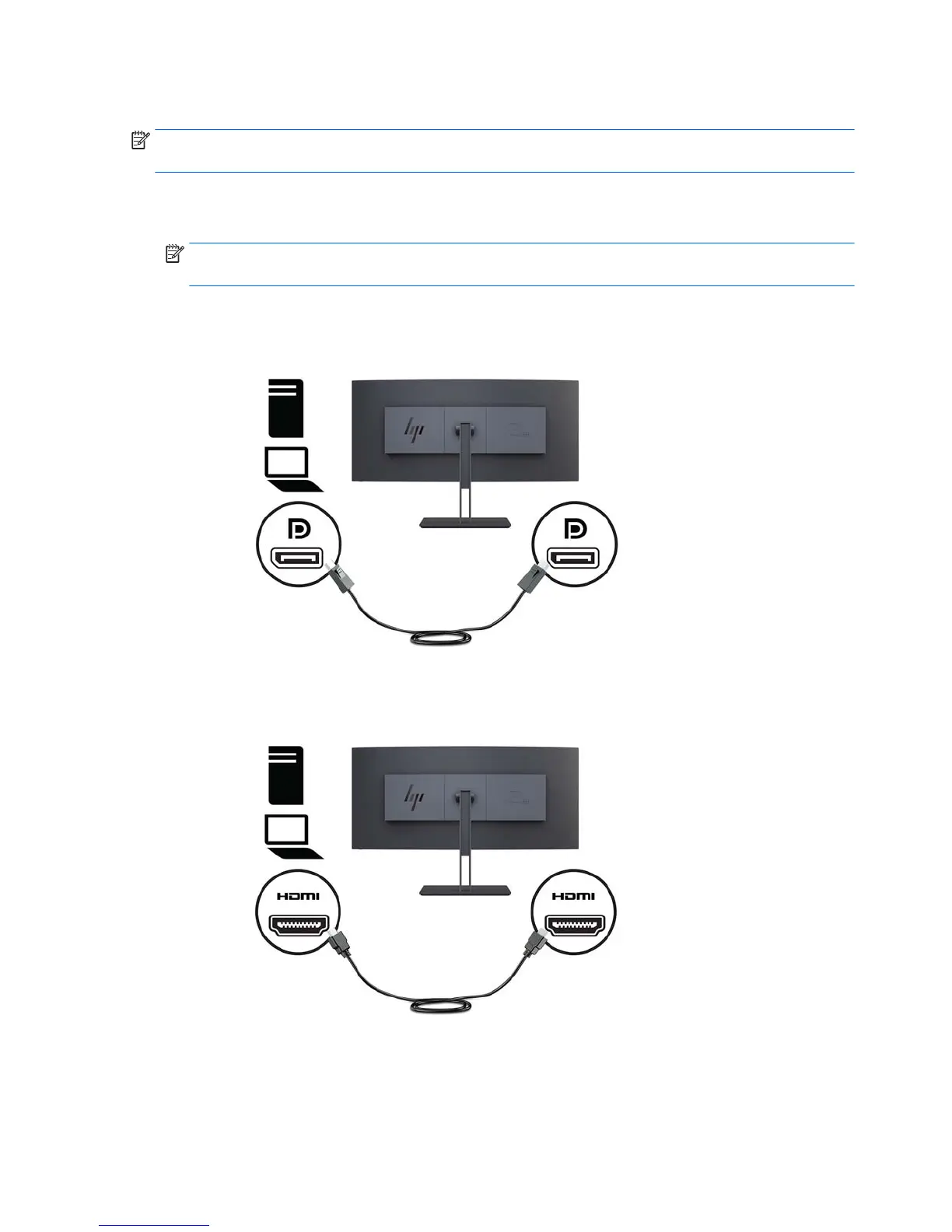
Connect one end of a DisplayPort cable to the DisplayPort port on the rear of the monitor and the
other end to a DisplayPort port on the source device.
●
Connect one end of an HDMI cable to the HDMI port on the rear of the monitor and the other end to
the source device.
3. Connect the Type-C end of a USB cable to the USB Type-C port on the side of the monitor and the other
end to a USB Type-A port on the source device.
8 Chapter 1 Getting Started


 To Next Page