8
Technical white paper | HP ZBook 15 G2 Mobile Workstation
Refresh rates
The refresh rate of a display measures the amount of times the display is updated every second. A higher refresh rate
means decreased blurring and ghosting eects when using the display. Ghosting is the eect when an image or video
moves on your display and leaves a faint trail. This eect is most often seen in videos on older displays and can be
horribly distracting. Having a good refresh rate, commonly around 60 Hz (60 images/second), means that video playback
and display use is smooth.
Bit depth
Bit depth refers to the amount of colors a display can show. The most common display bit depths are eight- and ten-
bits per RGB channel. In the case of eight-bit per RGB, each pixel on a display can show 256 shades of red, 256 shades
of green, and 256 shades of blue. The next step up, ten-bit, can show 1024 shades of red, green, and blue. The biggest
dierence between eight- and ten-bit depth is the number of discrete shades of gray that can be displayed. Ten-bit depth
is often needed for tasks like photo editing, animation, and designing. In these cases ten-bit depth displays oer over one
billion colors and allow users to have an even more color rich display. The dierences can be seen most obviously when
working with gradients in Photoshop, such as the shading of a sky or ocean.
Aspect ratio
The proportional relationship between an image’s width and height is referred to as its aspect ratio. Aspect ratio is
usually written in the form width:height. The old common standard was a 4:3 format. However, with the advent of
widescreen displays that new standard is 16:9 which is the aspect ratio used for High Denition television. There are also
many other aspect ratios, including a 16:10 which is found in some notebook PC displays. When considering what aspect
ratio is right for you, understand that a 16:9 will allow for more work to be spread horizontally, and often allows for a
more comfortable keyboard layout. On the other hand, a 16:10 ratio will allows for slightly more vertical workspace.
Resolution
Screen resolution is a measure of the amount of pixels a screen can display. Usually measured in the format “Width x
Height”, a display of 1920 x 1080 would contain 1920 pixels horizontally and 1080 pixels vertically. The total amount
of pixels on the display for this resolution would be 2,073,600 pixels. With a higher screen resolution you will get more
pixels, and thus more detail in images on your display. A 13" diagonal display with less pixels can’t show as much detail
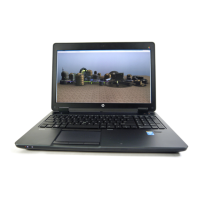
of an image as the same size display with a higher pixel rating as shown in gure 2 and 3. In theory, a display with more
pixels should allow you to see more on your screen at once. However, due to large resolution increases lately and
changes in operating system behaviors that are outside of this scope, that is not always the case.
Figure 2. 720p display on an HP ZBook 15 Figure 3. 1080p display on an HP ZBook 15
Similar to resolution, you can also measure displays in pixels per inch (PPI). This is a simple measurement and takes into
account both screen size and the resolution of your screen to tell you how many pixels exist per square inch on your
display. Displays with a low PPI measurement will have less pixels per inch and a display that is less crisp than a display
with a high PPI measurement. Generally, if you are working with photos, videos, or jobs that need crispness you will want
a high PPI display.


 To Next Page
 Loading...