
 Need help?
Do you have a question about the HPC Laser LS1390 and is the answer not in the manual?
Guidelines for safe operation, maintenance, and repair by trained personnel.
Details of all components included in the package, including software and accessories.
Instructions for safely switching the machine on and off, and conditions for correct startup.
Procedures for general cleaning of the laser machine, including safety precautions.
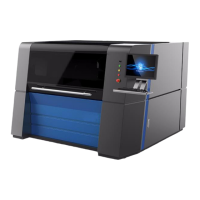
The HPC Laser LS1390 is an IPG Fiber Laser cutting machine designed for engraving and cutting signs, metal panels, and similar materials. It is a professional-grade system intended for use by trained and skilled personnel.
The LS1390 operates as a laser cutter, utilizing an IPG Fiber Laser to precisely engrave and cut various metal substrates. The machine is equipped with an automatic height control system and a professional on-board computer control system, which manages the cutting process. The laser system emits intensive and invisible Class 4 laser radiation, requiring strict adherence to safety precautions during operation. The machine's core function involves directing a high-power laser beam onto the material to achieve precise cuts and engravings. It is designed for continuous operation, with a working time of 24 hours, and includes a chiller unit and fan system for cooling, along with an exhaust pipe to manage fumes and debris. The machine is housed in a fully enclosed cabinet for enhanced safety, preventing direct exposure to the laser beam during operation.
The LS1390 is designed for ease of use by authorized and trained operators. Before operation, users must ensure that no objects are located inside the bed that could obstruct the machine's mechanics. The system requires specific environmental conditions for optimal performance, including a temperature range of 0-35°C and humidity not exceeding 70%. Locations with high temperatures, dust, poor air circulation, or mechanical shocks should be avoided.
To start the machine, the mains supply is switched ON/OFF using a dedicated switch. For correct start-up, several conditions must be met: unrestricted freedom of motion of the mechanics, no materials under the working table, and all doors and cabinets must be shut. Immediately after being switched on, the machine initiates referencing processes. Once these processes are complete, the machine indicates its readiness for use on the computer.
The LS1390 is controlled via Cypcut software, which is provided on a CD along with the printer driver and an operation manual. Computer connection is established via USB. The machine's bed size is 1300x900, accommodating a variety of material sizes. It's important to note that this machine is specifically designed for cutting metal substrates and cannot cut materials such as wood and plastics.
Safety is paramount during usage. Operators are warned against starting the machine without water in the chiller tank, as dry running for more than 5 seconds can damage the pump seal and lead to water leakage. Safety stickers on the machine indicate potential risks, including laser beam hazards, fire risks, and the danger of electrocution from 240V components inside the isolator cabinet. Users are advised not to open the isolator cabinet when the machine is switched on and to contact HPC Laser for any retooling or workplace changes. Laser safety goggles are available for purchase from HPC Laser and are recommended for protection.
Regular maintenance is crucial for ensuring the optimal performance and longevity of the LS1390. The user manual emphasizes the importance of keeping the system clean to prevent dust accumulation, which can affect performance and increase fire hazards.
General Cleaning:
Safety during Maintenance:
The manual also advises keeping the original packaging in case the machine needs to be relocated or shipped for any reason. For any technical problems or queries, users are directed to contact HPC Laser's support or sales teams.
 General
| Working Area | 1300mm x 900mm |
|---|---|
| Interface | USB |
| Driving System | Stepper Motor |
| Cooling Method | Water Cooling |
| Laser Type | CO2 |
| Engraving Speed | 0-600mm/s |
| Cutting Speed | 0 - 50000mm/min |
| Software Compatibility | CorelDRAW, AutoCAD |
| Power Supply | AC 220V ±10%, 50/60Hz |
| Graphic Format Supported | BMP, PLT, DST, DXF, AI |
| Operating Humidity | 5% - 85% |

 To Next Page