NEPTUNE
EN - 17
5.6. MEASUREMENT OF INSULATION RESISTANCE
This function is performed in compliance with standard IEC/EN61557-2 and allows
measuring insulation resistance in electric installations and industrial applications where it
is necessary to carry out duration tests (see § 9.2). The following operating modes are
available:
AUTO the test continues until a stable result is obtained (minimum duration 3s, max
15s) or until key GO/HOLD is pressed. Recommended mode
TMR the test is carried out in a continuous mode for the duration (timer) set, among
the values: 15s, 30s, 1min, 5min, 10min
PI the test is carried out in a continuous mode for the duration (timer) set, among
the values: 1min,10min. If the set time is 1min, the instrument will display the
value of parameter DAR (Dielectric Absorption Ratio) (see § 9.2.2).
1min,10min. If the set time is 10min, the instrument will display the value of
parameter PI (Polarization Index) (see § 9.2.1).
AUTO mode
CAUTION
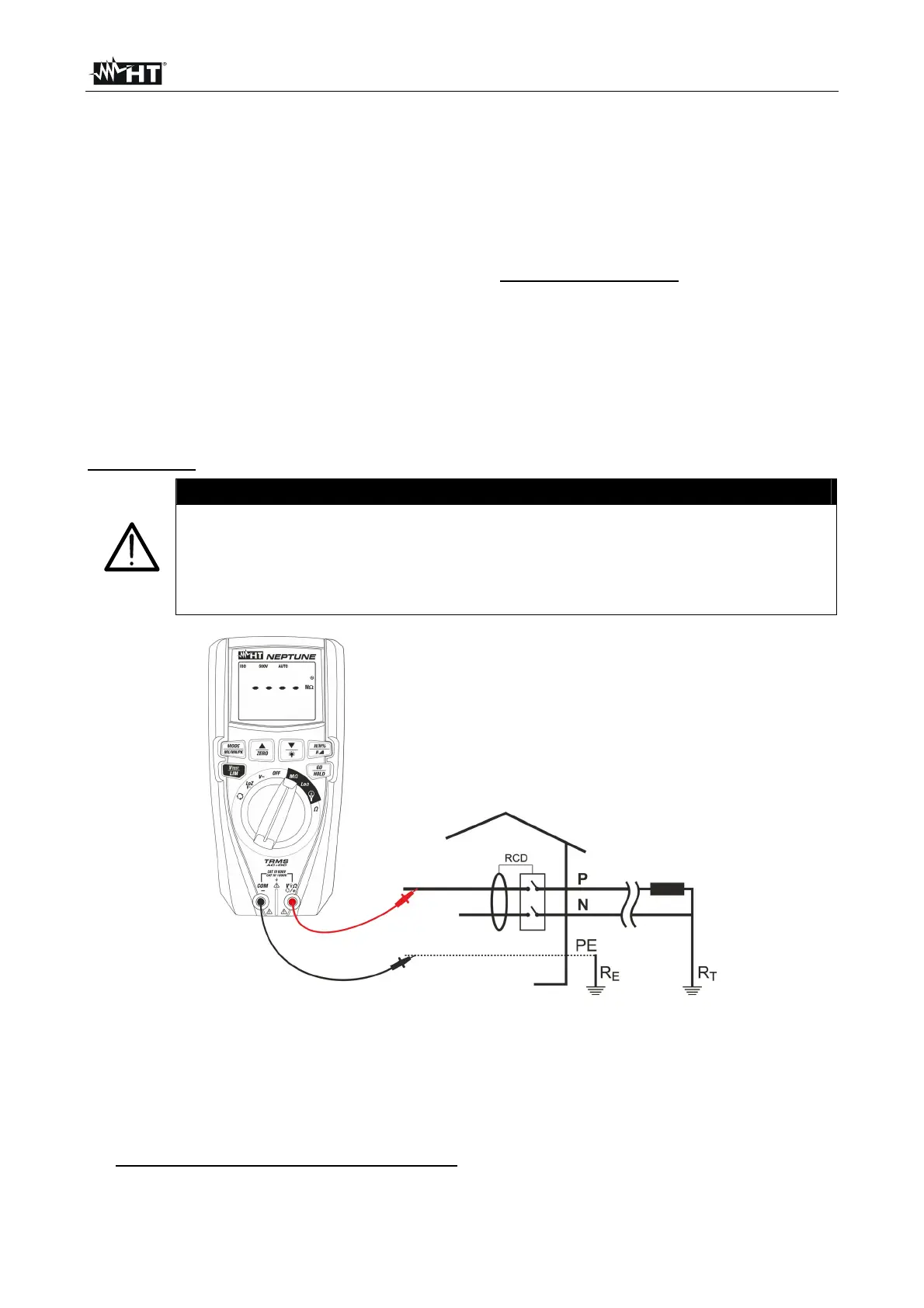
Check that the circuit being tested is not live and that all possible loads
normally connected to it are disconnected before carrying out insulation
measurement.
We recommend holding the alligator clip respecting the safety area created
by the hand protection.
Fig. 15: Use of the instrument for insulation resistance measurement in AUTO mode
1. Select position M
2. Press key MODE/MXMNPK and select option “AUTO”
3. Press key VTEST/LIM to set the test voltage choosing among the values: 50V, 100V,
250V, 500V, 1000VDC. Please note the value in the top part of the display.
4. Press and hold key VTEST/LIM (>2s) to set the minimum limit threshold for
measurement. The symbol “Set” flashes on the display.



 To Next Page